Kimi K3 in Kimi Code CLI 2.1.0
skills off
Zoom, inline player and more ways to view
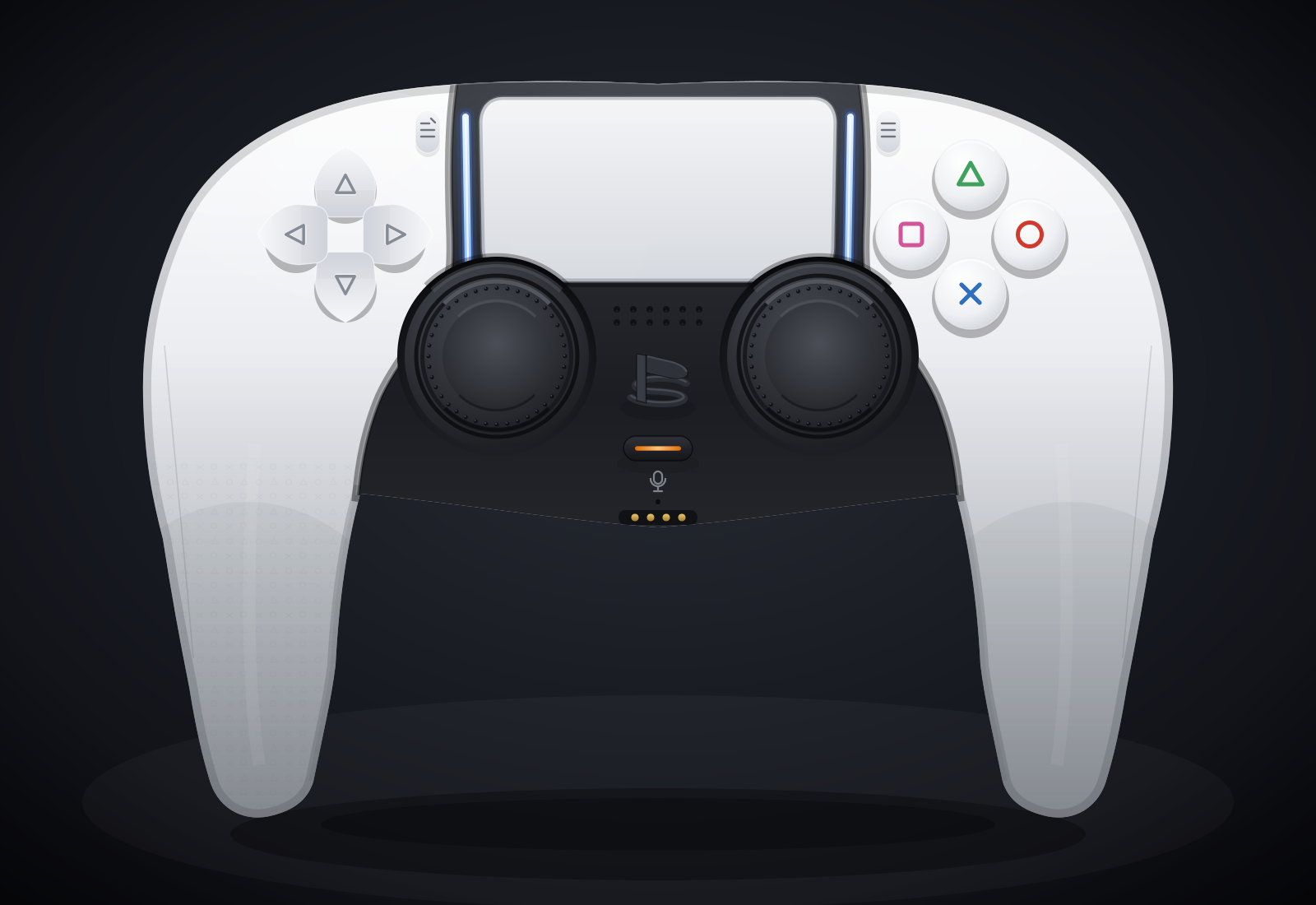
Wall time 1h 01mCost $3.29 estimated
Review
Clean front-on DualSense render on a dark vignette: white shell, black core with a speaker grille, a large touchpad with blue light-bar strips, four separate arrow D-pad buttons, a correct face-button diamond in outline style, two textured concave sticks, Create/Options buttons, a mute button with an orange bar, and a contact shadow. Weak spots: the PlayStation button is a malformed 'B'-like glyph rather than the PS logo, and the grips run too long and straight for real DualSense proportions.
Verdict by the AI judge (provisional).
The full review
OK. Finished on its own after 61.3 min and produced controller.svg.
Bugs
- PS logo drawn as a malformed B-like glyph
- grips too long/straight
Scores
AI judge
Not scored
No rubric for this prompt
Visitor votes and reviewer grades are not available yet.
- AI judge
- AI judge: the test runner (model claude-opus-5-5), scoring by visual review of the 1600 px render against the pre-registered rubric. No AI-judge score exists for this result: there is no rubric for this prompt, so no score is shown and none is made up.
- Visitors
- Public voting with a blind reveal is coming: you score the output first, then see the other scores.
- Reviewer
- The reviewer's own grade appears here once it is added.
Scores compare results for the same prompt only. AI-judge boards rank runs within one prompt, equal totals sharing a rank; scores from different prompts are never averaged.
Downloads
Files actually published for this run. Original output, site-made previews and post-run conversions are labelled separately.
The exact prompt
agentic harness (save the file; self-render allowed), 2,074 characters. Every result for this prompt
Create a single self-contained SVG illustration of the Sony PS5 Pro DualSense wireless controller at MAXIMUM fidelity. This is a showcase piece: take your time to plan the geometry carefully before writing it. Requirements: 1) Accurate DualSense silhouette and proportions: a wide body with the large, wide touchpad spanning the top centre, two flared, rounded grips sweeping down and outward, and a perfectly symmetrical left/right layout. White outer shell with the black central core section. 2) Face buttons on the right in the classic diamond: triangle (top), circle (right), cross (bottom), square (left), each drawn as clean PlayStation symbols in their real colours (green triangle, red circle, blue cross, pink square) in the modern outline style on light buttons, with subtle bevels. 3) D-pad on the left as FOUR separate arrow-shaped directional buttons (up, down, left, right), not a single cross. 4) Two black analog sticks with concave tops and a textured grip ring (fine radial or dotted texture) and shading. 5) The PlayStation logo button centred below the touchpad between the sticks, the small mic mute button with its orange-tinted indicator line just below it, the Create button (left) and Options button (right) flanking the touchpad. 6) The blue light-bar glow running along both side edges of the touchpad, with a soft bloom. Speaker grille holes on the black core. 7) Realistic product-render shading: gradients, specular highlights, soft ambient occlusion, a contact shadow beneath the controller. 8) A clean dark studio background with a subtle radial vignette. Front-on hero shot, centred and filling the frame well. Use viewBox="0 0 1600 1100" with width="1600" height="1100". No external assets, no raster images, no fonts, no scripts. Output ONLY the complete SVG code, starting with <svg and ending with </svg>, with no explanation or markdown fences. Save it as controller.svg in the current directory. You may render and inspect your own output (headless chromium is available at /usr/bin/chromium) and iterate on your own before finishing.
How it was made
Versions saved during the run
9 intermediate outputs, in the order the model wrote them.


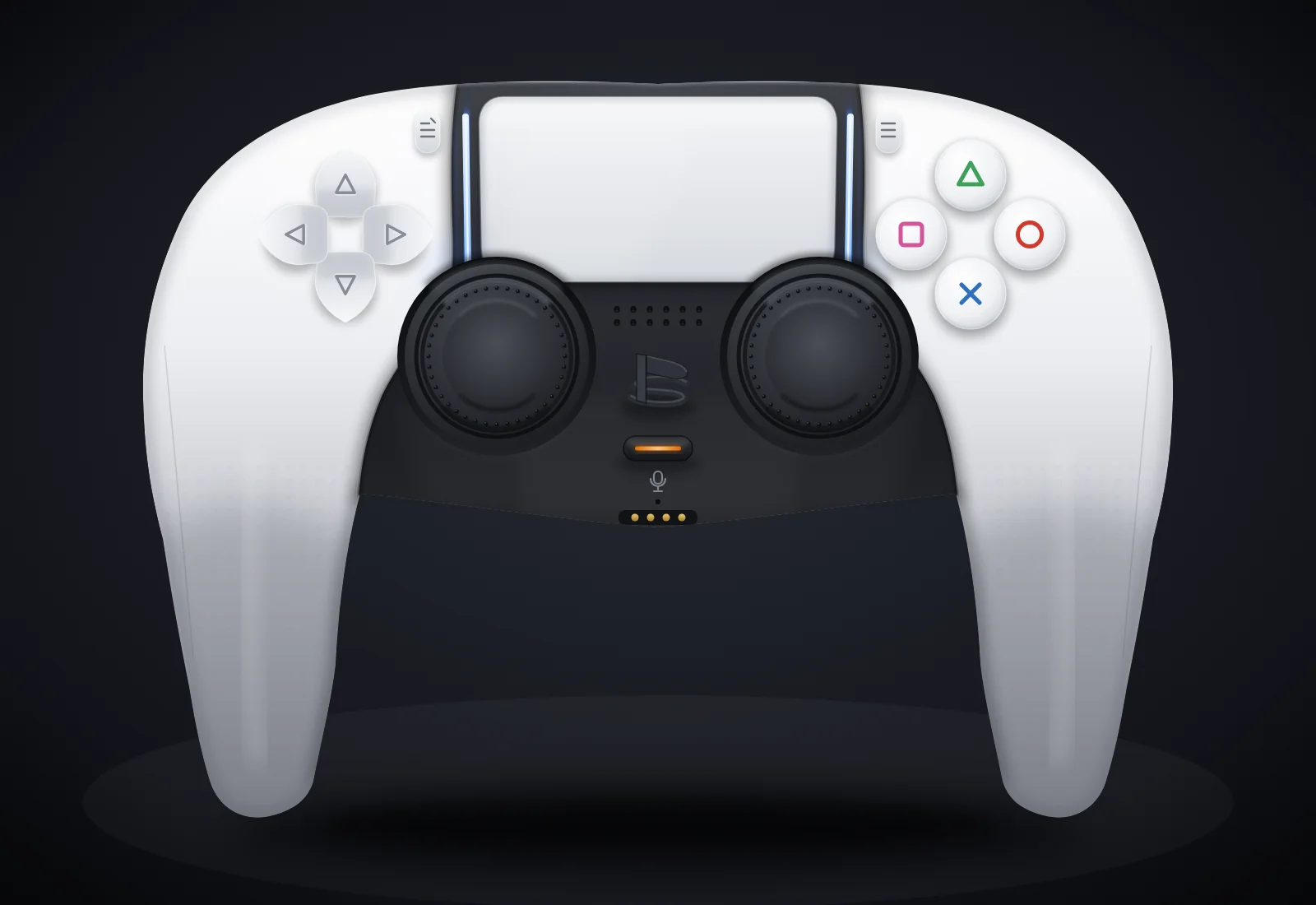
Step by step
The prompt, every agent turn and tool call (tool name and a one-line summary; inputs and outputs are not shown), then the final message. The full transcript is 2.9 MB; it is published as a scrubbed, compressed download rather than shown on the page.
Show all 2 steps
Loading the timeline…
Download the full transcript transcript, 276 KB, gzip. Scrubbed: anything that looks like a key, token, e-mail address or phone number is replaced, and account details and the test machine's file paths are removed.
Cost breakdown
Headline cost $3.29, estimated from the token counts at list price.
| Tokens by type | Tokens | $ per 1M | Cost |
|---|---|---|---|
| Input (uncached) | 153,347 | $3.00 | $0.4600 |
| Cache write | 0 | $0.00 | $0 |
| Cache read | 4,023,874 | $0.30 | $1.2072 |
| Output | 108,247 | $15.00 | $1.6237 |
| of which reasoning | not recorded | billed as output |
- Total computed from tokens
- $3.2909
- Total reported by the harness
- none
Tokens summed from every step.end usage in Kimi Code's wire.jsonl (main agent + any subagent wires): inputOther = uncached input, inputCacheRead, inputCacheCreation, output (reasoning is included in output, not split). Kimi Code prints no dollar figure: cost = tokens x Moonshot list price.
Prices: models.dev catalog as loaded by OpenCode 1.18.32 (read 2026-09-23) (Moonshot kimi-k3 list price), 2026-09-23.
Run notes
- Same controller prompt as the earlier home/OpenCode controller runs (harness_runs/prompt_controller.txt).
- Mode: interactive TUI in tmux (160x48), inside bubblewrap sandbox
- Isolation: bwrap: private /tmp, /run, PID/IPC/UTS ns; HOME, TMPDIR and the harness home (sessions, config copy) inside this run dir; only /usr, /etc, the harness binary dir(s) (ro) and this run dir bound; the project files, results/, other runs, /tmp/hx_* not mounted