Image to procedural threejs scene
Build a single-file web app (index.html, Three.js from a CDN, no build step) that turns a reference image into a procedural Three.js scene.
More
1 test · 2 finished runs (2 agent, 0 raw one-shot) · 2 live demos
The prompt
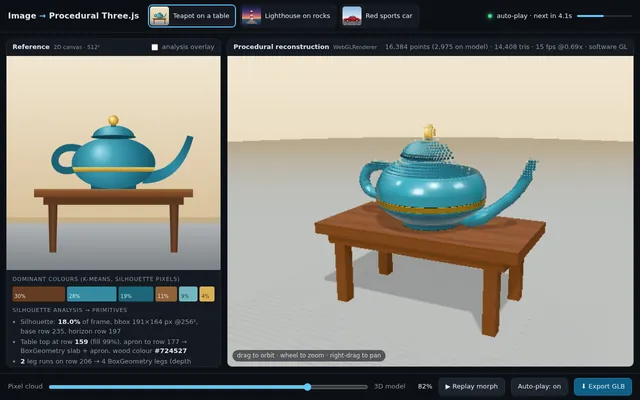
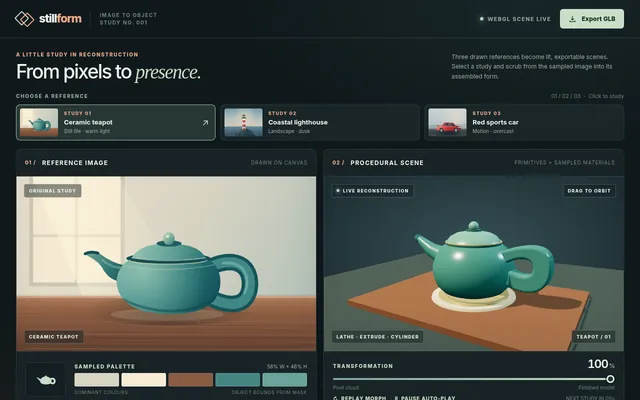
Build a single-file web app (index.html, Three.js from a CDN, no build step) that turns a reference image into a procedural Three.js scene. Include 3 built-in reference images drawn procedurally on a canvas (a teapot on a table, a lighthouse on rocks, a red sports car) so no external files are needed. For the selected reference, analyse the image's dominant colours and silhouette, then assemble the object from primitives (boxes, cylinders, lathe and extrude geometry) with matching materials, lighting and a ground plane. Show the reference image and the 3D result side by side, with a slider that morphs from a flat "pixel cloud" of the image into the finished 3D model. Add an "Export GLB" button using GLTFExporter. IDLE AUTO-PLAY: with no input, cycle through the 3 references every 8 seconds, animating the pixel-cloud-to-model morph and slowly orbiting the camera. Must render with WebGLRenderer (no WebGPU required). Save the main page as index.html in the current directory (plus any local asset files you create), with no build step. You may serve it locally and open it in headless chromium (/usr/bin/chromium, software WebGL, no GPU, no WebGPU) to screenshot and inspect your own output, and iterate on your own before finishing. Close any browser you open as soon as you've taken your screenshot. Finish with a short README.md describing the controls.
Same prompt, all models: step through 2 runsIn the gallery: one player, arrow keys or swipe.