Stillwater pond
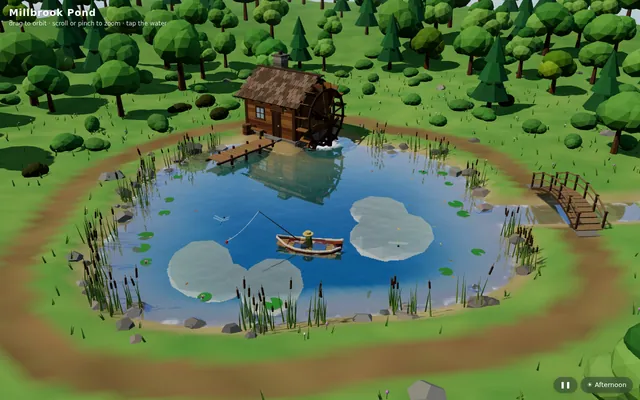
Build "Millbrook Pond", a calm countryside pond diorama in Three.js, seen from above at a three-quarter angle.
More
1 test · 4 finished runs (4 agent, 0 raw one-shot) · 4 live demos
The prompt
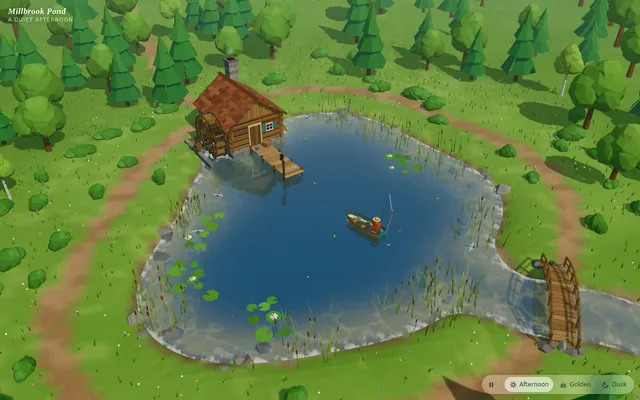
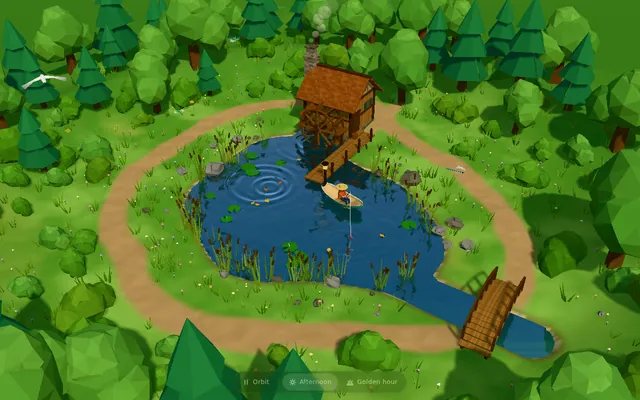
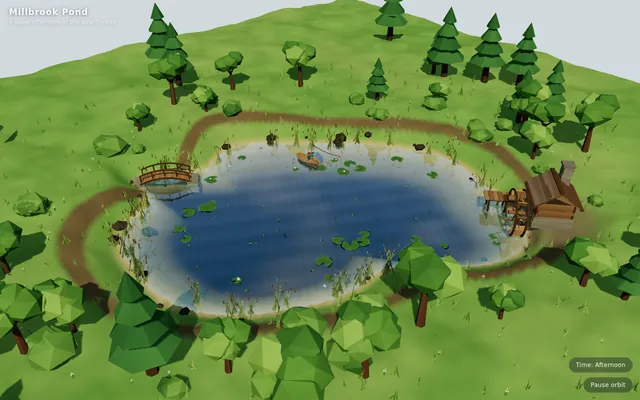
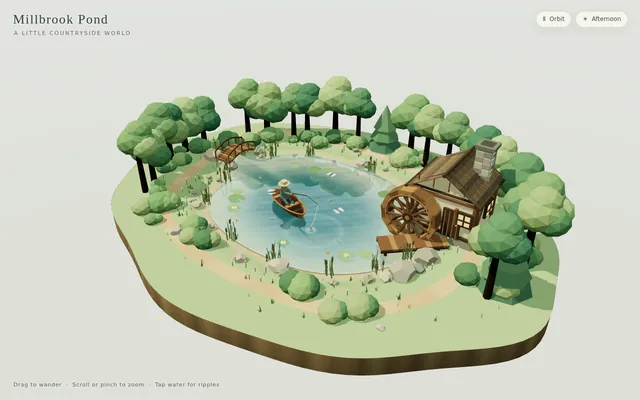
Build "Millbrook Pond", a calm countryside pond diorama in Three.js, seen from above at a three-quarter angle. An irregular pond with soft grassy banks, rocks and reeds sits in a clearing ringed by trees and bushes, with a dirt path running around it. On one shore stands a small timber watermill cabin with a shingled roof and a stone chimney, and on its side a large wooden waterwheel turns continuously, its paddles dipping into the water and churning it. A plank dock juts out from the mill, a small arched wooden footbridge crosses an inlet, and a rowboat floats on the pond with a seated figure fishing, rod and line out; the boat bobs and drifts gently and the line's float makes small rings. The water is the star: a real-time reflective and refractive surface (a planar or render-target reflection of the mill, trees and sky; refraction of the shallow pond bed near the banks; depth-based tint from clear shallows to a dark centre) blended with a Fresnel term, soft normal-mapped wind ripples, and dynamic ripple rings from the waterwheel, the boat, the fishing float and the occasional rising fish, which spread and fade. Add gentle ambient life: swaying foliage, a few lily pads or drifting leaves, dragonflies or birds, and soft afternoon sun with shadows. The camera slowly orbits the pond on its own; the user can drag to orbit, pinch or scroll to zoom, and tap the water to make ripples, and a small unobtrusive control pauses the orbit and switches the time of day (for example afternoon and golden hour). The look is stylized and cohesive (low-poly or soft-shaded), and everything is built in code; no external models, textures or HDRIs. Also add a capture mode: opening index.html?capture=1 hides all UI and plays a scripted 12-second camera move around the pond that ends where it started, so it can be recorded as a seamless clip. Build it as index.html (plus any local asset files you create) in the current directory, with no build step; three.js and any addons may load from a pinned CDN. Aim for 60 fps on a laptop and at least 30 fps on a mid-range phone, with touch working. You may serve it locally and open it in headless chromium (/usr/bin/chromium, software WebGL, no GPU) to screenshot and inspect your own output, and iterate on your own before finishing. Close any browser you open as soon as you've taken your screenshot. Finish with a short README.md describing the controls and the capture mode.
Same prompt, all models: step through 7 runsIn the gallery: one player, arrow keys or swipe.