Claude Haiku 5.5 · Harness lane
- 7 finished runs
- 7 prompts
- 1 model
- every prompt published
Game battleship
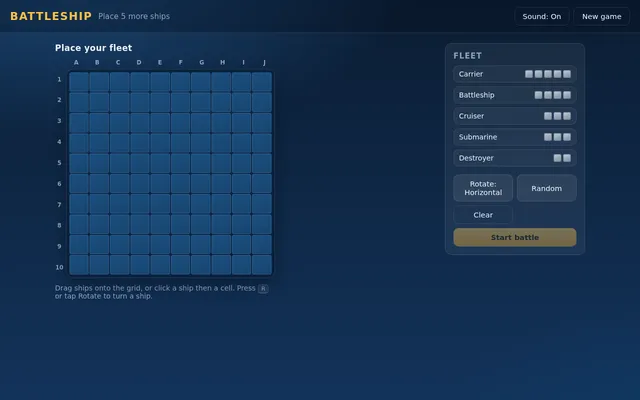
Build a complete, polished Battleship game playable in the browser (index.html plus any JS/CSS, no build step). Player vs computer on 10x10 grids: ship placement (drag or click, with rotate), a computer opponent with a sensible hunt/target strategy, hit/miss/sunk feedback with animation and sound, turn indicator, win/lose screen and restart. It must work with mouse and touch and look good on desktop and phone. Write everything into the working directory and finish with a short README.md.
Js13k style shader game
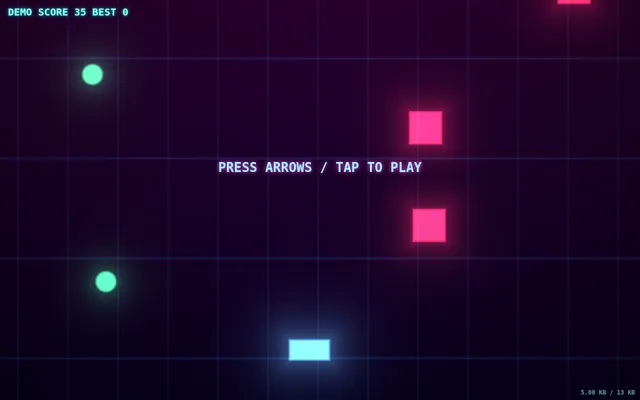
Make a complete playable game in ONE html file under 13 KB (minified size reported in a corner): the visuals are rendered entirely by one fragment shader (raymarched or 2D SDF). Arcade loop: dodge/collect, score, increasing speed, game over + restart. Keyboard and touch controls. No libraries, no assets. IDLE AUTO-PLAY: with no input, the page starts animating immediately and runs an automatic demo (camera motion, preset or seed cycling, or an AI player) so a headless capture shows constant motion. Must render on WebGL/WebGL2 with no WebGPU required. Save the main page as index.html in the current directory (plus any local asset files you create), with no build step. You may serve it locally and open it in headless chromium (/usr/bin/chromium, software WebGL, no GPU, no WebGPU) to screenshot and inspect your own output, and iterate on your own before finishing. Close any browser you open as soon as you've taken your screenshot. Finish with a short README.md describing the controls.
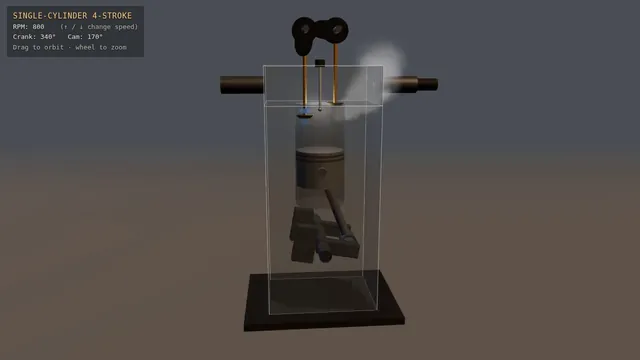
Four-stroke engine cutaway: crank, piston and cam-driven valves (Three.js)
Build a Three.js scene: A single-cylinder engine is shown in a half-transparent steel block, with crankshaft, connecting rod, piston and two cam-driven poppet valves animating in sync through intake, compression, power and exhaust. Fuel-air mix is shown as blue particles, the spark as a white flash, and exhaust as grey smoke particles. The up and down arrow keys change RPM, and a floating label names the current stroke. The camera orbits on drag with a workshop-grey backdrop and warm key light. Everything is built in code from Three.js geometry, materials and shaders; no external models, textures or fonts. The scene must visibly animate from the moment it loads and run in a browser with software WebGL (no GPU). Deliver ONE self-contained HTML file; load Three.js only through an import map from https://cdn.jsdelivr.net/npm/three@0.170.0/build/three.module.js (addons from https://cdn.jsdelivr.net/npm/three@0.170.0/examples/jsm/), with no other external requests. Output ONLY the complete HTML file, starting with <!DOCTYPE html> and ending with </html>, with no explanation or markdown fences.
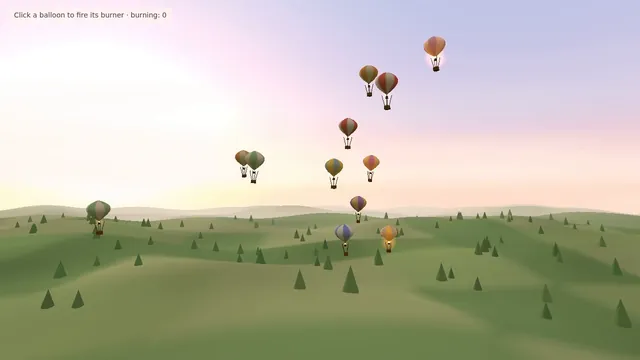
Hot air balloon festival over rolling fields (Three.js)
Build a Three.js scene: A dozen hot air balloons with striped procedural envelopes rise at different rates over rolling green fields, their burners flaring orange and lifting them in pulses. Clicking a balloon fires its burner, so it visibly glows and climbs faster. Balloons drift with a gentle wind field and the camera slowly rises with the fleet. The sky is a pale dawn gradient with soft volumetric-looking haze bands. Everything is built in code from Three.js geometry, materials and shaders; no external models, textures or fonts. The scene must visibly animate from the moment it loads and run in a browser with software WebGL (no GPU). Deliver ONE self-contained HTML file; load Three.js only through an import map from https://cdn.jsdelivr.net/npm/three@0.170.0/build/three.module.js (addons from https://cdn.jsdelivr.net/npm/three@0.170.0/examples/jsm/), with no other external requests. Output ONLY the complete HTML file, starting with <!DOCTYPE html> and ending with </html>, with no explanation or markdown fences.
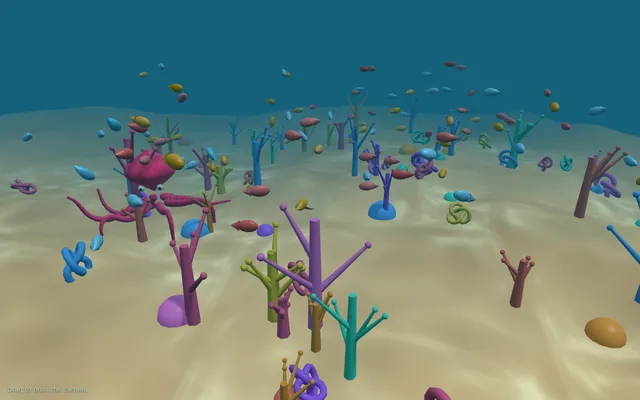
Threejs octopus reef
Build a Three.js scene: An octopus crawls across a colourful coral reef, its eight tentacles animated as curling chains of segments that reach and grip, its skin shifting colour to match the coral it passes. Schools of small fish swim past and caustic light patterns dance on the sand. Mouse drag orbits the camera. Everything is built in code from Three.js geometry, materials and shaders; no external models or textures. Build it as index.html (plus any local asset files you create) in the current directory. Three.js may load from a pinned CDN. You may serve it locally and open it in headless chromium (/usr/bin/chromium, software WebGL, no GPU) to screenshot and inspect your own output, and iterate on your own before finishing. Close any browser you open as soon as you've taken your screenshot.
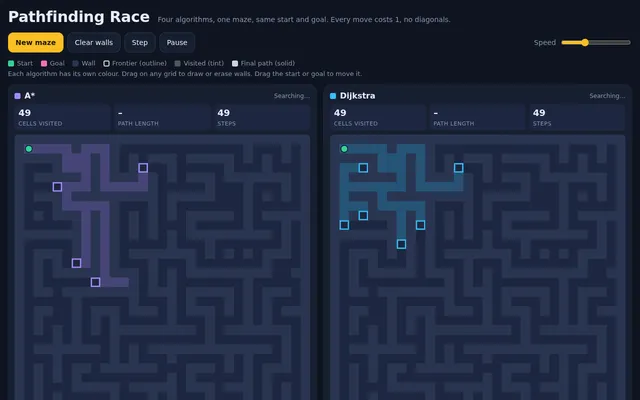
Algoviz pathfinding race
Build a pathfinding race visualizer: four copies of the same grid maze, side by side (stacked on a phone), where A*, Dijkstra, breadth-first search and greedy best-first search solve the same start-to-goal problem at the same time, step by step. Show each algorithm's frontier, visited cells and final path in distinct colours, and live counters for cells visited, path length and steps taken; when all four finish, show a small results table ranking them and say which found the shortest path and which explored the fewest cells. Controls: generate a new random maze (a perfect maze with some extra openings so paths differ), clear the grid, draw or erase walls by dragging on any grid (the edit applies to all four), move the start and goal by dragging them, a speed slider, play, pause and single step. Diagonal moves are off; every move costs 1. So the page is alive without input, on load it generates a maze and starts the race automatically, and when a race finishes it waits 3 seconds and runs a new maze, forever, until the user touches a control. Make it clear and beautiful, the kind of visual a teacher would put on a projector.

Save it as index.html in the current directory: one self-contained file with inline CSS and JavaScript only, no libraries or frameworks, and no external requests of any kind (no CDNs, web fonts, images or audio files). It must work when opened directly from disk, fit any window from a 390 px wide phone to a desktop, and run without console errors. You may serve it locally and open it in headless chromium (/usr/bin/chromium, software WebGL, no GPU) to screenshot and inspect your own output, and iterate on your own before finishing. Close any browser you open as soon as you've taken your screenshot.
Algoviz sorting race
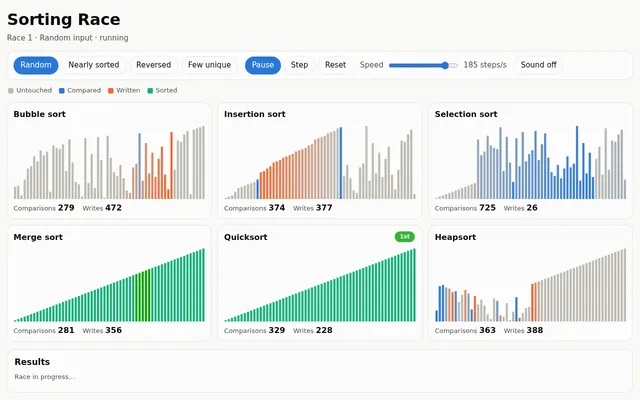
Build a sorting algorithm race: six panels side by side (a grid on narrow screens), each sorting its own copy of the same 60-element array drawn as vertical bars, with bubble sort, insertion sort, selection sort, merge sort, quicksort and heapsort running at the same time, one comparison or write per tick. Highlight the bars being compared and the bars being written in each step, and show live counters for comparisons and array writes in every panel. When a panel finishes, play a quick sweep across its bars and stamp its finishing place (1st to 6th). Controls: input presets (random, nearly sorted, reversed, few unique values), a speed slider, play, pause, single step and reset; an optional soft tone per comparison through WebAudio that is off by default, with a mute toggle. After every race, show a small table of comparisons and writes per algorithm for that input. So the page is alive without input, on load it shuffles and starts a race on the random preset automatically, and after each finish it waits 3 seconds and races the next preset in turn, forever, until the user touches a control. Make it clear and beautiful, the kind of visual a teacher would put on a projector.

Save it as index.html in the current directory: one self-contained file with inline CSS and JavaScript only, no libraries or frameworks, and no external requests of any kind (no CDNs, web fonts, images or audio files). It must work when opened directly from disk, fit any window from a 390 px wide phone to a desktop, and run without console errors. You may serve it locally and open it in headless chromium (/usr/bin/chromium, software WebGL, no GPU) to screenshot and inspect your own output, and iterate on your own before finishing. Close any browser you open as soon as you've taken your screenshot.