qwen3p8-max · Three.js
- 8 finished runs
- 8 prompts
- 1 model
- every prompt published
Threejs artwork style pass
# Test: threejs_artwork_style_pass

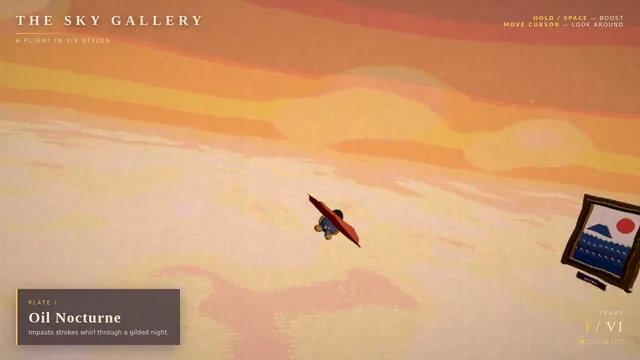
Build a real-time 3D scene in three.js: a **caped flying hero** flies through a row of **large framed artworks**, and each time he passes through a frame **his rendering style changes to match that artwork's style**.

- The hero is an original, generic caped flyer (your own design, not any existing or trademarked character): a stylised humanoid in a flying pose, fists forward, with a cape that flutters and ripples in the wind as he flies.
- A row of at least **five big picture frames** stands along his flight path, spaced out, each with a gilded frame and a procedurally generated canvas in a different style, for example: **oil painting** (thick brush strokes), **ukiyo-e woodblock** (flat colours, bold outlines, wave pattern), **pixel art**, **comic book / halftone** (dots, ink outlines), **watercolour** (soft bleeding washes). More styles are welcome.
- As he flies **through** each frame, the hero's look switches to that artwork's style (custom shaders / materials / post-processing, e.g. toon shading + outlines, halftone dots, pixelation, painterly noise, paper texture), ideally with a short visible transition at the moment he crosses the frame plane. Optionally the world around him can also take on the style.
- Motion must be **smooth and continuous** (no teleporting or snapping): he flies along a gentle curved path through all frames, and the whole sequence loops seamlessly.
- The **camera follows** him smoothly (chase camera with slight lag), keeping both the hero and the next frame in view.
- Good lighting, sky/background and atmosphere; aim for a polished, showcase-quality look.


Deliverable: reply with exactly one complete, self-contained `index.html` file in a single ```html code block. Requirements:
- Use three.js (r160 or newer) loaded from a CDN through an `<script type="importmap">` (e.g. jsDelivr or unpkg); addons such as OrbitControls may be imported from the same CDN via the import map.
- No other files: no external textures, models, fonts or images. Generate any textures procedurally in code.
- It must run by simply opening index.html in a modern desktop browser, fill the window, and handle resize.
- Animate with requestAnimationFrame and a clock, so it looks right at any frame rate.
- No explanation is needed outside the code block.
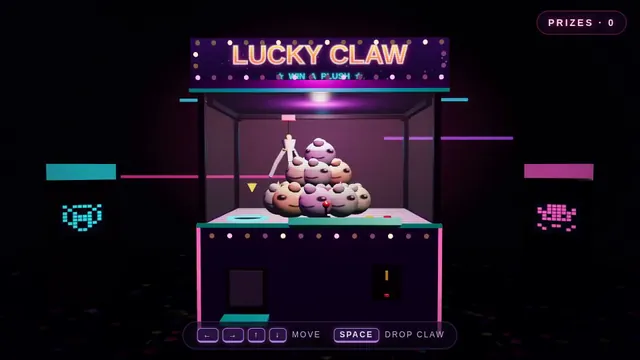
Retro arcade claw machine with pastel plush prizes (Three.js)
Build a Three.js scene: A retro arcade claw machine with a glass cabinet, chasing marquee lights and a pile of round pastel plush creatures stands in a dim arcade. Use the arrow keys to move the three-pronged claw over the pile and Space to drop it; the claw descends, closes, and may grip a plush that sometimes slips during the lift. A successful grab drops the plush down the prize chute with a burst of confetti; the camera is front-facing with slight mouse parallax. Everything is built in code from Three.js geometry, materials and shaders; no external models, textures or fonts. The scene must visibly animate from the moment it loads and run in a browser with software WebGL (no GPU). Deliver ONE self-contained HTML file; load Three.js only through an import map from https://cdn.jsdelivr.net/npm/three@0.170.0/build/three.module.js (addons from https://cdn.jsdelivr.net/npm/three@0.170.0/examples/jsm/), with no other external requests. Output ONLY the complete HTML file, starting with <!DOCTYPE html> and ending with </html>, with no explanation or markdown fences.
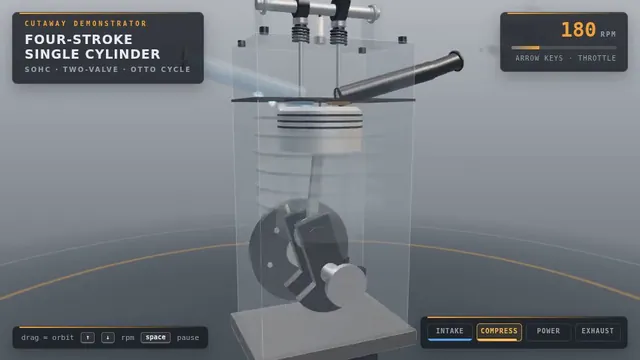
Four-stroke engine cutaway: crank, piston and cam-driven valves (Three.js)
Build a Three.js scene: A single-cylinder engine is shown in a half-transparent steel block, with crankshaft, connecting rod, piston and two cam-driven poppet valves animating in sync through intake, compression, power and exhaust. Fuel-air mix is shown as blue particles, the spark as a white flash, and exhaust as grey smoke particles. The up and down arrow keys change RPM, and a floating label names the current stroke. The camera orbits on drag with a workshop-grey backdrop and warm key light. Everything is built in code from Three.js geometry, materials and shaders; no external models, textures or fonts. The scene must visibly animate from the moment it loads and run in a browser with software WebGL (no GPU). Deliver ONE self-contained HTML file; load Three.js only through an import map from https://cdn.jsdelivr.net/npm/three@0.170.0/build/three.module.js (addons from https://cdn.jsdelivr.net/npm/three@0.170.0/examples/jsm/), with no other external requests. Output ONLY the complete HTML file, starting with <!DOCTYPE html> and ending with </html>, with no explanation or markdown fences.
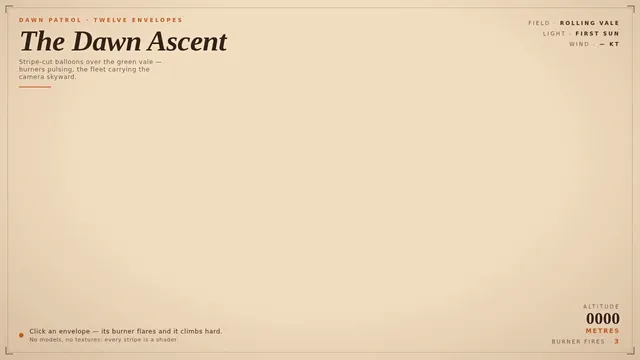
Hot air balloon festival over rolling fields (Three.js)
Build a Three.js scene: A dozen hot air balloons with striped procedural envelopes rise at different rates over rolling green fields, their burners flaring orange and lifting them in pulses. Clicking a balloon fires its burner, so it visibly glows and climbs faster. Balloons drift with a gentle wind field and the camera slowly rises with the fleet. The sky is a pale dawn gradient with soft volumetric-looking haze bands. Everything is built in code from Three.js geometry, materials and shaders; no external models, textures or fonts. The scene must visibly animate from the moment it loads and run in a browser with software WebGL (no GPU). Deliver ONE self-contained HTML file; load Three.js only through an import map from https://cdn.jsdelivr.net/npm/three@0.170.0/build/three.module.js (addons from https://cdn.jsdelivr.net/npm/three@0.170.0/examples/jsm/), with no other external requests. Output ONLY the complete HTML file, starting with <!DOCTYPE html> and ending with </html>, with no explanation or markdown fences.
Threejs mechanical bee
# Test: threejs_mechanical_bee

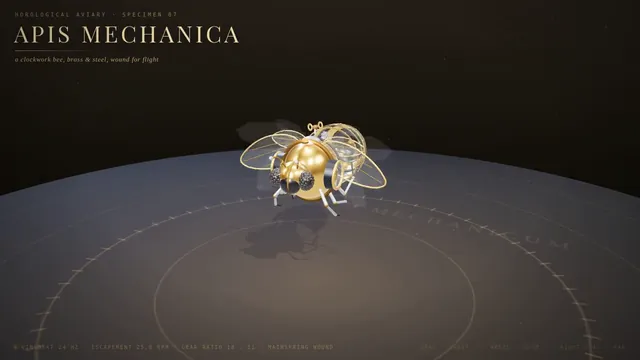
Build a real-time 3D scene in three.js of an animated **mechanical (clockwork) bee**.

- The bee is built from many distinct parts: a segmented abdomen, thorax, head with compound-eye lenses, antennae, six jointed legs and two pairs of wings.
- Materials are physically based (MeshStandardMaterial or MeshPhysicalMaterial): polished and aged **brass**, brushed **steel**, a little dark enamel or glass, with believable metalness/roughness. Use an environment map (e.g. RoomEnvironment with PMREMGenerator) so the metal reflects.
- The **wings beat fast** (a visible blur-like flutter, thin translucent panels with a metal frame/veins).
- Several visible **gears turn** inside the body (meshing gears turn in opposite directions at speeds consistent with their tooth counts).
- The whole bee **hovers with a gentle bob and slight sway loop** in mid-air; legs and antennae move a little.
- **OrbitControls** let the viewer orbit, zoom and pan around the bee, with damping.
- **Nice lighting**: a key light with soft shadows, a fill and a rim light, tone mapping (ACES or AgX) and sRGB output; a tasteful backdrop or ground so the shadow reads.
- Aim for a polished, showcase-quality look.


Deliverable: reply with exactly one complete, self-contained `index.html` file in a single ```html code block. Requirements:
- Use three.js (r160 or newer) loaded from a CDN through an `<script type="importmap">` (e.g. jsDelivr or unpkg); addons such as OrbitControls may be imported from the same CDN via the import map.
- No other files: no external textures, models, fonts or images. Generate any textures procedurally in code.
- It must run by simply opening index.html in a modern desktop browser, fill the window, and handle resize.
- Animate with requestAnimationFrame and a clock, so it looks right at any frame rate.
- No explanation is needed outside the code block.
Night Train
Build a Three.js scene: A night train crossing a landscape. A passenger train of a locomotive and at least four carriages with warm, glowing lit windows travels along a track that winds through rolling hills, over a bridge across a river and past a small village with a few lit houses. A full moon lights the scene with cool blue light and casts soft shadows; stars fill the sky, the river reflects the moon, and the locomotive's headlight throws a beam ahead of the train. The train moves continuously and loops forever along the track, its wheels turning and a faint trail of steam or exhaust drifting behind it. The camera slowly follows the train by default; OrbitControls let the viewer take over, and a button switches between the follow camera and a free camera. Everything is built in code from Three.js geometry, materials and shaders; no external models, textures or fonts. The scene must visibly animate from the moment it loads and run in a browser with software WebGL (no GPU). Deliver ONE self-contained HTML file; load Three.js only through an import map from https://cdn.jsdelivr.net/npm/three@0.170.0/build/three.module.js (addons from https://cdn.jsdelivr.net/npm/three@0.170.0/examples/jsm/), with no other external requests (no image, texture, model, font or audio files): build every shape and texture in code. It must work when opened directly from disk in a current desktop or mobile browser, fit the window responsively, and run without console errors. Output ONLY the complete HTML file, starting with <!DOCTYPE html> and ending with </html>, with no explanation or markdown fences.
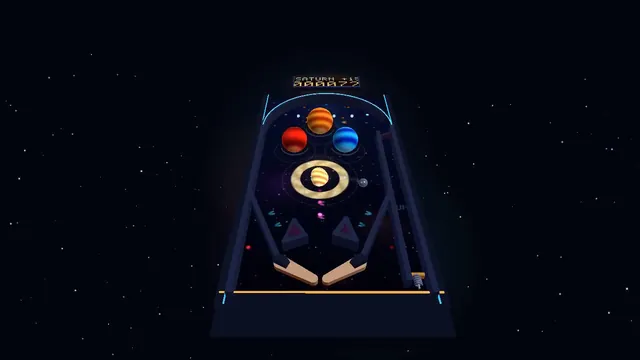
Outer-space pinball table with planet bumpers (Three.js)
Build a Three.js scene: A full 3D pinball table themed as outer space, with planet-shaped bumpers, a ringed-Saturn spinner and LED-like emissive lane lights. The Z and M keys flip the left and right flippers, and Space pulls and releases the plunger with a held power charge. Bumpers flash and bounce the steel ball, the score shows on a floating dot-matrix panel, and the camera sits at a classic tilted player view. Everything is built in code from Three.js geometry, materials and shaders; no external models, textures or fonts. The scene must visibly animate from the moment it loads and run in a browser with software WebGL (no GPU). Deliver ONE self-contained HTML file; load Three.js only through an import map from https://cdn.jsdelivr.net/npm/three@0.170.0/build/three.module.js (addons from https://cdn.jsdelivr.net/npm/three@0.170.0/examples/jsm/), with no other external requests. Output ONLY the complete HTML file, starting with <!DOCTYPE html> and ending with </html>, with no explanation or markdown fences.
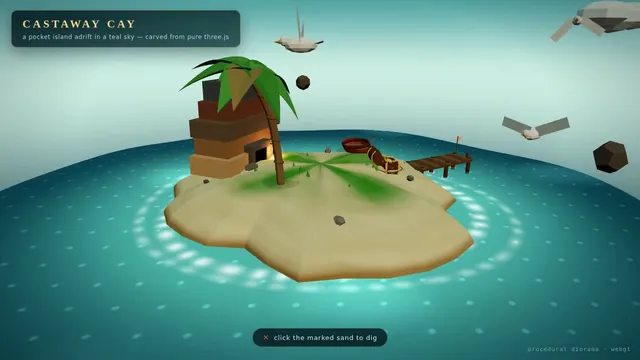
Floating pirate island diorama with a cliff cross-section (Three.js)
Build a Three.js scene: A small floating diorama chunk of island with a cliff cross-section shows layered rock, a palm tree, a wooden pier, a beached rowboat and a hidden treasure cave lit by a lantern. Waves lap the shore via a shader, gulls circle, and the palm sways. Click the X-marked sand to dig: sand particles fly and a chest rises and opens with a golden glow; the camera slowly orbits the floating base against a teal sky gradient. Everything is built in code from Three.js geometry, materials and shaders; no external models, textures or fonts. The scene must visibly animate from the moment it loads and run in a browser with software WebGL (no GPU). Deliver ONE self-contained HTML file; load Three.js only through an import map from https://cdn.jsdelivr.net/npm/three@0.170.0/build/three.module.js (addons from https://cdn.jsdelivr.net/npm/three@0.170.0/examples/jsm/), with no other external requests. Output ONLY the complete HTML file, starting with <!DOCTYPE html> and ending with </html>, with no explanation or markdown fences.