Claude Opus 5.5 · Blender
- 3 finished runs
- 3 prompts
- 1 model
- every prompt published
Blender donut
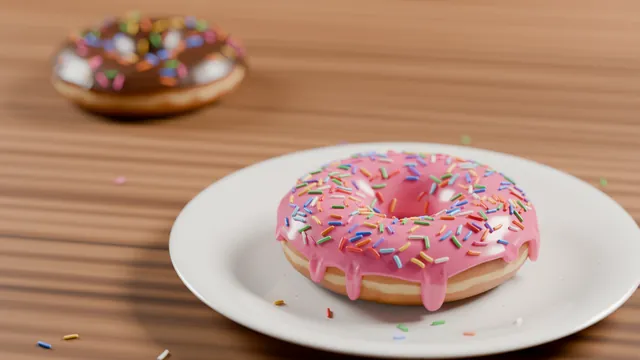
Make me a donut in Blender. Blender 5.2 is already running on this machine with the MCP for Blender add-on connected: build the scene in that Blender through the blender MCP tools (its window is on a virtual screen and there is no GPU, so render on the CPU). When you are finished, set up a camera and render the final image at 1920x1080, saving it as render.png in the current directory (Blender's working directory is this same folder), and save the Blender file as scene.blend here too. You may take viewport screenshots and look at your own renders to check your work, and iterate on your own before finishing.
Blender humanoid walk cycle
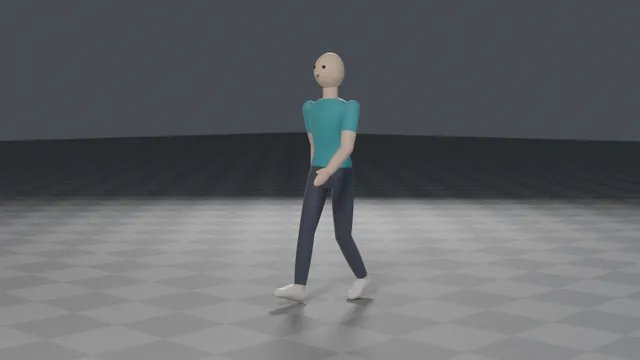
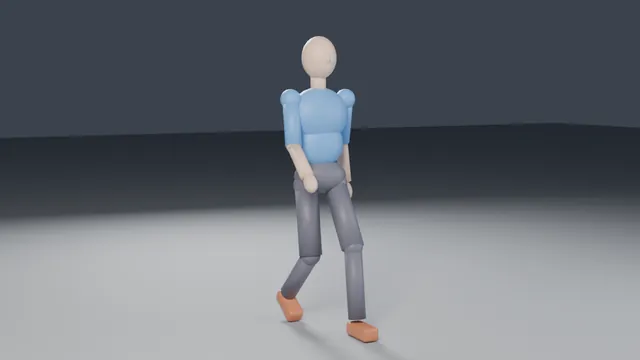
Using Blender's Python API only (a script run headless with blender -b -P), build a humanoid character with an armature (hips, spine, neck, head, arms with elbows and hands, legs with knees and feet) skinned to a simple stylised body mesh, and animate a seamless looping walk cycle of 32 frames at 24 fps. The walk must look human: knees and elbows bend one way only within realistic joint limits, feet plant with no sliding during contact, the pelvis bobs and the torso stays upright, and arms swing opposite to the legs. Add a three-point light and a camera. Render a 1280x720 PNG still of a mid-stride frame to render.png, render a turntable video to turntable.mp4 (the character walking in place while the camera orbits once around it, 1280x720, 24 fps, at least 4 seconds), save scene.blend, and export walk.glb with the armature and the walk animation (no cameras or lights). Write everything into the working directory.
Blender spongebob
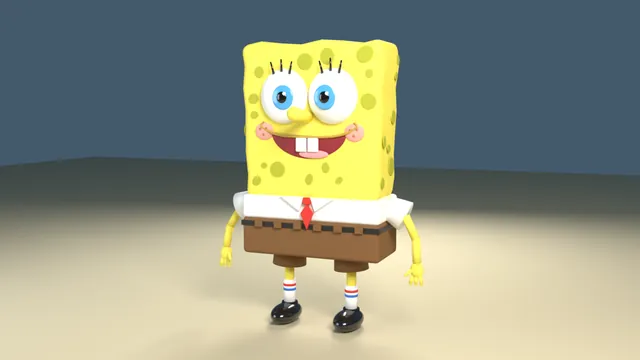
Using Blender's Python API only (a script run headless with blender -b -P), model SpongeBob SquarePants as a stylised 3D character: porous yellow sponge body, white shirt, red tie, brown square pants, big eyes with blue irises, buck teeth, thin arms and legs with white socks and black shoes. Use real material colours (Principled BSDF base colours, not procedural-only) so the model keeps its colours when exported. Add a simple three-point light and camera, render a 1280x720 PNG to render.png, save scene.blend, and export model.glb (apply modifiers, no cameras or lights). Write everything into the working directory.