gpt-6.1-sol · HTML Files
- 20 finished runs
- 22 prompts
- 1 model
- every prompt published
Cine dolly zoom
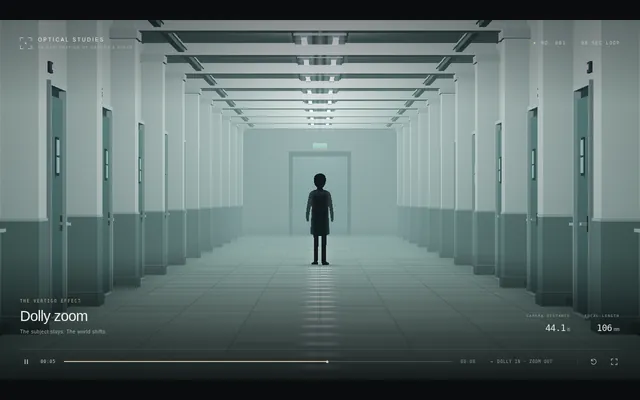
Build a short cinematic camera study in Three.js that demonstrates a dolly zoom, the 'vertigo' shot. A lone figure stands at the end of a long corridor lined with repeating columns, doors and ceiling lights. Over the shot the camera physically travels backward along the corridor while its field of view narrows at the matching rate, so the figure stays exactly the same size and position on screen while the corridor behind it visibly stretches away and then snaps back. Light it with cold overhead fluorescents and a faint fog. Ease the move in and out, then reverse it so the loop closes. The animation plays automatically, fills the window at 16:9, loops seamlessly every 8 seconds with no visible jump at the loop point, and shows a small unobtrusive caption in one corner naming the technique. Everything is built in code from Three.js geometry, shaders and materials; no external models or textures. Build it as a single self-contained index.html (inline CSS and JS) in the current directory. Three.js may load from a pinned CDN. You may serve it locally and open it in headless chromium (/usr/bin/chromium, software WebGL, no GPU) to screenshot and inspect your own output, and iterate on your own before finishing. Close any browser you open as soon as you've taken your screenshot.
Cine noir low key
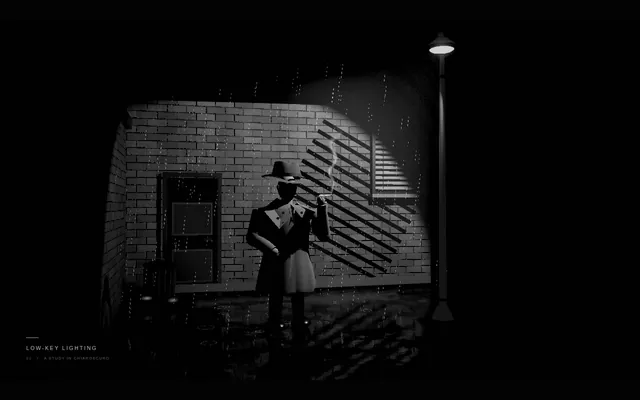
Build a short cinematic camera study in Three.js in the style of classic film noir, rendered in black and white. A detective in a hat and trench coat stands in a rain-slick alley at night under a single streetlamp; venetian-blind shadows from a window fall across a brick wall, cigarette smoke curls, and the rain glints in the lamp's cone. Use one hard key light, deep black shadows covering most of the frame and high contrast. The camera drifts in very slowly. The animation plays automatically, fills the window at 16:9, loops seamlessly every 8 seconds with no visible jump at the loop point, and shows a small unobtrusive caption in one corner naming the technique. Everything is built in code from Three.js geometry, shaders and materials; no external models or textures. Build it as a single self-contained index.html (inline CSS and JS) in the current directory. Three.js may load from a pinned CDN. You may serve it locally and open it in headless chromium (/usr/bin/chromium, software WebGL, no GPU) to screenshot and inspect your own output, and iterate on your own before finishing. Close any browser you open as soon as you've taken your screenshot.
Cine orbit 360
Build a short cinematic camera study in Three.js that demonstrates a 360-degree orbit shot. A glossy sculpted trophy stands on a pedestal in the middle of a dim gallery hall with pillars, framed paintings and spotlights. The camera circles the trophy once through a full turn at a constant radius and height, always aimed at it, so the room sweeps behind it like a ribbon while the trophy stays centred. The trophy itself does not rotate. Warm key spotlights and cool rim lights make reflections slide across its surface. The animation plays automatically, fills the window at 16:9, loops seamlessly every 8 seconds with no visible jump at the loop point, and shows a small unobtrusive caption in one corner naming the technique. Everything is built in code from Three.js geometry, shaders and materials; no external models or textures. Build it as a single self-contained index.html (inline CSS and JS) in the current directory. Three.js may load from a pinned CDN. You may serve it locally and open it in headless chromium (/usr/bin/chromium, software WebGL, no GPU) to screenshot and inspect your own output, and iterate on your own before finishing. Close any browser you open as soon as you've taken your screenshot.
Cine silhouette backlight
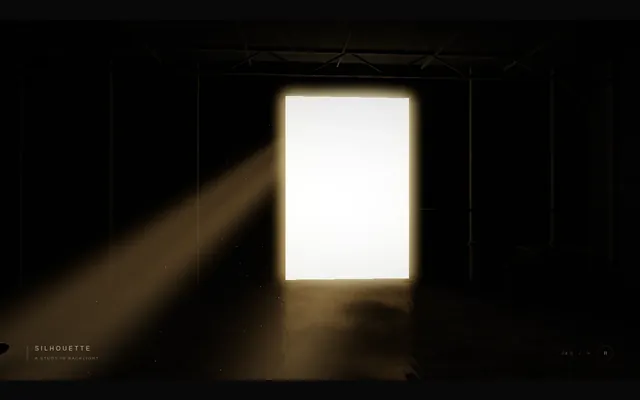
Build a short cinematic camera study in Three.js that demonstrates silhouette lighting. A figure walks slowly toward a huge bright doorway (or a window onto a blazing sunset) in a dark warehouse, with haze in the air so the light pours in as visible beams. The only strong light is behind the figure, so the figure reads as a solid near-black shape with a thin bright rim, with no detail visible on the side facing the camera. The animation plays automatically, fills the window at 16:9, loops seamlessly every 8 seconds with no visible jump at the loop point, and shows a small unobtrusive caption in one corner naming the technique. Everything is built in code from Three.js geometry, shaders and materials; no external models or textures. Build it as a single self-contained index.html (inline CSS and JS) in the current directory. Three.js may load from a pinned CDN. You may serve it locally and open it in headless chromium (/usr/bin/chromium, software WebGL, no GPU) to screenshot and inspect your own output, and iterate on your own before finishing. Close any browser you open as soon as you've taken your screenshot.
Creature robot blueprint
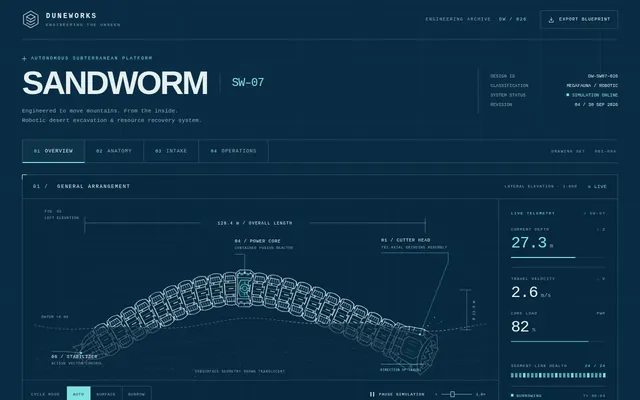
Design a giant desert sandworm re-engineered as a robot, presented as an engineering blueprint. Deliver ONE self-contained index.html (SVG and/or canvas, inline CSS and JS, no external assets, libraries or fonts). It must include: an animated robotic worm that moves through sand, with segments that articulate as it burrows and surfaces; a labelled segment-by-segment mechanical breakdown (for example head and mouth assembly, drive segments, sensor ring, power core, tail) with callouts naming each part and what it does; a cross-section diagram of the mouth showing the grinding and intake mechanism; and a terrain and operations map showing the worm's route, depth and working zones. Everything must share one cohesive blueprint style: blueprint-blue background, white and cyan line work, grid, dimension lines, title block and technical lettering. It must look good on desktop and phone. Write everything into the working directory and finish with a short README.md.
Game battleship
Build a complete, polished Battleship game playable in the browser (index.html plus any JS/CSS, no build step). Player vs computer on 10x10 grids: ship placement (drag or click, with rotate), a computer opponent with a sensible hunt/target strategy, hit/miss/sunk feedback with animation and sound, turn indicator, win/lose screen and restart. It must work with mouse and touch and look good on desktop and phone. Write everything into the working directory and finish with a short README.md.
Html fox forest run
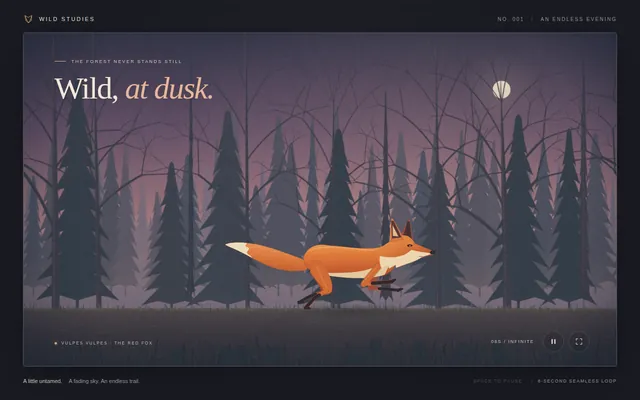
Create a seamless looping side-view animation of a red fox running through a forest at dusk. Deliver ONE self-contained index.html (inline CSS and JavaScript only, SVG and/or canvas; no external assets, libraries, fonts or network requests of any kind). The fox runs left to right, seen in profile, with an animated running gait: legs, body, head and tail all move in a believable run cycle. The scene moves past it: a dusk sky, several layers of trees scrolling at different speeds for parallax depth, and a ground strip. One loop lasts about 8 seconds and repeats forever with no visible seam or jump. Frame the scene at 16:9, scaled to fit any window, and make it look good on desktop and phone. Write everything into the working directory and finish with a short README.md.
Humanoid motion cycle
Build a single-page Three.js scene (one index.html file, no build step, three.js from a pinned CDN) with a rigged humanoid character (a procedural skeleton and simple body meshes are fine) that plays walk, run and jump cycles, with on-screen buttons or keys to switch between them and blend smoothly from one to the next. The motion must look human, not spider-like: respect realistic joint limits (knees and elbows bend one way only, no joint rotates past a human range), feet plant on the ground with no sliding while in contact, the pelvis bobs and the torso stays upright with natural counter-rotation of shoulders and hips, and arms swing opposite to the legs. Include a ground grid, an orbit camera and a toggle that shows the skeleton. It must run at 60 fps in a desktop browser and work with touch. Write everything into the working directory and finish with a short README.md describing the controls.
Threejs artwork style pass
# Test: threejs_artwork_style_pass

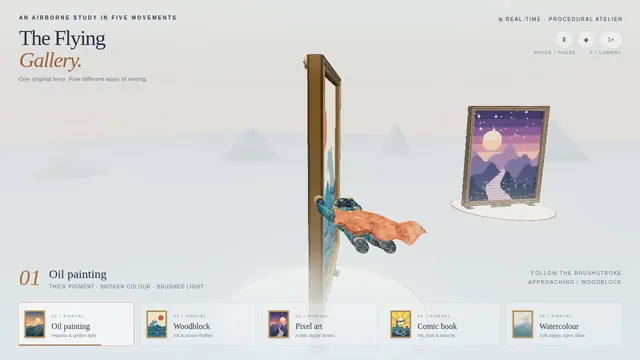
Build a real-time 3D scene in three.js: a **caped flying hero** flies through a row of **large framed artworks**, and each time he passes through a frame **his rendering style changes to match that artwork's style**.

- The hero is an original, generic caped flyer (your own design, not any existing or trademarked character): a stylised humanoid in a flying pose, fists forward, with a cape that flutters and ripples in the wind as he flies.
- A row of at least **five big picture frames** stands along his flight path, spaced out, each with a gilded frame and a procedurally generated canvas in a different style, for example: **oil painting** (thick brush strokes), **ukiyo-e woodblock** (flat colours, bold outlines, wave pattern), **pixel art**, **comic book / halftone** (dots, ink outlines), **watercolour** (soft bleeding washes). More styles are welcome.
- As he flies **through** each frame, the hero's look switches to that artwork's style (custom shaders / materials / post-processing, e.g. toon shading + outlines, halftone dots, pixelation, painterly noise, paper texture), ideally with a short visible transition at the moment he crosses the frame plane. Optionally the world around him can also take on the style.
- Motion must be **smooth and continuous** (no teleporting or snapping): he flies along a gentle curved path through all frames, and the whole sequence loops seamlessly.
- The **camera follows** him smoothly (chase camera with slight lag), keeping both the hero and the next frame in view.
- Good lighting, sky/background and atmosphere; aim for a polished, showcase-quality look.


Deliverable: reply with exactly one complete, self-contained `index.html` file in a single ```html code block. Requirements:
- Use three.js (r160 or newer) loaded from a CDN through an `<script type="importmap">` (e.g. jsDelivr or unpkg); addons such as OrbitControls may be imported from the same CDN via the import map.
- No other files: no external textures, models, fonts or images. Generate any textures procedurally in code.
- It must run by simply opening index.html in a modern desktop browser, fill the window, and handle resize.
- Animate with requestAnimationFrame and a clock, so it looks right at any frame rate.
- No explanation is needed outside the code block.
Vintage biplane aerobatics over a grass airfield (Three.js)
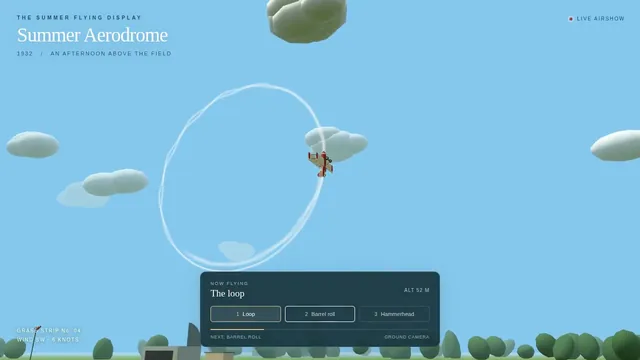
Build a Three.js scene: A red and cream vintage biplane performs loops, barrel rolls and a hammerhead over a grassy airfield, trailing white smoke ribbons that persist and slowly fade. Its propeller spins as a motion-blurred disc and the ailerons visibly deflect during rolls. Pressing keys 1-3 selects the next manoeuvre, and the camera tracks the plane from the ground like a spectator. Use a bright blue summer sky with puffy instanced clouds. Everything is built in code from Three.js geometry, materials and shaders; no external models, textures or fonts. The scene must visibly animate from the moment it loads and run in a browser with software WebGL (no GPU). Deliver ONE self-contained HTML file; load Three.js only through an import map from https://cdn.jsdelivr.net/npm/three@0.170.0/build/three.module.js (addons from https://cdn.jsdelivr.net/npm/three@0.170.0/examples/jsm/), with no other external requests. Output ONLY the complete HTML file, starting with <!DOCTYPE html> and ending with </html>, with no explanation or markdown fences.
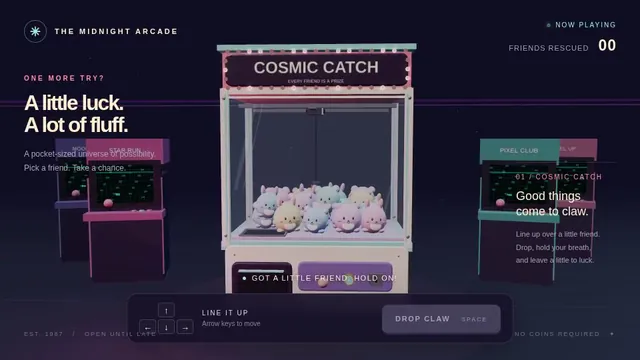
Retro arcade claw machine with pastel plush prizes (Three.js)
Build a Three.js scene: A retro arcade claw machine with a glass cabinet, chasing marquee lights and a pile of round pastel plush creatures stands in a dim arcade. Use the arrow keys to move the three-pronged claw over the pile and Space to drop it; the claw descends, closes, and may grip a plush that sometimes slips during the lift. A successful grab drops the plush down the prize chute with a burst of confetti; the camera is front-facing with slight mouse parallax. Everything is built in code from Three.js geometry, materials and shaders; no external models, textures or fonts. The scene must visibly animate from the moment it loads and run in a browser with software WebGL (no GPU). Deliver ONE self-contained HTML file; load Three.js only through an import map from https://cdn.jsdelivr.net/npm/three@0.170.0/build/three.module.js (addons from https://cdn.jsdelivr.net/npm/three@0.170.0/examples/jsm/), with no other external requests. Output ONLY the complete HTML file, starting with <!DOCTYPE html> and ending with </html>, with no explanation or markdown fences.
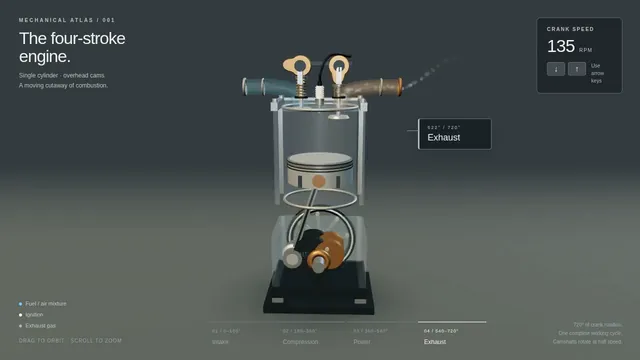
Four-stroke engine cutaway: crank, piston and cam-driven valves (Three.js)
Build a Three.js scene: A single-cylinder engine is shown in a half-transparent steel block, with crankshaft, connecting rod, piston and two cam-driven poppet valves animating in sync through intake, compression, power and exhaust. Fuel-air mix is shown as blue particles, the spark as a white flash, and exhaust as grey smoke particles. The up and down arrow keys change RPM, and a floating label names the current stroke. The camera orbits on drag with a workshop-grey backdrop and warm key light. Everything is built in code from Three.js geometry, materials and shaders; no external models, textures or fonts. The scene must visibly animate from the moment it loads and run in a browser with software WebGL (no GPU). Deliver ONE self-contained HTML file; load Three.js only through an import map from https://cdn.jsdelivr.net/npm/three@0.170.0/build/three.module.js (addons from https://cdn.jsdelivr.net/npm/three@0.170.0/examples/jsm/), with no other external requests. Output ONLY the complete HTML file, starting with <!DOCTYPE html> and ending with </html>, with no explanation or markdown fences.
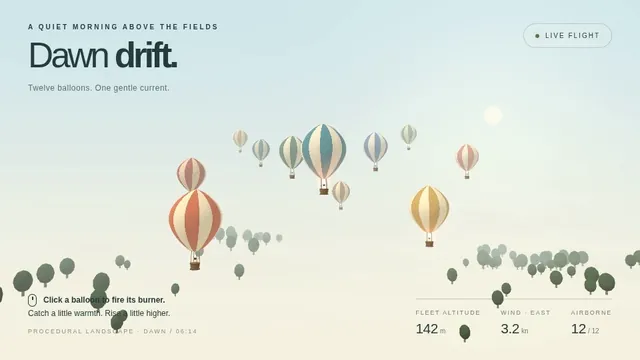
Hot air balloon festival over rolling fields (Three.js)
Build a Three.js scene: A dozen hot air balloons with striped procedural envelopes rise at different rates over rolling green fields, their burners flaring orange and lifting them in pulses. Clicking a balloon fires its burner, so it visibly glows and climbs faster. Balloons drift with a gentle wind field and the camera slowly rises with the fleet. The sky is a pale dawn gradient with soft volumetric-looking haze bands. Everything is built in code from Three.js geometry, materials and shaders; no external models, textures or fonts. The scene must visibly animate from the moment it loads and run in a browser with software WebGL (no GPU). Deliver ONE self-contained HTML file; load Three.js only through an import map from https://cdn.jsdelivr.net/npm/three@0.170.0/build/three.module.js (addons from https://cdn.jsdelivr.net/npm/three@0.170.0/examples/jsm/), with no other external requests. Output ONLY the complete HTML file, starting with <!DOCTYPE html> and ending with </html>, with no explanation or markdown fences.
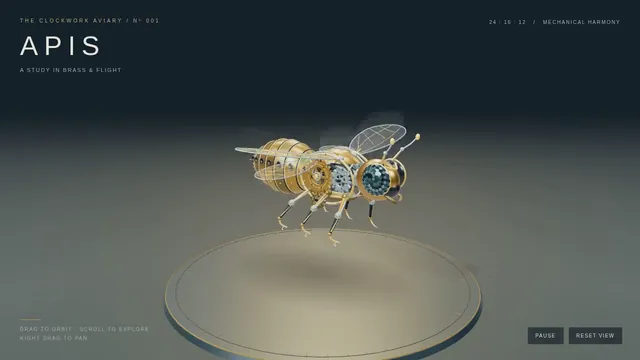
Threejs mechanical bee
# Test: threejs_mechanical_bee

Build a real-time 3D scene in three.js of an animated **mechanical (clockwork) bee**.

- The bee is built from many distinct parts: a segmented abdomen, thorax, head with compound-eye lenses, antennae, six jointed legs and two pairs of wings.
- Materials are physically based (MeshStandardMaterial or MeshPhysicalMaterial): polished and aged **brass**, brushed **steel**, a little dark enamel or glass, with believable metalness/roughness. Use an environment map (e.g. RoomEnvironment with PMREMGenerator) so the metal reflects.
- The **wings beat fast** (a visible blur-like flutter, thin translucent panels with a metal frame/veins).
- Several visible **gears turn** inside the body (meshing gears turn in opposite directions at speeds consistent with their tooth counts).
- The whole bee **hovers with a gentle bob and slight sway loop** in mid-air; legs and antennae move a little.
- **OrbitControls** let the viewer orbit, zoom and pan around the bee, with damping.
- **Nice lighting**: a key light with soft shadows, a fill and a rim light, tone mapping (ACES or AgX) and sRGB output; a tasteful backdrop or ground so the shadow reads.
- Aim for a polished, showcase-quality look.


Deliverable: reply with exactly one complete, self-contained `index.html` file in a single ```html code block. Requirements:
- Use three.js (r160 or newer) loaded from a CDN through an `<script type="importmap">` (e.g. jsDelivr or unpkg); addons such as OrbitControls may be imported from the same CDN via the import map.
- No other files: no external textures, models, fonts or images. Generate any textures procedurally in code.
- It must run by simply opening index.html in a modern desktop browser, fill the window, and handle resize.
- Animate with requestAnimationFrame and a clock, so it looks right at any frame rate.
- No explanation is needed outside the code block.
Synthwave hover-bike racer on a neon grid highway (Three.js)
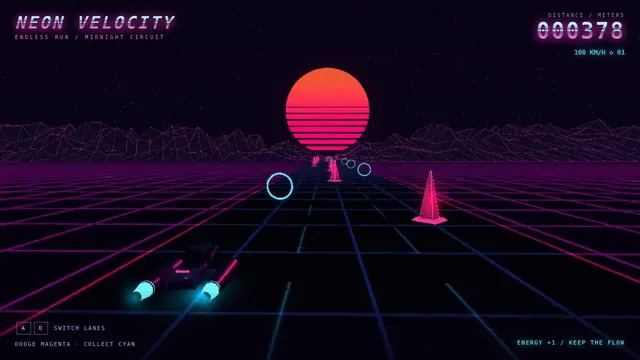
Build a Three.js scene: A synthwave hover-bike race down an infinite grid highway beneath a striped magenta sunset sun and wireframe mountains. Steer between three lanes with A and D to dodge glowing pylons and collect cyan energy rings while speed slowly increases. The chase camera tilts into turns with a bloom-like glow, and a distance score is shown in retro chrome lettering. Everything is built in code from Three.js geometry, materials and shaders; no external models, textures or fonts. The scene must visibly animate from the moment it loads and run in a browser with software WebGL (no GPU). Deliver ONE self-contained HTML file; load Three.js only through an import map from https://cdn.jsdelivr.net/npm/three@0.170.0/build/three.module.js (addons from https://cdn.jsdelivr.net/npm/three@0.170.0/examples/jsm/), with no other external requests. Output ONLY the complete HTML file, starting with <!DOCTYPE html> and ending with </html>, with no explanation or markdown fences.
Outer-space pinball table with planet bumpers (Three.js)
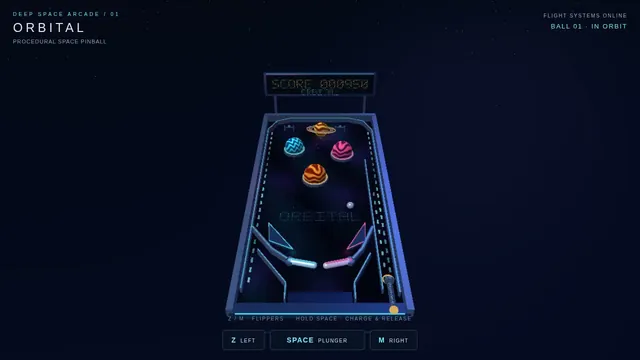
Build a Three.js scene: A full 3D pinball table themed as outer space, with planet-shaped bumpers, a ringed-Saturn spinner and LED-like emissive lane lights. The Z and M keys flip the left and right flippers, and Space pulls and releases the plunger with a held power charge. Bumpers flash and bounce the steel ball, the score shows on a floating dot-matrix panel, and the camera sits at a classic tilted player view. Everything is built in code from Three.js geometry, materials and shaders; no external models, textures or fonts. The scene must visibly animate from the moment it loads and run in a browser with software WebGL (no GPU). Deliver ONE self-contained HTML file; load Three.js only through an import map from https://cdn.jsdelivr.net/npm/three@0.170.0/build/three.module.js (addons from https://cdn.jsdelivr.net/npm/three@0.170.0/examples/jsm/), with no other external requests. Output ONLY the complete HTML file, starting with <!DOCTYPE html> and ending with </html>, with no explanation or markdown fences.
Floating pirate island diorama with a cliff cross-section (Three.js)
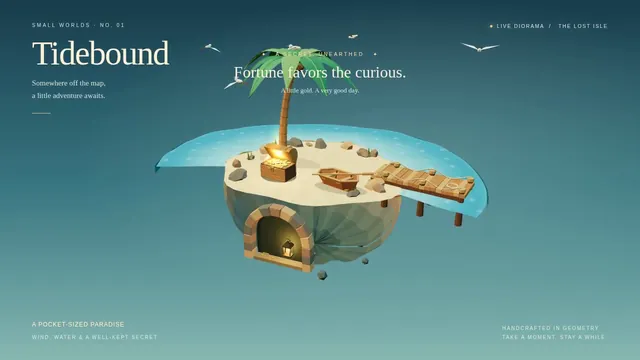
Build a Three.js scene: A small floating diorama chunk of island with a cliff cross-section shows layered rock, a palm tree, a wooden pier, a beached rowboat and a hidden treasure cave lit by a lantern. Waves lap the shore via a shader, gulls circle, and the palm sways. Click the X-marked sand to dig: sand particles fly and a chest rises and opens with a golden glow; the camera slowly orbits the floating base against a teal sky gradient. Everything is built in code from Three.js geometry, materials and shaders; no external models, textures or fonts. The scene must visibly animate from the moment it loads and run in a browser with software WebGL (no GPU). Deliver ONE self-contained HTML file; load Three.js only through an import map from https://cdn.jsdelivr.net/npm/three@0.170.0/build/three.module.js (addons from https://cdn.jsdelivr.net/npm/three@0.170.0/examples/jsm/), with no other external requests. Output ONLY the complete HTML file, starting with <!DOCTYPE html> and ending with </html>, with no explanation or markdown fences.
Threejs procedural armor suit
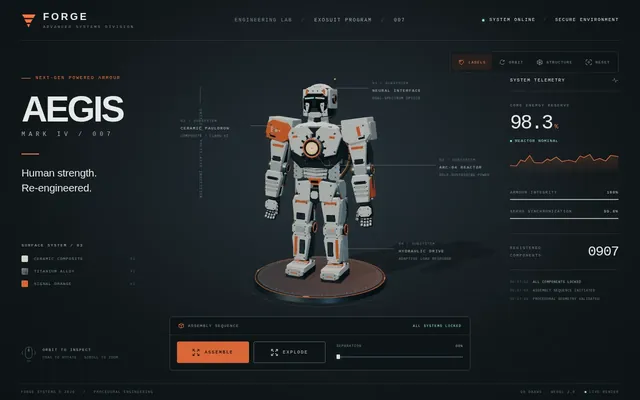
Build a single self-contained index.html using Three.js (imported from a pinned CDN; no external models, textures or other assets) that shows a full humanoid powered-armour suit built only from code: primitives, extruded shapes, lathes and generated geometry. Aim for 500 or more distinct mesh parts (plates, joints, pistons, vents, bolts, cables, lights) with a coherent, detailed design and good materials and lighting. Include an assemble / explode animation (parts fly in and lock into place, and can be exploded back out), a sci-fi HUD overlay (targeting reticle, part labels that track parts on screen, a system status panel), orbit controls, and buttons to trigger assemble and explode. It must run smoothly and work with touch on mobile. When the suit is built, log the total number of distinct mesh parts to the console as: PART_COUNT <n>. Write everything into the working directory and finish with a short README.md.
Threejs slime softbody
Build a single-page Three.js scene (index.html, no build step, three.js from a pinned CDN or vendored) showing a glossy translucent slime/jelly blob resting on a floor. It must behave as a soft body: clicking or dragging pokes and squishes it, it wobbles and settles with visible jiggle and damping, and it casts a soft contact shadow on the floor. Include subsurface-like translucency, specular highlights, and a small UI to reset and to drop the blob from height. Target 60 fps on a mid-range phone; mobile touch must work. Write everything into the working directory and finish with a short README.md describing controls.
Threejs stillwater pond
Build "Millbrook Pond", a calm countryside pond diorama in Three.js, seen from above at a three-quarter angle. An irregular pond with soft grassy banks, rocks and reeds sits in a clearing ringed by trees and bushes, with a dirt path running around it. On one shore stands a small timber watermill cabin with a shingled roof and a stone chimney, and on its side a large wooden waterwheel turns continuously, its paddles dipping into the water and churning it. A plank dock juts out from the mill, a small arched wooden footbridge crosses an inlet, and a rowboat floats on the pond with a seated figure fishing, rod and line out; the boat bobs and drifts gently and the line's float makes small rings. The water is the star: a real-time reflective and refractive surface (a planar or render-target reflection of the mill, trees and sky; refraction of the shallow pond bed near the banks; depth-based tint from clear shallows to a dark centre) blended with a Fresnel term, soft normal-mapped wind ripples, and dynamic ripple rings from the waterwheel, the boat, the fishing float and the occasional rising fish, which spread and fade. Add gentle ambient life: swaying foliage, a few lily pads or drifting leaves, dragonflies or birds, and soft afternoon sun with shadows. The camera slowly orbits the pond on its own; the user can drag to orbit, pinch or scroll to zoom, and tap the water to make ripples, and a small unobtrusive control pauses the orbit and switches the time of day (for example afternoon and golden hour). The look is stylized and cohesive (low-poly or soft-shaded), and everything is built in code; no external models, textures or HDRIs. Also add a capture mode: opening index.html?capture=1 hides all UI and plays a scripted 12-second camera move around the pond that ends where it started, so it can be recorded as a seamless clip. Build it as index.html (plus any local asset files you create) in the current directory, with no build step; three.js and any addons may load from a pinned CDN. Aim for 60 fps on a laptop and at least 30 fps on a mid-range phone, with touch working. You may serve it locally and open it in headless chromium (/usr/bin/chromium, software WebGL, no GPU) to screenshot and inspect your own output, and iterate on your own before finishing. Close any browser you open as soon as you've taken your screenshot. Finish with a short README.md describing the controls and the capture mode.
Victorian optical toys in 3D: zoetrope, phenakistiscope, praxinoscope (Three.js)
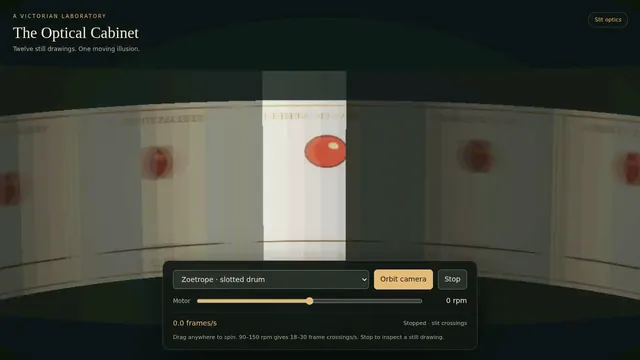
Build a single-page Three.js scene that recreates three Victorian optical toys in 3D: a zoetrope (spinning slotted drum with a strip of 12 frames), a phenakistiscope (spinning disc viewed in a mirror), and a praxinoscope (mirror drum). Each toy must actually produce the illusion of motion by simulating the slit/mirror shutter, not by playing a canned animation: the viewer sees a galloping horse or bouncing ball emerge only when the drum spins at the right speed. Controls: pick a toy, drag to spin (with inertia), a speed slider, a toggle for 'look through the slits' vs orbit camera, and a strobe-sync readout showing frames per second seen. Procedural frame art only, no external assets. One self-contained index.html, runs on desktop and phone.
Codrops-style scroll story: the life of a raindrop
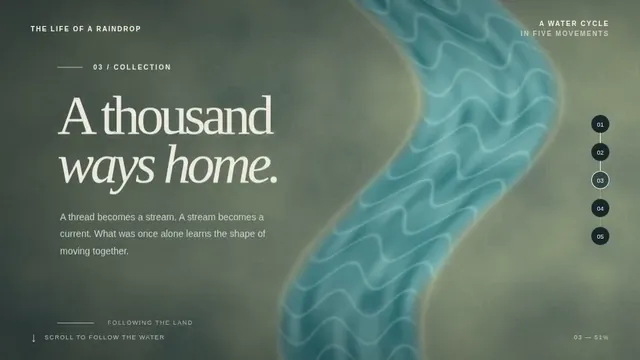
Build a one-page scroll-driven WebGL story in the style of an award-winning Codrops demo: 'The life of a raindrop', in 5 scroll chapters (cloud, fall, river, ocean, evaporation). Each chapter has a distinct shader-driven scene (Three.js, WebGPU renderer with WebGL fallback), with smooth transitions tied to scroll position (no scroll hijack jank), crisp typography overlays, and a progress indicator. Must hold 60 fps on a mid-range laptop and degrade gracefully on phones. Procedural visuals only, no external images or video. One self-contained index.html plus inline JS/CSS.