Stopped (our timeout)
Our own timeout ended the run before any output. Not a model failure.
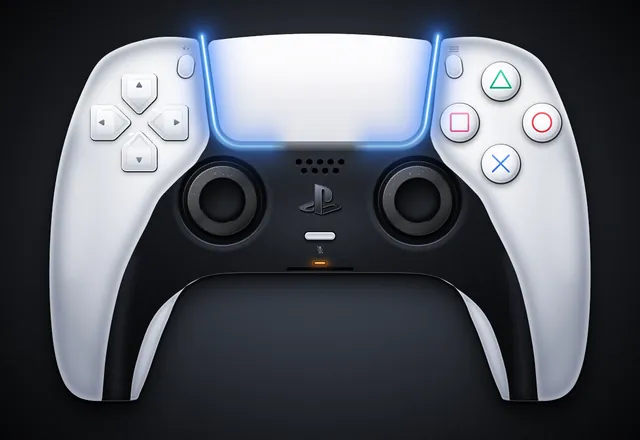
Create a single self-contained SVG illustration of the Sony PS5 Pro DualSense wireless controller at MAXIMUM fidelity. This is a showcase piece: take your time to plan the geometry carefully before writing it. Requirements: 1) Accurate DualSense silhouette and proportions: a wide body with the large, wide touchpad spanning the top centre, two flared, rounded grips sweeping down and outward, and a perfectly symmetrical left/right layout. White outer shell with the black central core section. 2) Face buttons on the right in the classic diamond: triangle (top), circle (right), cross (bottom), square (left), each drawn as clean PlayStation symbols in their real colours (green triangle, red circle, blue cross, pink square) in the modern outline style on light buttons, with subtle bevels. 3) D-pad on the left as FOUR separate arrow-shaped directional buttons (up, down, left, right), not a single cross. 4) Two black analog sticks with concave tops and a textured grip ring (fine radial or dotted texture) and shading. 5) The PlayStation logo button centred below the touchpad between the sticks, the small mic mute button with its orange-tinted indicator line just below it, the Create button (left) and Options button (right) flanking the touchpad. 6) The blue light-bar glow running along both side edges of the touchpad, with a soft bloom. Speaker grille holes on the black core. 7) Realistic product-render shading: gradients, specular highlights, soft ambient occlusion, a contact shadow beneath the controller. 8) A clean dark studio background with a subtle radial vignette. Front-on hero shot, centred and filling the frame well. Use viewBox="0 0 1600 1100" with width="1600" height="1100". No external assets, no raster images, no fonts, no scripts. Output ONLY the complete SVG code, starting with <svg and ending with </svg>, with no explanation or markdown fences. Save it as controller.svg in the current directory. You may render and inspect your own output (headless chromium is available at /usr/bin/chromium) and iterate on your own before finishing.
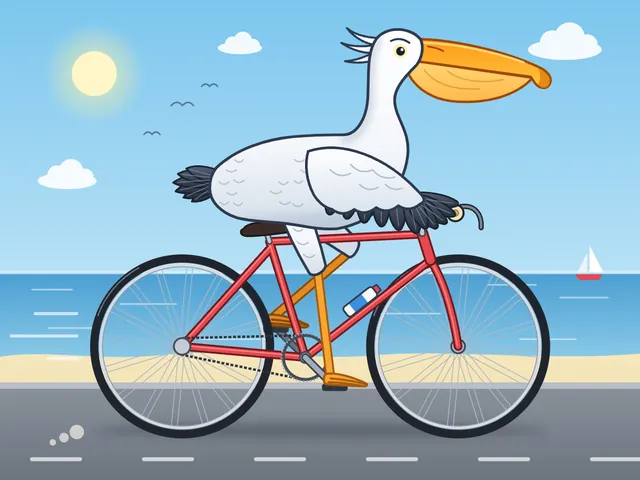
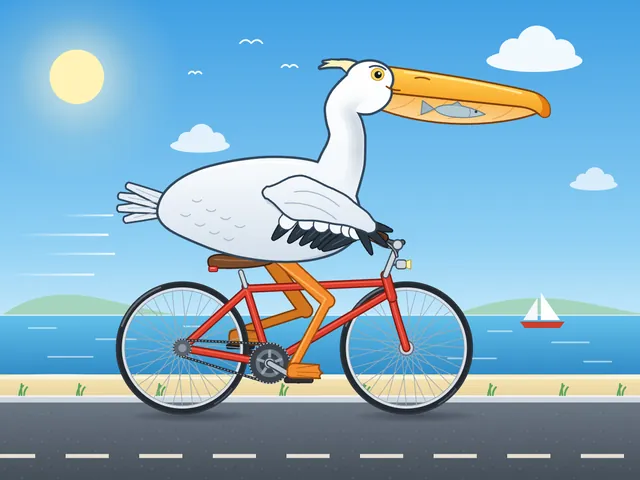
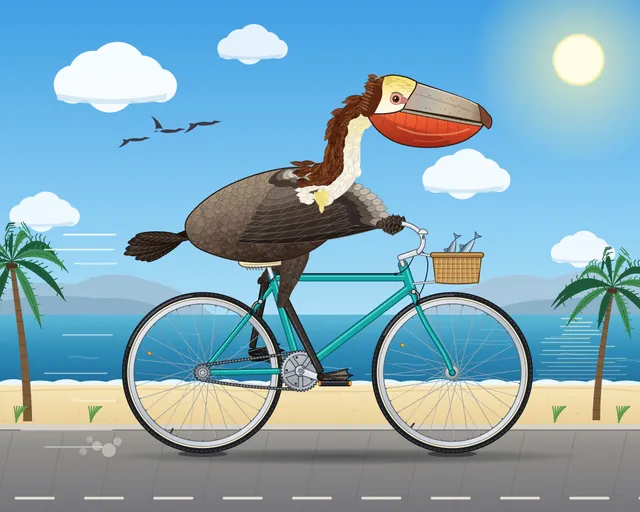
Generate an SVG of a pelican riding a bicycle. Save it as pelican.svg in the current directory. You may render and inspect your own output (headless chromium is available at /usr/bin/chromium) and iterate on your own before finishing.
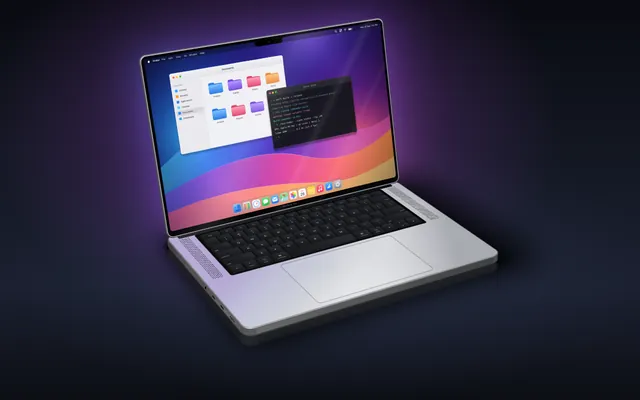
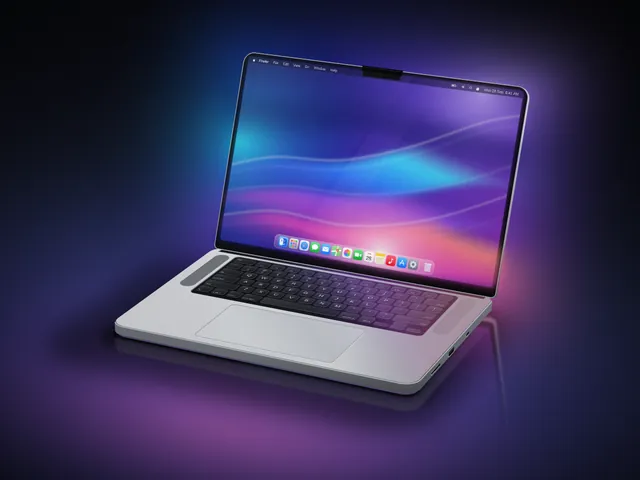
Generate an SVG that looks like a realistic 3D render of a MacBook Pro 16" (opened, slight three-quarter view, screen glow, aluminum body). Use gradients and perspective to fake the 3D. Save it as macbook.svg in the current directory. You may render and inspect your own output (headless chromium is available at /usr/bin/chromium) and iterate on your own before finishing.
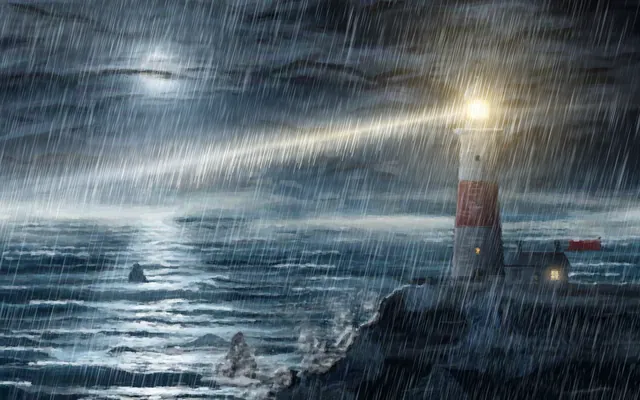
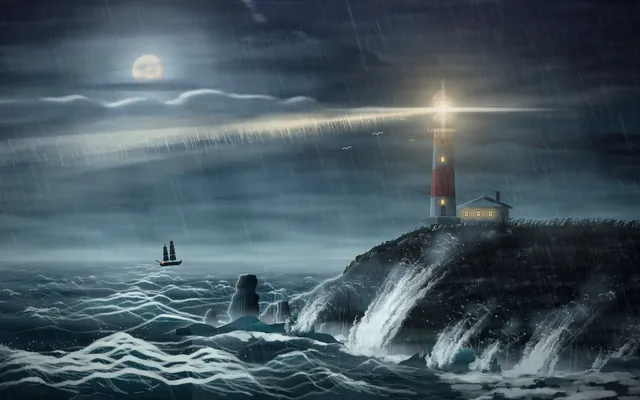
Create an SVG of a lighthouse on a rocky headland at night: stormy sea, the lighthouse beam cutting through rain and mist, moonlight on the waves, as atmospheric and painterly as you can. Save it as lighthouse.svg in the current directory. You may render and inspect your own output (headless chromium is available at /usr/bin/chromium) and iterate on your own before finishing.
Create an isometric SVG town: first design a small sprite sheet of distinct buildings (in <defs>), then place 20+ of them on an isometric grid with roads, trees, a river and a bridge. Pick your own theme and palette. Save it as town.svg in the current directory. You may render and inspect your own output (headless chromium is available at /usr/bin/chromium) and iterate on your own before finishing.
Generate an animated SVG of a pelican riding a bicycle: the wheels and pedals turn, the legs pedal in sync, and it loops seamlessly. Use only SVG/SMIL or CSS inside the SVG, no JavaScript. Save it as pelican_animated.svg in the current directory. You may render and inspect your own output (headless chromium is available at /usr/bin/chromium) and iterate on your own before finishing.
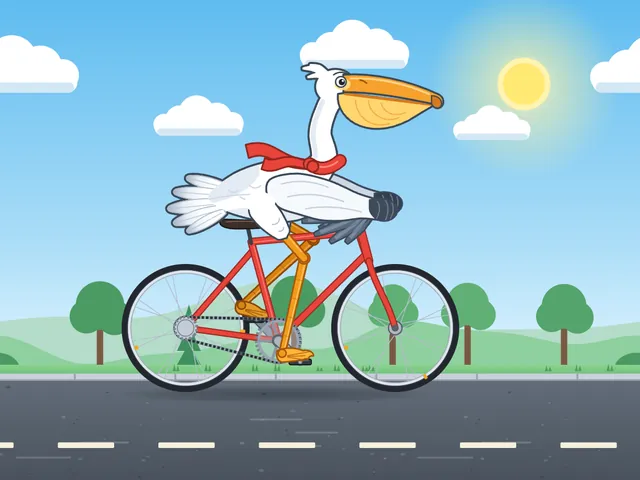
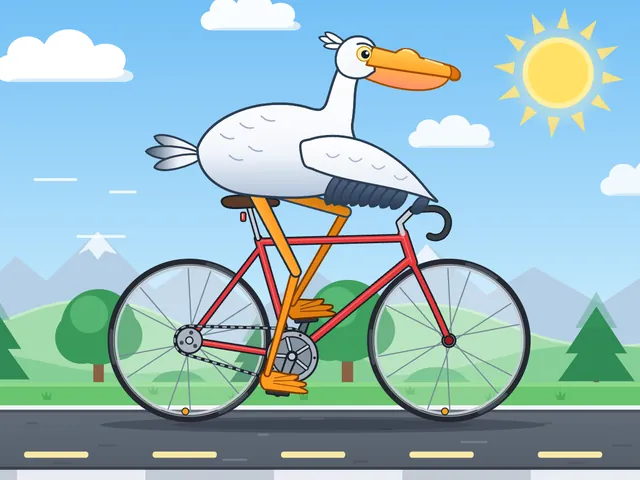
Generate an SVG of a California brown pelican riding a bicycle. The bicycle must have spokes and a correctly shaped bicycle frame. The pelican must have its characteristic large pouch, and there should be a clear indication of feathers. The pelican must be clearly pedaling the bicycle. The image should show the full breeding plumage of the California brown pelican. Save it as brown_pelican.svg in the current directory. You may render and inspect your own output (headless chromium is available at /usr/bin/chromium) and iterate on your own before finishing.
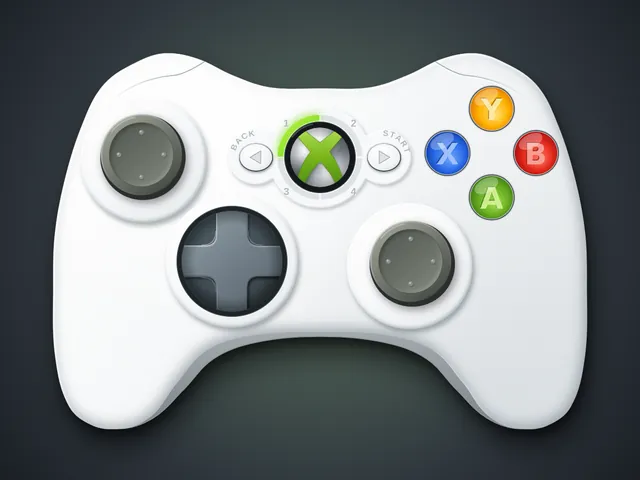
Create an SVG image of an Xbox 360 controller. Save it as xbox360.svg in the current directory. You may render and inspect your own output (headless chromium is available at /usr/bin/chromium) and iterate on your own before finishing.

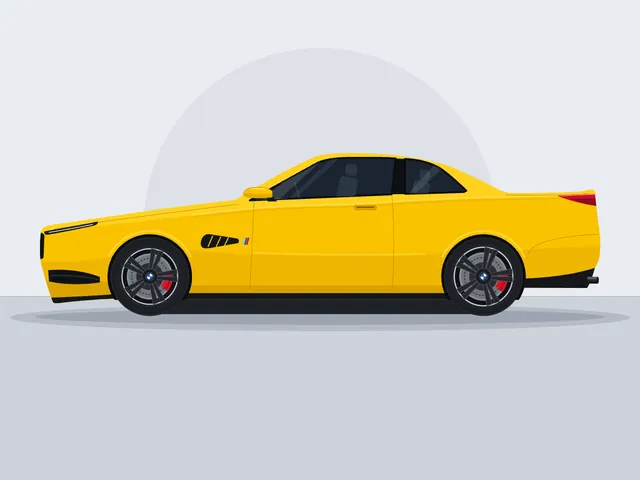
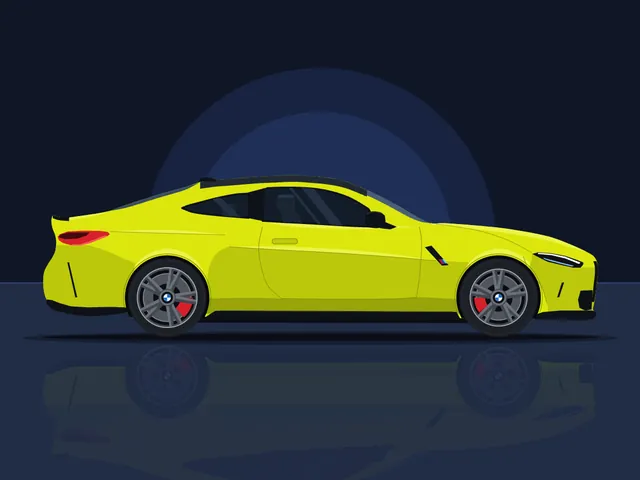
Create a clean SVG illustration of a BMW M4 Competition in a side view. The image must follow a 4:3 aspect ratio. Use the original factory color of the BMW M4 Competition. Focus on coupe proportions and sporty stance. Use vector shapes without gradients. Save it as bmw_m4.svg in the current directory. You may render and inspect your own output (headless chromium is available at /usr/bin/chromium) and iterate on your own before finishing.
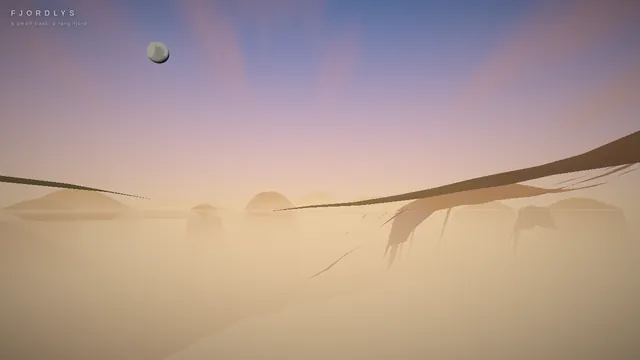
Build a playable, cinematic single-page Three.js experience: a small boat drifting through a Norwegian-style fjord / coastal mountain landscape.

Requirements:
- ONE self-contained index.html file (HTML + CSS + JS inline). No external assets of any kind (no textures, models, fonts, audio files) EXCEPT Three.js itself, loaded via an import map from this exact pinned CDN:
  "three": "https://cdn.jsdelivr.net/npm/three@0.160.0/build/three.module.js",
  "three/addons/": "https://cdn.jsdelivr.net/npm/three@0.160.0/examples/jsm/"
  All textures (water normals, rock, snow, bark, clouds, etc.) must be generated procedurally in code (canvas / DataTexture / shaders).
- Scene content: steep procedural fjord walls and mountains with snow caps, rock and grass coloring by height/slope; procedural conifer forests (instanced); a water surface with animated waves and sky/landscape reflections; a lighthouse on a rocky point with a rotating beam that matters at night; a small wooden boat with 2 simple stylized 3D characters on it (one rowing/steering, one looking around, with small idle animations); distant islands; birds or other small life if cheap.
- Dynamic weather cycling clear -> fog -> rain -> storm -> clearing, with smooth transitions: fog density, cloud cover, rain particles, lightning flashes + wind and bigger waves in the storm.
- A full day/night cycle: sunrise, day, golden hour, sunset, night with stars and moon, lit lighthouse and boat lantern. Sky color, sun/moon lights, and fog color must track time of day.
- Controls: keyboard (WASD/arrows to steer and throttle the boat, C to switch camera, T toggles auto-tour, 1-5 to force weather, N to jump time) and touch (on-screen joystick/buttons on phones). Camera follows the boat in play mode.
- An "auto-tour" cinematic camera mode: slow, smooth, film-like camera moves (orbits, low water-level glides, high establishing shots, close-ups of the characters) while the boat drifts along a path through the fjord and the weather and time of day progress.
- Minimal, elegant UI: small title "Fjordlys" (or a better name of your choice), a tiny hint line for controls, fading out in tour mode.
- Must run smoothly on desktop and phone browsers: keep geometry/particle counts moderate, cap devicePixelRatio at 2, handle resize/orientation.
- IMPORTANT for automated video capture, support these URL parameters:
  ?tour=1        start directly in auto-tour mode
  ?capture=1     hide ALL UI overlays (title, hints, touch controls)
  ?cycle=40      when present, compress one complete showcase into that many seconds: the time of day goes from morning through golden hour, sunset and night, and the weather passes clear -> fog -> rain -> storm -> clearing within that span (so a 40-second recording shows everything). Without it, use a relaxed pace suited to live play.
  Drive all animation from the requestAnimationFrame timestamp / performance.now() (not from wall-clock-independent accumulators that ignore time), so that overriding those functions steps the scene deterministically. Set window.__sceneReady = true once the first frame has rendered.
- No console errors or warnings in a current Chrome. Use modern Three.js r160 APIs only (no deprecated/removed ones).

Output ONLY the complete index.html, starting with <!DOCTYPE html> and ending with </html>, with no explanation and no markdown fences. Build it as index.html (plus any local asset files you create) in the current directory. Three.js may load from a pinned CDN. You may serve it locally and open it in headless chromium (/usr/bin/chromium, software WebGL, no GPU) to screenshot and inspect your own output, and iterate on your own until it looks genuinely cinematic before finishing. Close any browser you open as soon as you've taken your screenshot.
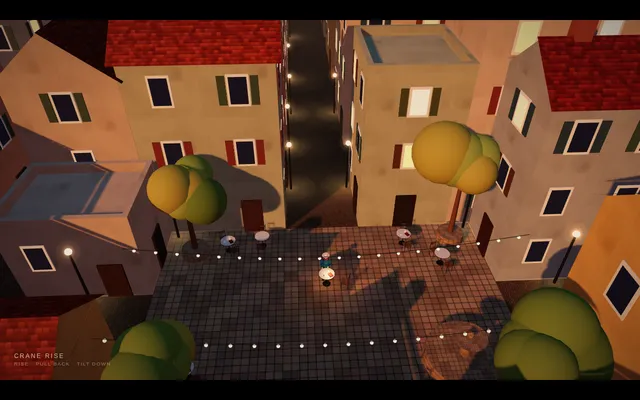
Build a short cinematic camera study in Three.js that demonstrates a crane rise. The shot opens at human eye level on a lone figure sitting at a small cafe table in a narrow old-town square. The camera rises smoothly on a crane while pulling slightly back and tilting down to keep the figure in view, until it looks down from rooftop height and reveals the whole square, the surrounding rooftops and the streets running off into a lit evening town, with the figure now a small mark. Golden-hour light and long shadows. Ease it, then return so the loop closes. The animation plays automatically, fills the window at 16:9, loops seamlessly every 8 seconds with no visible jump at the loop point, and shows a small unobtrusive caption in one corner naming the technique. Everything is built in code from Three.js geometry, shaders and materials; no external models or textures. Build it as a single self-contained index.html (inline CSS and JS) in the current directory. Three.js may load from a pinned CDN. You may serve it locally and open it in headless chromium (/usr/bin/chromium, software WebGL, no GPU) to screenshot and inspect your own output, and iterate on your own before finishing. Close any browser you open as soon as you've taken your screenshot.
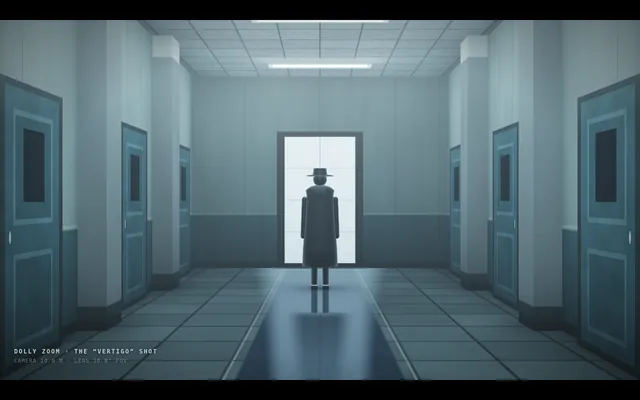
Build a short cinematic camera study in Three.js that demonstrates a dolly zoom, the 'vertigo' shot. A lone figure stands at the end of a long corridor lined with repeating columns, doors and ceiling lights. Over the shot the camera physically travels backward along the corridor while its field of view narrows at the matching rate, so the figure stays exactly the same size and position on screen while the corridor behind it visibly stretches away and then snaps back. Light it with cold overhead fluorescents and a faint fog. Ease the move in and out, then reverse it so the loop closes. The animation plays automatically, fills the window at 16:9, loops seamlessly every 8 seconds with no visible jump at the loop point, and shows a small unobtrusive caption in one corner naming the technique. Everything is built in code from Three.js geometry, shaders and materials; no external models or textures. Build it as a single self-contained index.html (inline CSS and JS) in the current directory. Three.js may load from a pinned CDN. You may serve it locally and open it in headless chromium (/usr/bin/chromium, software WebGL, no GPU) to screenshot and inspect your own output, and iterate on your own before finishing. Close any browser you open as soon as you've taken your screenshot.
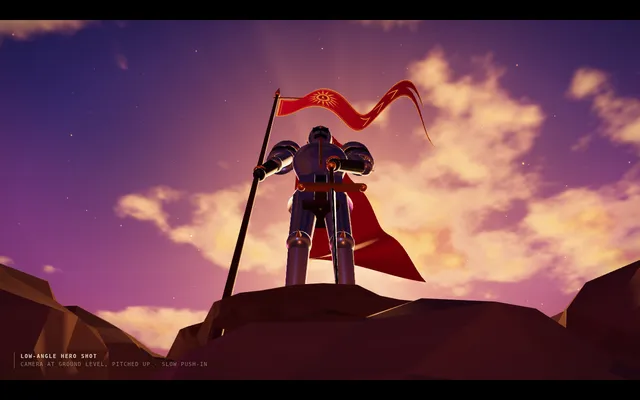
Build a short cinematic camera study in Three.js that demonstrates a low-angle hero shot. A tall armoured knight stands on a rocky outcrop against a dramatic sunset sky with drifting clouds and a banner flapping in the wind. The camera sits near the ground, pitched upward, so the figure towers, verticals converge upward and the sky takes up most of the frame. A slow push-in makes the hero loom larger. Strong backlight and rim light outline the silhouette. The animation plays automatically, fills the window at 16:9, loops seamlessly every 8 seconds with no visible jump at the loop point, and shows a small unobtrusive caption in one corner naming the technique. Everything is built in code from Three.js geometry, shaders and materials; no external models or textures. Build it as a single self-contained index.html (inline CSS and JS) in the current directory. Three.js may load from a pinned CDN. You may serve it locally and open it in headless chromium (/usr/bin/chromium, software WebGL, no GPU) to screenshot and inspect your own output, and iterate on your own before finishing. Close any browser you open as soon as you've taken your screenshot.
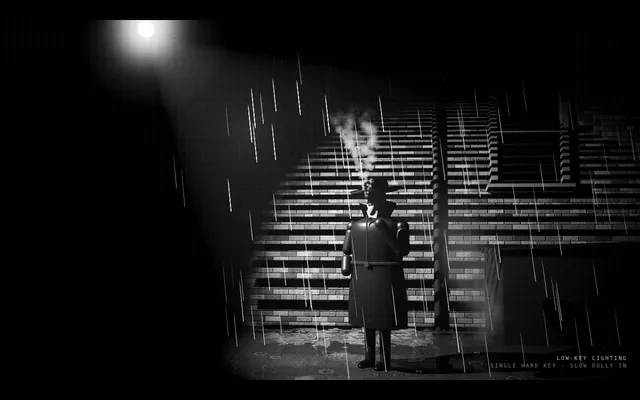
Build a short cinematic camera study in Three.js in the style of classic film noir, rendered in black and white. A detective in a hat and trench coat stands in a rain-slick alley at night under a single streetlamp; venetian-blind shadows from a window fall across a brick wall, cigarette smoke curls, and the rain glints in the lamp's cone. Use one hard key light, deep black shadows covering most of the frame and high contrast. The camera drifts in very slowly. The animation plays automatically, fills the window at 16:9, loops seamlessly every 8 seconds with no visible jump at the loop point, and shows a small unobtrusive caption in one corner naming the technique. Everything is built in code from Three.js geometry, shaders and materials; no external models or textures. Build it as a single self-contained index.html (inline CSS and JS) in the current directory. Three.js may load from a pinned CDN. You may serve it locally and open it in headless chromium (/usr/bin/chromium, software WebGL, no GPU) to screenshot and inspect your own output, and iterate on your own before finishing. Close any browser you open as soon as you've taken your screenshot.
Build a short cinematic camera study in Three.js that demonstrates a 360-degree orbit shot. A glossy sculpted trophy stands on a pedestal in the middle of a dim gallery hall with pillars, framed paintings and spotlights. The camera circles the trophy once through a full turn at a constant radius and height, always aimed at it, so the room sweeps behind it like a ribbon while the trophy stays centred. The trophy itself does not rotate. Warm key spotlights and cool rim lights make reflections slide across its surface. The animation plays automatically, fills the window at 16:9, loops seamlessly every 8 seconds with no visible jump at the loop point, and shows a small unobtrusive caption in one corner naming the technique. Everything is built in code from Three.js geometry, shaders and materials; no external models or textures. Build it as a single self-contained index.html (inline CSS and JS) in the current directory. Three.js may load from a pinned CDN. You may serve it locally and open it in headless chromium (/usr/bin/chromium, software WebGL, no GPU) to screenshot and inspect your own output, and iterate on your own before finishing. Close any browser you open as soon as you've taken your screenshot.
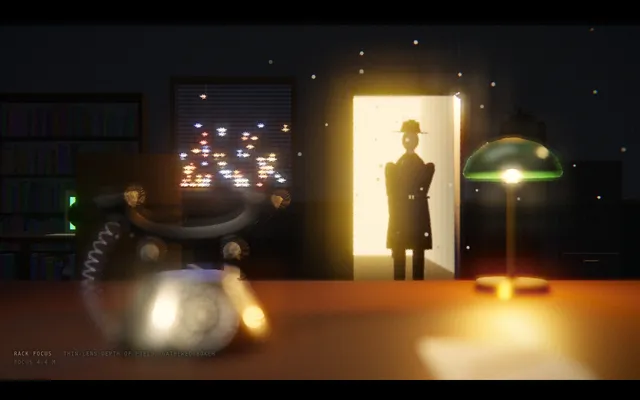
Build a short cinematic camera study in Three.js that demonstrates a rack focus with real depth of field (for example a bokeh/depth-of-field post-processing pass). In the foreground, close to the lens, a ringing old telephone sits on a desk; in the background, across a dim office, a person stands in a lit doorway. The camera does not move. Focus starts sharp on the phone with the doorway blurred, then pulls smoothly over about two seconds so the person becomes sharp and the phone goes soft, holds, then racks back. The animation plays automatically, fills the window at 16:9, loops seamlessly every 8 seconds with no visible jump at the loop point, and shows a small unobtrusive caption in one corner naming the technique. Everything is built in code from Three.js geometry, shaders and materials; no external models or textures. Build it as a single self-contained index.html (inline CSS and JS) in the current directory. Three.js may load from a pinned CDN. You may serve it locally and open it in headless chromium (/usr/bin/chromium, software WebGL, no GPU) to screenshot and inspect your own output, and iterate on your own before finishing. Close any browser you open as soon as you've taken your screenshot.
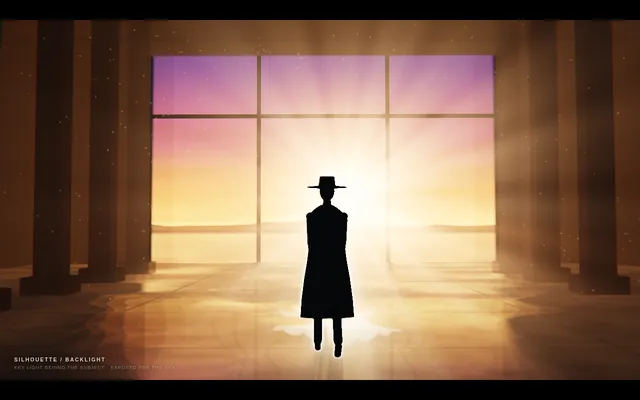
Build a short cinematic camera study in Three.js that demonstrates silhouette lighting. A figure walks slowly toward a huge bright doorway (or a window onto a blazing sunset) in a dark warehouse, with haze in the air so the light pours in as visible beams. The only strong light is behind the figure, so the figure reads as a solid near-black shape with a thin bright rim, with no detail visible on the side facing the camera. The animation plays automatically, fills the window at 16:9, loops seamlessly every 8 seconds with no visible jump at the loop point, and shows a small unobtrusive caption in one corner naming the technique. Everything is built in code from Three.js geometry, shaders and materials; no external models or textures. Build it as a single self-contained index.html (inline CSS and JS) in the current directory. Three.js may load from a pinned CDN. You may serve it locally and open it in headless chromium (/usr/bin/chromium, software WebGL, no GPU) to screenshot and inspect your own output, and iterate on your own before finishing. Close any browser you open as soon as you've taken your screenshot.
Build a short cinematic camera study in Three.js that demonstrates a side-on tracking shot. A runner (a stylised low-poly figure with an animated running cycle) jogs along a riverside path at dawn past lamp posts, benches, trees and a railing, with a city skyline far behind. The camera travels parallel to the runner at the same speed, keeping them at the same size and in the same third of the frame, while foreground objects whip past quickly, midground objects slower, and the skyline barely moves. The animation plays automatically, fills the window at 16:9, loops seamlessly every 8 seconds with no visible jump at the loop point, and shows a small unobtrusive caption in one corner naming the technique. Everything is built in code from Three.js geometry, shaders and materials; no external models or textures. Build it as a single self-contained index.html (inline CSS and JS) in the current directory. Three.js may load from a pinned CDN. You may serve it locally and open it in headless chromium (/usr/bin/chromium, software WebGL, no GPU) to screenshot and inspect your own output, and iterate on your own before finishing. Close any browser you open as soon as you've taken your screenshot.
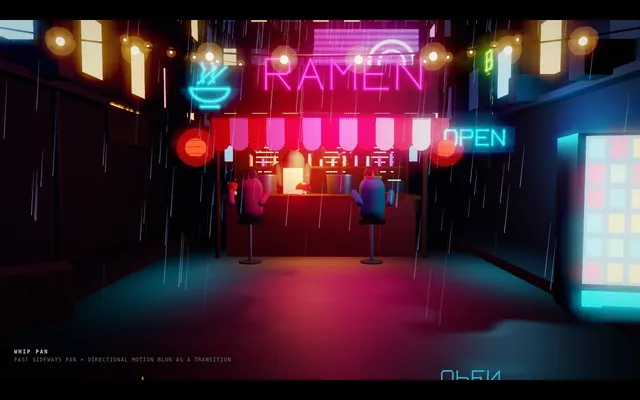
Build a short cinematic camera study in Three.js that demonstrates a whip pan used as a transition. The camera first holds on a calm scene: a desk with a lamp and a laptop in a quiet study. It then whips sideways so fast that the image streaks into horizontal motion blur, and settles on a completely different scene: a busy neon street stall at night. Hold, then whip again in the same direction back to the study to close the loop. Implement visible directional motion blur during the whip. The animation plays automatically, fills the window at 16:9, loops seamlessly every 8 seconds with no visible jump at the loop point, and shows a small unobtrusive caption in one corner naming the technique. Everything is built in code from Three.js geometry, shaders and materials; no external models or textures. Build it as a single self-contained index.html (inline CSS and JS) in the current directory. Three.js may load from a pinned CDN. You may serve it locally and open it in headless chromium (/usr/bin/chromium, software WebGL, no GPU) to screenshot and inspect your own output, and iterate on your own before finishing. Close any browser you open as soon as you've taken your screenshot.
Design a giant desert sandworm re-engineered as a robot, presented as an engineering blueprint. Deliver ONE self-contained index.html (SVG and/or canvas, inline CSS and JS, no external assets, libraries or fonts). It must include: an animated robotic worm that moves through sand, with segments that articulate as it burrows and surfaces; a labelled segment-by-segment mechanical breakdown (for example head and mouth assembly, drive segments, sensor ring, power core, tail) with callouts naming each part and what it does; a cross-section diagram of the mouth showing the grinding and intake mechanism; and a terrain and operations map showing the worm's route, depth and working zones. Everything must share one cohesive blueprint style: blueprint-blue background, white and cyan line work, grid, dimension lines, title block and technical lettering. It must look good on desktop and phone. Write everything into the working directory and finish with a short README.md.
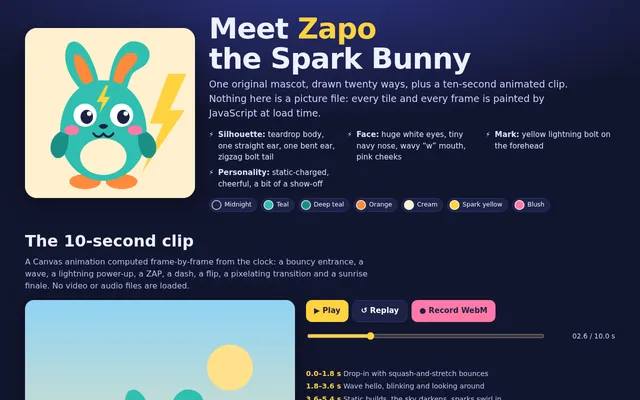
Make multimedia from first principles: a single-page HTML gallery about one original mascot character that you design yourself (give it a name and a recognisable silhouette, colours and features). Render that same mascot in 20 clearly distinct art styles, each as its own tile drawn with SVG or Canvas and captioned with the style name, for example pixel art, woodcut, risograph poster, rubber stamp, 16-bit game sprite, ukiyo-e, blueprint, neon sign, stained glass, ASCII art, watercolour, paper cut-out, comic panel, isometric voxel, embroidery, chalkboard, Art Deco, low-poly, halftone print and a clay or 3D-shaded look. The character must stay recognisable in every style. Also include one 10-second animated clip of the mascot driven entirely by code (Canvas), with play/replay controls and a button that records the clip in the browser with MediaRecorder and offers it as a WebM download. Use no image-generation models, no external images, fonts, libraries or other assets: every picture and frame is drawn by your own code. Build it as index.html (plus any local files you create) in the current directory, with no build step. It must work on a mid-range phone, with a layout that adapts to a narrow screen. You may serve it locally and open it in headless chromium (/usr/bin/chromium, software rendering, no GPU) to screenshot and inspect your own output, and iterate on your own before finishing. Close any browser you open as soon as you've taken your screenshot. Finish with a short README.md listing the styles and how the clip export works.
ok here it is - my first Opus 5.5 vibecoded threejs 3D experience

my God!! Opus is creative!!

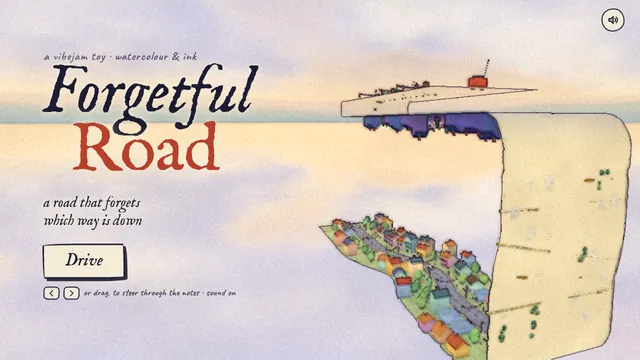
I made a road that forgets which way is down.

It folds 90° up a yellow wall, runs upside down across a ceiling, and turns into sheet music: steer through the notes to play each street's melody.

Watercolour. Ink. A radio on the roof.

#vibejam Build it as index.html (plus any local asset files you create) in the current directory. Three.js may load from a pinned CDN. You may serve it locally and open it in headless chromium (/usr/bin/chromium, software WebGL, no GPU) to screenshot and inspect your own output, and iterate on your own before finishing. Close any browser you open as soon as you've taken your screenshot.
Build a complete, polished Battleship game playable in the browser (index.html plus any JS/CSS, no build step). Player vs computer on 10x10 grids: ship placement (drag or click, with rotate), a computer opponent with a sensible hunt/target strategy, hit/miss/sunk feedback with animation and sound, turn indicator, win/lose screen and restart. It must work with mouse and touch and look good on desktop and phone. Write everything into the working directory and finish with a short README.md.
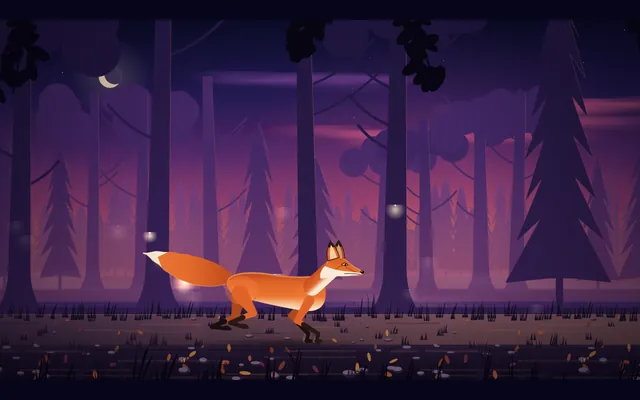
Create a seamless looping side-view animation of a red fox running through a forest at dusk. Deliver ONE self-contained index.html (inline CSS and JavaScript only, SVG and/or canvas; no external assets, libraries, fonts or network requests of any kind). The fox runs left to right, seen in profile, with an animated running gait: legs, body, head and tail all move in a believable run cycle. The scene moves past it: a dusk sky, several layers of trees scrolling at different speeds for parallax depth, and a ground strip. One loop lasts about 8 seconds and repeats forever with no visible seam or jump. Frame the scene at 16:9, scaled to fit any window, and make it look good on desktop and phone. Write everything into the working directory and finish with a short README.md.
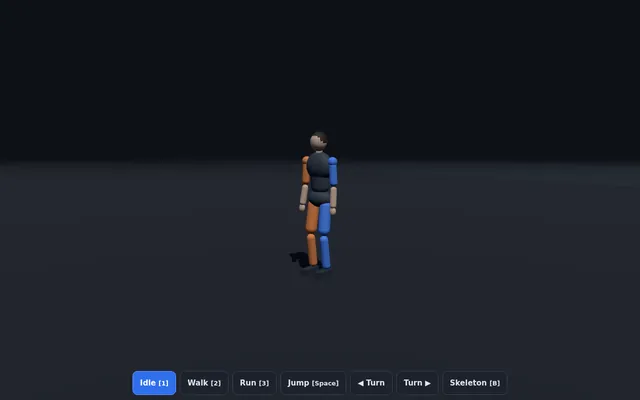
Build a single-page Three.js scene (one index.html file, no build step, three.js from a pinned CDN) with a rigged humanoid character (a procedural skeleton and simple body meshes are fine) that plays walk, run and jump cycles, with on-screen buttons or keys to switch between them and blend smoothly from one to the next. The motion must look human, not spider-like: respect realistic joint limits (knees and elbows bend one way only, no joint rotates past a human range), feet plant on the ground with no sliding while in contact, the pelvis bobs and the torso stays upright with natural counter-rotation of shoulders and hips, and arms swing opposite to the legs. Include a ground grid, an orbit camera and a toggle that shows the skeleton. It must run at 60 fps in a desktop browser and work with touch. Write everything into the working directory and finish with a short README.md describing the controls.
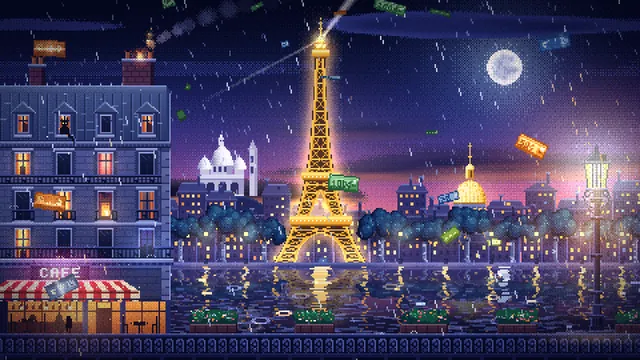
Fais-moi un diorama pixel-art animé de Paris la nuit, pour servir de fond en boucle à une vidéo lofi de 10 heures sur YouTube. Tout dans un seul fichier HTML (canvas + JavaScript, sans librairie).

AMBIANCE ET COULEURS
Joue à fond sur le contraste chaud / froid : une nuit pluvieuse bleu nuit et violette, avec des coins de lumière chaude. La tour Eiffel dorée, les fenêtres éclairées, les réverbères, un café.

LA SCÈNE (de l'arrière vers l'avant)
- Un ciel en dégradé tramé (dithering façon pixel art), une lune avec un halo, et plusieurs couches de nuages qui défilent lentement, éclairées par la lune au-dessus et par la ville en dessous.
- La tour Eiffel au centre, dorée, avec sa structure en treillis, ses 3 plateformes et son antenne. Son phare tourne et balaie le ciel. Elle scintille régulièrement (des points blancs qui clignotent partout), et une lumière rouge clignote tout en haut.
- Au fond, une ligne de toits parisiens avec des fenêtres qui s'allument et s'éteignent, le dôme doré des Invalides et le Sacré-Cœur blanc sur sa colline.
- Un quai avec des platanes et des réverbères.
- La Seine, avec les reflets de la tour et des lampadaires qui ondulent, de longues traînées de lumière dorée, des ronds de pluie sur l'eau, et un bateau-mouche éclairé qui traverse de temps en temps.
- À gauche, au premier plan, un immeuble haussmannien : toit en zinc mouillé, cheminée qui fume et crache des étincelles, un chat dans une lucarne qui bouge la queue, une fenêtre à la bougie qui vacille, une télé qui clignote en bleu, un balcon en fer forgé, un café avec un store rayé rouge et un néon « CAFÉ » qui grésille de temps en temps.
- À droite, un réverbère parisien avec un halo chaud, qui vacille parfois.
- Tout en bas, une balustrade en fer forgé avec des jardinières.

EFFETS
- De la pluie sur 3 profondeurs. Les gouttes deviennent orange quand elles passent dans une lumière, et elles éclaboussent sur les rebords, le store et la balustrade.
- DES BILLETS QUI TOMBENT DU CIEL : des billets de 100 €, 50 € et 20 €, sur plusieurs profondeurs. Ils virevoltent comme des feuilles (ils se balancent, pivotent, se retournent et brillent quand ils font face).
- De la fumée qui dérive avec le vent, des étincelles, des lumières qui vacillent, et 2 éclairs discrets dans les nuages par boucle.

TECHNIQUE (important)
- Le rendu interne est en 480×270, agrandi ×4 sans lissage (plus proche voisin), pour obtenir un 1920×1080 parfaitement net en plein écran.
- La boucle est PARFAITE et dure 4 minutes : chaque animation est une fonction du temps modulo 240 s (fréquences entières, particules déterministes), donc aucun saut au moment où ça reboucle.
- Touche R : enregistre exactement une boucle en 1920×1080, 60 fps, et télécharge le fichier vidéo (mp4 si possible, sinon webm).
- Touche S : capture PNG en 1080p. Touche F ou double-clic : plein écran. Le curseur se cache quand on ne bouge pas la souris.
- Optimise pour tenir 60 fps : sprites pré-rendus, halos en cache, et un canvas avec l'option willReadFrequently.

Fixed inputs (do not ask for anything):
- Deliverable: index.html in the current directory, one self-contained file (canvas + JavaScript, no libraries, no CDNs, no external image, font or audio files); code only.
- The harness makes the video itself, headlessly: it opens index.html in headless Chromium (software rendering, no GPU) with a 1920x1080 viewport and records exactly one full loop, t = 0 to 240 s, to a 1920x1080 MP4 at 30 fps. During that capture the page's clock is stepped exactly 1/30 s per frame (requestAnimationFrame timestamps, performance.now(), Date.now() and timers), no key is pressed and nothing is clicked: the scene must start animating as soon as the page loads; the R-key recording is not used.
- Audio is optional; a silent page is fine.

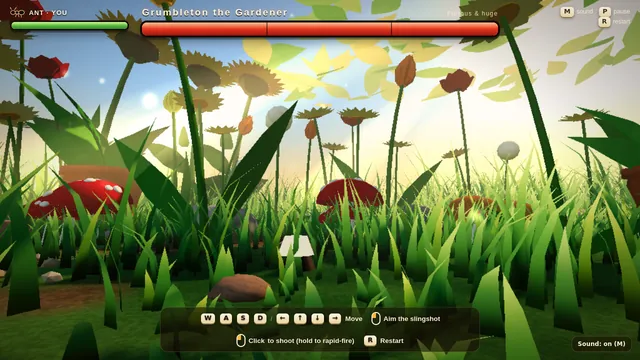
Playwright 1.63.0 (playwright-core) is already installed for you in the current directory: node_modules is pre-installed and read-only, so do not run npm install there or npx playwright install (if you want another npm package, install it in a subdirectory); it has no bundled browser, so launch the local Chromium with chromium.launch({ executablePath: "/usr/bin/chromium" }). ffmpeg and python3 (with numpy) are on PATH. You may open your page in headless Chromium, take screenshots or render frames, inspect your own output and iterate on your own before finishing. Close any browser you open as soon as you are done with it.Build a small playable 3D game in Three.js: an ant defends its home from a furious giant gardener. The player controls the ant on the ground of a lush garden, seen from a low third-person camera that makes the grass blades, pebbles and flowers feel huge. The gardener towers over the scene and sweeps a humming string trimmer back and forth, chasing the ant and throwing up clippings. The ant fights back with a tiny slingshot: aim with the mouse, fire pebbles at the gardener and dodge the trimmer's swings. Show a health bar for the ant and a large health bar for the gardener at the top of the screen, with hit flashes, a clear win or lose message and a restart. Warm afternoon sunlight falls through the leaves overhead, casting moving dappled light and soft shadows, with dust drifting in the light beams. Keep the controls simple (WASD or arrow keys to move, click to shoot) and show them on screen. Everything is built in code from Three.js geometry and materials; no external models or textures. Build it as index.html (plus any local asset files you create) in the current directory. Three.js may load from a pinned CDN. You may serve it locally and open it in headless chromium (/usr/bin/chromium, software WebGL, no GPU) to screenshot and inspect your own output, and iterate on your own before finishing. Close any browser you open as soon as you've taken your screenshot.
# Test: threejs_artwork_style_pass

Build a real-time 3D scene in three.js: a **caped flying hero** flies through a row of **large framed artworks**, and each time he passes through a frame **his rendering style changes to match that artwork's style**.

- The hero is an original, generic caped flyer (your own design, not any existing or trademarked character): a stylised humanoid in a flying pose, fists forward, with a cape that flutters and ripples in the wind as he flies.
- A row of at least **five big picture frames** stands along his flight path, spaced out, each with a gilded frame and a procedurally generated canvas in a different style, for example: **oil painting** (thick brush strokes), **ukiyo-e woodblock** (flat colours, bold outlines, wave pattern), **pixel art**, **comic book / halftone** (dots, ink outlines), **watercolour** (soft bleeding washes). More styles are welcome.
- As he flies **through** each frame, the hero's look switches to that artwork's style (custom shaders / materials / post-processing, e.g. toon shading + outlines, halftone dots, pixelation, painterly noise, paper texture), ideally with a short visible transition at the moment he crosses the frame plane. Optionally the world around him can also take on the style.
- Motion must be **smooth and continuous** (no teleporting or snapping): he flies along a gentle curved path through all frames, and the whole sequence loops seamlessly.
- The **camera follows** him smoothly (chase camera with slight lag), keeping both the hero and the next frame in view.
- Good lighting, sky/background and atmosphere; aim for a polished, showcase-quality look.


Deliverable: reply with exactly one complete, self-contained `index.html` file in a single ```html code block. Requirements:
- Use three.js (r160 or newer) loaded from a CDN through an `<script type="importmap">` (e.g. jsDelivr or unpkg); addons such as OrbitControls may be imported from the same CDN via the import map.
- No other files: no external textures, models, fonts or images. Generate any textures procedurally in code.
- It must run by simply opening index.html in a modern desktop browser, fill the window, and handle resize.
- Animate with requestAnimationFrame and a clock, so it looks right at any frame rate.
- No explanation is needed outside the code block.
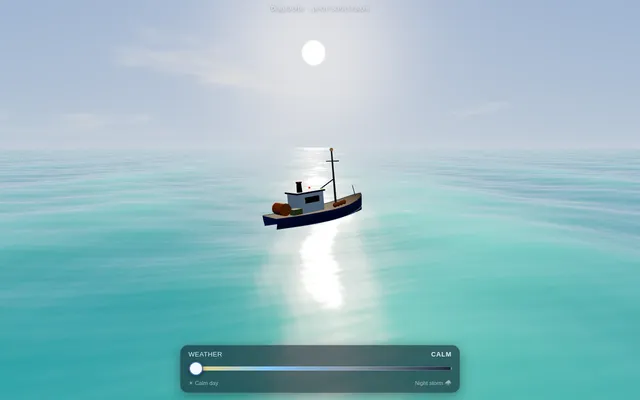
Build a Three.js ocean in your own GLSL shaders: a large water surface displaced on the GPU by a sum of Gerstner waves, with foam on the crests, fresnel reflection of a procedural sky, subsurface tint in the troughs and sun glitter. A small fishing boat rides the waves, its height and tilt computed from the same wave function on the CPU so it never clips. A slider moves the weather from calm sunny day to night storm (bigger waves, rain streaks, lightning flashes, darker sky); drag to orbit the camera. Everything is built in code; no external models, textures or HDRIs. Build it as index.html (plus any local asset files you create) in the current directory, with no build step; three.js and any addons may load from a pinned CDN. It must run at a smooth frame rate on a mid-range phone and touch controls must work. You may serve it locally and open it in headless chromium (/usr/bin/chromium, software WebGL, no GPU) to screenshot and inspect your own output, and iterate on your own before finishing. Close any browser you open as soon as you've taken your screenshot. Finish with a short README.md describing the controls.
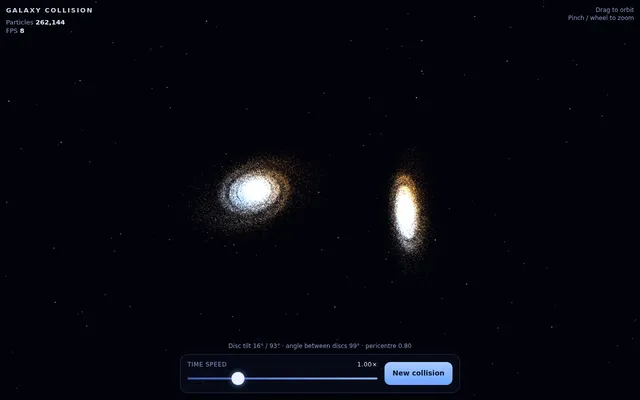
Build a Three.js scene of two spiral galaxies colliding, simulated on the GPU: at least 100,000 star particles whose positions and velocities live in floating-point render targets updated each frame by your own GLSL simulation shaders (ping-pong / GPGPU), attracted by the two galaxy cores, with additive glowing points coloured by speed and tidal tails forming over time. Drag to orbit, pinch or wheel to zoom, a slider for time speed and a button to restart with a new random collision angle. Show the live particle count and FPS. Everything is built in code; no external models, textures or HDRIs. Build it as index.html (plus any local asset files you create) in the current directory, with no build step; three.js and any addons may load from a pinned CDN. It must run at a smooth frame rate on a mid-range phone and touch controls must work. You may serve it locally and open it in headless chromium (/usr/bin/chromium, software WebGL, no GPU) to screenshot and inspect your own output, and iterate on your own before finishing. Close any browser you open as soon as you've taken your screenshot. Finish with a short README.md describing the controls.
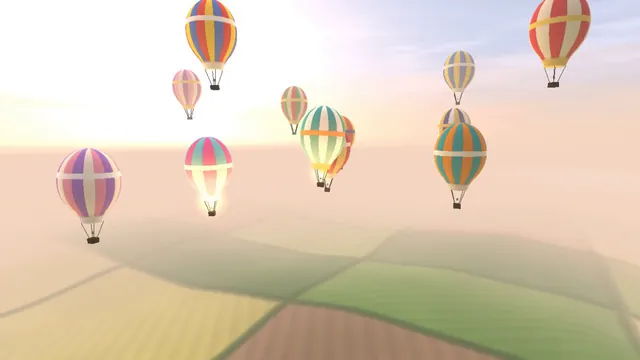
Build a Three.js scene: A dozen hot air balloons with striped procedural envelopes rise at different rates over rolling green fields, their burners flaring orange and lifting them in pulses. Clicking a balloon fires its burner, so it visibly glows and climbs faster. Balloons drift with a gentle wind field and the camera slowly rises with the fleet. The sky is a pale dawn gradient with soft volumetric-looking haze bands. Everything is built in code from Three.js geometry, materials and shaders; no external models, textures or fonts. The scene must visibly animate from the moment it loads and run in a browser with software WebGL (no GPU). Deliver ONE self-contained HTML file; load Three.js only through an import map from https://cdn.jsdelivr.net/npm/three@0.170.0/build/three.module.js (addons from https://cdn.jsdelivr.net/npm/three@0.170.0/examples/jsm/), with no other external requests. Output ONLY the complete HTML file, starting with <!DOCTYPE html> and ending with </html>, with no explanation or markdown fences.
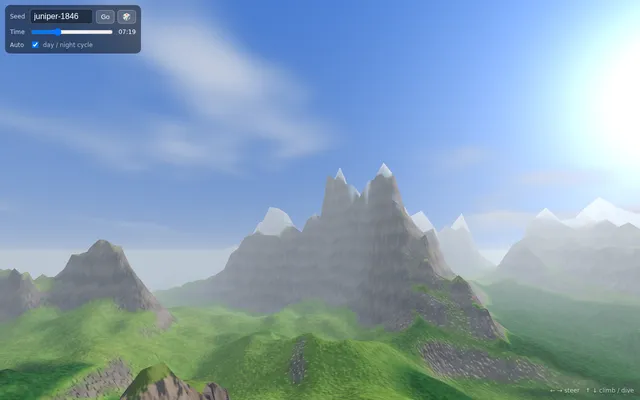
Build a Three.js endless terrain flyover: the landscape is generated in chunks around the camera from layered noise (fBm plus ridged noise for mountains) computed in your own code or shaders, with level of detail that lowers far chunks, seamless edges between chunks, biome colouring by height and slope (beach, grass, forest, rock, snow), animated water, distance fog and a moving sun with a day to night cycle. The camera glides forward on its own; the player steers with arrow keys or an on-screen touch joystick, and a seed field regenerates the world. Everything is built in code; no external models, textures or HDRIs. Build it as index.html (plus any local asset files you create) in the current directory, with no build step; three.js and any addons may load from a pinned CDN. It must run at a smooth frame rate on a mid-range phone and touch controls must work. You may serve it locally and open it in headless chromium (/usr/bin/chromium, software WebGL, no GPU) to screenshot and inspect your own output, and iterate on your own before finishing. Close any browser you open as soon as you've taken your screenshot. Finish with a short README.md describing the controls.
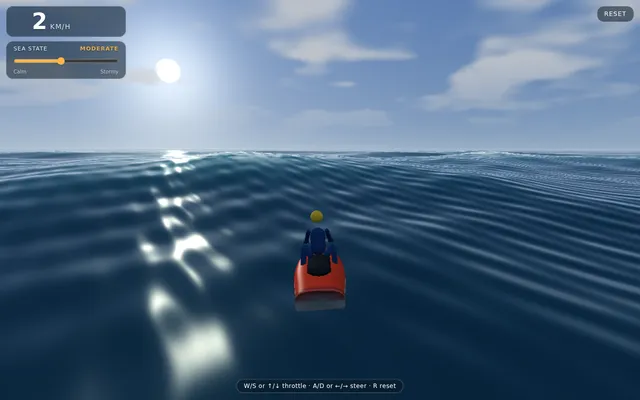
Build a Three.js jet ski physics simulation on an open ocean. The ocean is an animated, endless wave surface (sum of directional waves) that you also sample on the CPU, so the jet ski floats on it with real buoyancy: several hull sample points push it up by their depth below the surface, giving pitch and roll as it rides over swells, with drag, gravity, and airtime and a splash-down when it jumps off a crest. The rider controls throttle and steering with the keyboard (W/S or arrow keys, A/D to steer) and with on-screen touch controls on mobile (a throttle slider or pedal and a steering stick). Steering leans the craft into the turn and grip falls off at speed. Add a foamy wake trail and spray particles from the hull that scale with speed, a smooth chase camera that follows behind and above, a sky with a sun and a visible horizon where the sea fades into haze, and a small HUD with speed and a sea-state slider (calm to stormy) that changes wave height live. Everything is built in code; no external models, textures or HDRIs. Build it as index.html (plus any local asset files you create) in the current directory, with no build step; three.js and any addons may load from a pinned CDN. It must run at a smooth frame rate on a mid-range phone and touch controls must work. You may serve it locally and open it in headless chromium (/usr/bin/chromium, software WebGL, no GPU) to screenshot and inspect your own output, and iterate on your own before finishing. Close any browser you open as soon as you've taken your screenshot. Finish with a short README.md describing the controls.
# Test: threejs_mechanical_bee

Build a real-time 3D scene in three.js of an animated **mechanical (clockwork) bee**.

- The bee is built from many distinct parts: a segmented abdomen, thorax, head with compound-eye lenses, antennae, six jointed legs and two pairs of wings.
- Materials are physically based (MeshStandardMaterial or MeshPhysicalMaterial): polished and aged **brass**, brushed **steel**, a little dark enamel or glass, with believable metalness/roughness. Use an environment map (e.g. RoomEnvironment with PMREMGenerator) so the metal reflects.
- The **wings beat fast** (a visible blur-like flutter, thin translucent panels with a metal frame/veins).
- Several visible **gears turn** inside the body (meshing gears turn in opposite directions at speeds consistent with their tooth counts).
- The whole bee **hovers with a gentle bob and slight sway loop** in mid-air; legs and antennae move a little.
- **OrbitControls** let the viewer orbit, zoom and pan around the bee, with damping.
- **Nice lighting**: a key light with soft shadows, a fill and a rim light, tone mapping (ACES or AgX) and sRGB output; a tasteful backdrop or ground so the shadow reads.
- Aim for a polished, showcase-quality look.


Deliverable: reply with exactly one complete, self-contained `index.html` file in a single ```html code block. Requirements:
- Use three.js (r160 or newer) loaded from a CDN through an `<script type="importmap">` (e.g. jsDelivr or unpkg); addons such as OrbitControls may be imported from the same CDN via the import map.
- No other files: no external textures, models, fonts or images. Generate any textures procedurally in code.
- It must run by simply opening index.html in a modern desktop browser, fill the window, and handle resize.
- Animate with requestAnimationFrame and a clock, so it looks right at any frame rate.
- No explanation is needed outside the code block.
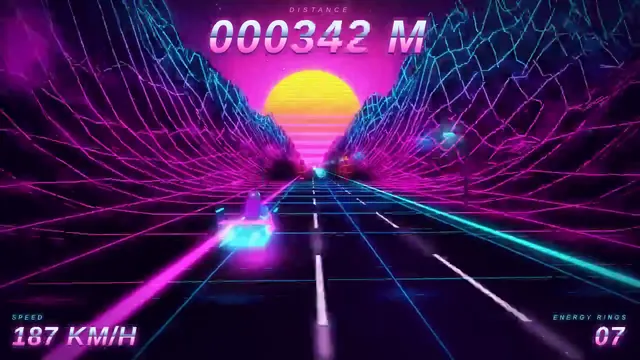
Build a Three.js scene: A synthwave hover-bike race down an infinite grid highway beneath a striped magenta sunset sun and wireframe mountains. Steer between three lanes with A and D to dodge glowing pylons and collect cyan energy rings while speed slowly increases. The chase camera tilts into turns with a bloom-like glow, and a distance score is shown in retro chrome lettering. Everything is built in code from Three.js geometry, materials and shaders; no external models, textures or fonts. The scene must visibly animate from the moment it loads and run in a browser with software WebGL (no GPU). Deliver ONE self-contained HTML file; load Three.js only through an import map from https://cdn.jsdelivr.net/npm/three@0.170.0/build/three.module.js (addons from https://cdn.jsdelivr.net/npm/three@0.170.0/examples/jsm/), with no other external requests. Output ONLY the complete HTML file, starting with <!DOCTYPE html> and ending with </html>, with no explanation or markdown fences.
Build a single self-contained index.html using Three.js (imported from a pinned CDN; no external models, textures or other assets) that shows a full humanoid powered-armour suit built only from code: primitives, extruded shapes, lathes and generated geometry. Aim for 500 or more distinct mesh parts (plates, joints, pistons, vents, bolts, cables, lights) with a coherent, detailed design and good materials and lighting. Include an assemble / explode animation (parts fly in and lock into place, and can be exploded back out), a sci-fi HUD overlay (targeting reticle, part labels that track parts on screen, a system status panel), orbit controls, and buttons to trigger assemble and explode. It must run smoothly and work with touch on mobile. When the suit is built, log the total number of distinct mesh parts to the console as: PART_COUNT <n>. Write everything into the working directory and finish with a short README.md.
Build a single-page Three.js scene (index.html, no build step, three.js from a pinned CDN or vendored) showing a glossy translucent slime/jelly blob resting on a floor. It must behave as a soft body: clicking or dragging pokes and squishes it, it wobbles and settles with visible jiggle and damping, and it casts a soft contact shadow on the floor. Include subsurface-like translucency, specular highlights, and a small UI to reset and to drop the blob from height. Target 60 fps on a mid-range phone; mobile touch must work. Write everything into the working directory and finish with a short README.md describing controls.
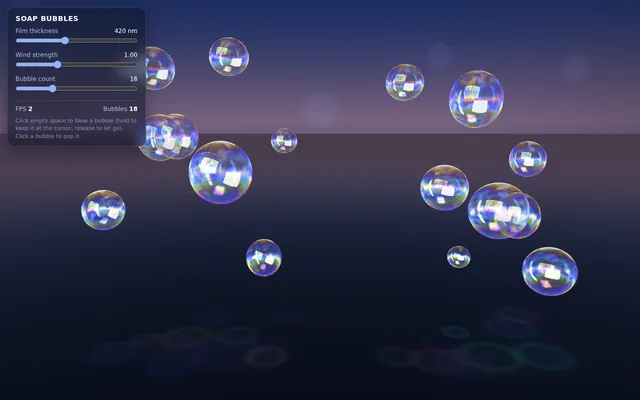
Build a single self-contained index.html (Three.js from a CDN) showing interactive soap bubbles. Each bubble uses a custom shader for thin-film iridescence (colour changes with view angle and film thickness), plus a fresnel rim and a reflection from a procedural environment. Click to blow a new bubble from the cursor. Bubbles drift on a gentle noise wind field, bounce softly off each other, and pop with a small particle burst when they touch the floor or are clicked. Include a UI slider for film thickness, wind strength and bubble count (max 60), and an FPS readout. One file, no build step, no external assets. Save the main page as index.html in the current directory (plus any local asset files you create), with no build step. You may serve it locally and open it in headless chromium (/usr/bin/chromium, software WebGL, no GPU, no WebGPU) to screenshot and inspect your own output, and iterate on your own before finishing. Close any browser you open as soon as you've taken your screenshot. Finish with a short README.md describing the controls.
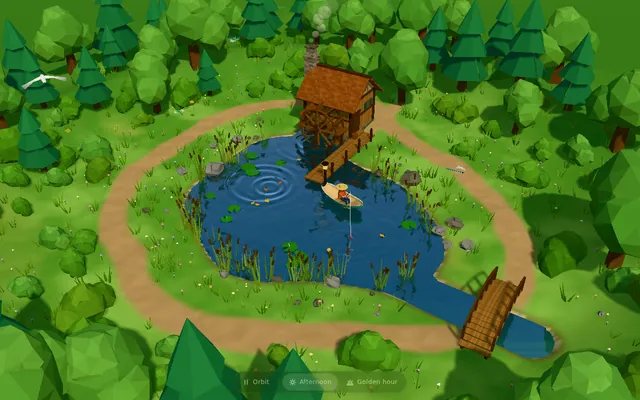
Build "Millbrook Pond", a calm countryside pond diorama in Three.js, seen from above at a three-quarter angle. An irregular pond with soft grassy banks, rocks and reeds sits in a clearing ringed by trees and bushes, with a dirt path running around it. On one shore stands a small timber watermill cabin with a shingled roof and a stone chimney, and on its side a large wooden waterwheel turns continuously, its paddles dipping into the water and churning it. A plank dock juts out from the mill, a small arched wooden footbridge crosses an inlet, and a rowboat floats on the pond with a seated figure fishing, rod and line out; the boat bobs and drifts gently and the line's float makes small rings. The water is the star: a real-time reflective and refractive surface (a planar or render-target reflection of the mill, trees and sky; refraction of the shallow pond bed near the banks; depth-based tint from clear shallows to a dark centre) blended with a Fresnel term, soft normal-mapped wind ripples, and dynamic ripple rings from the waterwheel, the boat, the fishing float and the occasional rising fish, which spread and fade. Add gentle ambient life: swaying foliage, a few lily pads or drifting leaves, dragonflies or birds, and soft afternoon sun with shadows. The camera slowly orbits the pond on its own; the user can drag to orbit, pinch or scroll to zoom, and tap the water to make ripples, and a small unobtrusive control pauses the orbit and switches the time of day (for example afternoon and golden hour). The look is stylized and cohesive (low-poly or soft-shaded), and everything is built in code; no external models, textures or HDRIs. Also add a capture mode: opening index.html?capture=1 hides all UI and plays a scripted 12-second camera move around the pond that ends where it started, so it can be recorded as a seamless clip. Build it as index.html (plus any local asset files you create) in the current directory, with no build step; three.js and any addons may load from a pinned CDN. Aim for 60 fps on a laptop and at least 30 fps on a mid-range phone, with touch working. You may serve it locally and open it in headless chromium (/usr/bin/chromium, software WebGL, no GPU) to screenshot and inspect your own output, and iterate on your own before finishing. Close any browser you open as soon as you've taken your screenshot. Finish with a short README.md describing the controls and the capture mode.
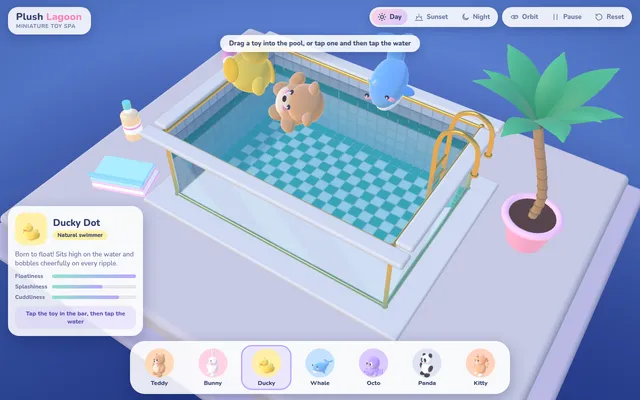
Build "Plush Lagoon", a miniature toy-spa water toy in Three.js. The scene is a small rectangular swimming pool on a pale plinth, seen from a three-quarter view against a soft deep-blue backdrop: glass side walls with thin brass edges so you can see the water from the side, a white coping rim, a tiled pool floor in teal and white, a ladder with brass rails on one side, a potted palm tree beside it and a few small props on the plinth (a folded towel, a bottle). The water is the star: an interactive height-field surface simulated on the GPU (render-target ping-pong or an equivalent) with real-time ripples that spread, reflect off the walls and fade; the surface refracts the tiles below and reflects the environment with a Fresnel term; animated caustics play across the pool floor and walls, driven by the simulated surface; the water volume reads through the glass walls with depth-based tint. Along the bottom, a pastel picker bar offers at least seven cute plush toys built in code from simple shapes (teddy bear, bunny, duck, whale, octopus, panda, cat), each with its own soft colour and name label. The user drags a toy from the bar or taps one and taps the water to drop it in: it splashes, makes rings, then floats and bobs with simple buoyancy (several sample points, sinking and resurfacing, tilting with the waves) and drifts and bumps gently against the walls and the other toys. Holding on a floating toy dips it under; tapping the water makes ripples. Add a small info card for the selected toy, an orbit/pause control and a mood selector that changes the lighting and water colour (for example deep blue night and sunny day). The UI should be soft, rounded and pastel, with clean typography. Everything is built in code; no external models, textures or HDRIs. Build it as index.html (plus any local asset files you create) in the current directory, with no build step; three.js and any addons may load from a pinned CDN. It must hold at least 30 fps on a mid-range phone, with touch, drag and tap all working, and stay smooth on a laptop. You may serve it locally and open it in headless chromium (/usr/bin/chromium, software WebGL, no GPU) to screenshot and inspect your own output, and iterate on your own before finishing. Close any browser you open as soon as you've taken your screenshot. Finish with a short README.md describing the controls.
Build a conceptual X-16 engine in 3D with Three.js: four cylinder banks, one crankshaft and exposed mechanics inspired by experimental multi-bank engine architectures. Make it animate (pistons, rods and crank moving in sync) with orbit controls. Everything is built in code from Three.js geometry, shaders and materials; no external models or textures. Build it as a single self-contained index.html in the current directory. Three.js may load from a CDN or be vendored. You may serve it locally and open it in headless chromium (/usr/bin/chromium, software WebGL, no GPU) to screenshot and inspect your own output, and iterate on your own before finishing. Close any browser you open as soon as you've taken your screenshot.
Write a single self-contained HTML file that plays an original animated short film, about 50 seconds long, drawn entirely in code.

Hard technical rules:
- One file: HTML + inline <script> (+ optional inline <style>). No external images, fonts, libraries, audio files or network requests of any kind. Every frame is drawn procedurally with Canvas 2D (or WebGL if you prefer).
- The canvas renders at a fixed internal resolution of 1920x1080 and is scaled with CSS to fit the window (letterboxed, black background).
- The animation starts automatically on page load and is driven ONLY by requestAnimationFrame and the timestamp from performance.now() (measure elapsed time from the first frame). Everything on screen must be a pure function of elapsed time t, so the film is deterministic and can be captured frame by frame. No Math.random() at draw time — use a seeded PRNG / hash noise so frames are identical run to run. No setTimeout/setInterval for animation.
- Define window.FILM_DURATION (seconds). After the film ends, hold the final frame.
- Soundtrack: write an original WebAudio score (melody, chords, a little percussion or ambience, and sound cues that match story moments) synced to the same timeline. Put ALL audio scheduling in a function window.buildSoundtrack(ctx, startTime) that schedules every note/effect on any BaseAudioContext (so it also works on an OfflineAudioContext). Also expose window.renderSoundtrack = () => an OfflineAudioContext(2, 44100*FILM_DURATION, 44100) render of it returning a Promise<AudioBuffer>. For live viewing, start the soundtrack on the first click/tap/keypress (browsers block autoplay) aligned to the current film time; show a small unobtrusive "tap for sound" hint until then. Use only oscillators, noise buffers you generate, filters, gain envelopes — no samples.
- No console errors.

The film (this is a showcase of what you can animate — make it genuinely beautiful and moving):
- An ORIGINAL story with a small emotional arc (setup, a problem or longing, a turn, a warm resolution). A single consistent main character — any character you like — who appears in every scene and is recognisably the same design throughout.
- At least 4 distinct scenes, with real transitions between them (e.g. wipes, iris, match cuts, cross-dissolves, camera moves through space).
- Expressive character animation: a proper walk cycle (legs, arms, body bob), blinking, and facial emotion changes (e.g. curious, sad, surprised, joyful) that follow the story.
- A virtual camera that pans, zooms and tracks, with parallax layers for depth.
- Lighting and time-of-day changes across the film (e.g. dawn → day → dusk → night, or a storm clearing), with colour grading, glows, and shadows.
- Particles and weather (rain, snow, fireflies, leaves, dust, stars — your choice, at least two kinds).
- On-screen story text / subtitles in a tasteful storybook style that tell the story in a few short lines.
- A cohesive art direction: a warm, hand-made "paper cut-out / storybook" look is welcome (textured paper, soft edges, slight wobble), but choose what serves your story.
- End with a title of your film and a gentle closing frame.

Output ONLY the complete HTML file, starting with <!DOCTYPE html> and ending with </html>. No explanation, no markdown fences. Save it as index.html in the current directory. You may open it in headless chromium to check it and iterate.
Build a real-time interactive coastal simulation as one single self-contained HTML page using Three.js (CDN imports are fine). The scene: a shallow turquoise lagoon along a white-cliff coastline, with a free-fly camera that can skim across the water surface and dive below it.

Required features:
1. Water surface: animated waves with transparency and real-time refraction of the seabed and submerged objects, sky and cliff reflections, and foam where the water meets the shore and cliffs.
2. Underwater fauna: schools of small fish with flocking behavior that scatter when the camera comes close, at least one larger creature (ray, turtle, or shark) cruising the lagoon, caustic light patterns on the sand, and visible light rays under water.
3. Birds: birds flying above the coastline with flapping or soaring motion, at least some of them diving toward the water.
4. Camera droplets: when the camera rises out of the water, droplets cling to the lens and drip away or clear over a few seconds (screen-space overlay or post-process). Underwater, the view has blue-green fog and tint.
5. Lighting controls: on-screen controls to scrub the time of day (at least sunrise, noon, sunset, night) with matching sun position, sky color, water color, and underwater lighting; stars and a moon at night.
6. Performance: target a smooth 60 fps at 1080p on a mid-range GPU; show a live FPS meter and provide a quality toggle.

The page must run by opening the HTML file directly, with no build step and no server.
Using Blender's Python API only (a script run headless with blender -b -P), build a humanoid character with an armature (hips, spine, neck, head, arms with elbows and hands, legs with knees and feet) skinned to a simple stylised body mesh, and animate a seamless looping walk cycle of 32 frames at 24 fps. The walk must look human: knees and elbows bend one way only within realistic joint limits, feet plant with no sliding during contact, the pelvis bobs and the torso stays upright, and arms swing opposite to the legs. Add a three-point light and a camera. Render a 1280x720 PNG still of a mid-stride frame to render.png, render a turntable video to turntable.mp4 (the character walking in place while the camera orbits once around it, 1280x720, 24 fps, at least 4 seconds), save scene.blend, and export walk.glb with the armature and the walk animation (no cameras or lights). Write everything into the working directory.
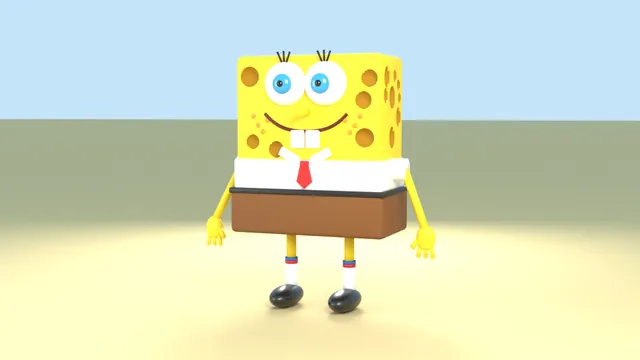
Using Blender's Python API only (a script run headless with blender -b -P), model SpongeBob SquarePants as a stylised 3D character: porous yellow sponge body, white shirt, red tie, brown square pants, big eyes with blue irises, buck teeth, thin arms and legs with white socks and black shoes. Use real material colours (Principled BSDF base colours, not procedural-only) so the model keeps its colours when exported. Add a simple three-point light and camera, render a 1280x720 PNG to render.png, save scene.blend, and export model.glb (apply modifiers, no cameras or lights). Write everything into the working directory.
Make a 30-60 second animated video: one continuous zoom journey that starts on a single bacterium cell and keeps zooming in until it reaches the quantum fields the cell is ultimately made of.

The zoom passes through these scale levels, in this order:
1. the whole bacterium cell
2. the cell's internal structures (ribosomes, the coiled DNA of the nucleoid, the cell membrane)
3. molecules (for example the DNA double helix and proteins)
4. atoms
5. the nucleus of one atom
6. protons and neutrons
7. quarks and gluons, and finally the quantum fields they are excitations of

Requirements:
- One continuous shot: each level grows smoothly out of the previous one as the camera keeps zooming in; no hard cuts between levels.
- An on-screen label for every scale level with its name and approximate size (for example "Bacterium · ~2 µm"), shown while the journey passes through that level.
- Length between 30 and 60 seconds, 16:9 at 1920x1080.
- Sound: if you can make audio in this environment, give the video an original score or soundtrack that you create yourself (for example synthesized in code) and that follows the journey; do not use existing music. If you cannot make audio, leave the video silent and say so in your final message; a silent video is acceptable.

Remotion 4.0.527 is already installed for you in the current directory: node_modules is pre-installed and read-only, so do not run npm install or create-video, and a remotion.config.ts here already points rendering at the local Chromium. Render the final video yourself to out.mp4 in the current directory (for example npx remotion render <entry file> <composition id> out.mp4). You may render stills or frames and inspect your own output (headless chromium is available at /usr/bin/chromium) and iterate on your own before finishing.
animate an ai dungeon story. Remotion 4.0.527 is already installed for you in the current directory: node_modules is pre-installed and read-only, so do not run npm install or create-video, and a remotion.config.ts here already points rendering at the local Chromium. Render the final video yourself to out.mp4 in the current directory (for example npx remotion render <entry file> <composition id> out.mp4). You may render stills or frames and inspect your own output (headless chromium is available at /usr/bin/chromium) and iterate on your own before finishing.
Mixed-model run, excluded as not single-model: Claude Code spawned a subagent on a different model, so part of this run was not Claude Sonnet 5.5. From the run's record: Sonnet 5.5 itself called Claude Code's Agent tool with model "opus", so one subagent ran on claude-opus-5-5 (86 stream events, 24 API responses). Not a pure Sonnet result; re-run clean as attempt2 with every Claude Code model alias pinned to claude-sonnet-5-5.
Our own timeout ended the run before any output. Not a model failure.
create infographic style video for how internet works using remotion. Remotion 4.0.527 is already installed for you in the current directory: node_modules is pre-installed and read-only, so do not run npm install or create-video, and a remotion.config.ts here already points rendering at the local Chromium. Render the final video yourself to out.mp4 in the current directory (for example npx remotion render <entry file> <composition id> out.mp4). You may render stills or frames and inspect your own output (headless chromium is available at /usr/bin/chromium) and iterate on your own before finishing.
[Task]
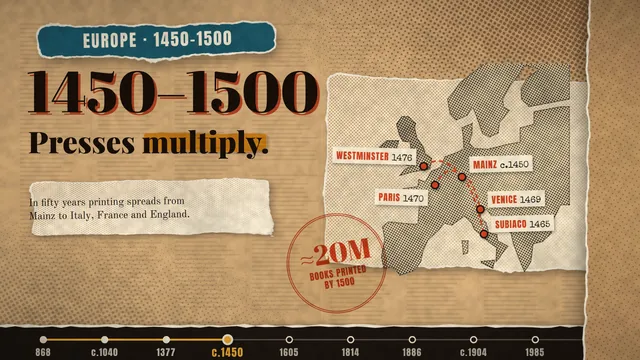
Create a 60-second motion-graphic explainer video on the history of the printing press, from its origins to the present day.

[Roles]
- Higgsfield: creates every image in the video (still images only).
- You: create all motion graphics and animation.

[Style]
Newspaper cutouts with mixed-media collage, highly polished: layered paper cutouts, torn edges, halftone textures, soft shadows, and bold editorial typography.

[Rules]
- Keep every fact and date accurate.
- No text inside the Higgsfield images. Add all text yourself as animated typography.
- Keep the look consistent across every scene.
- End on the opening frame so the video loops. Never end on a hard cut.

[Harness notes] Images come from the image-generation tool available to you (still images only). Render the final video to out.mp4 (1920x1080, 60 s). Write everything into the working directory. Remotion 4.0.527 is already installed for you in the current directory: node_modules is pre-installed and read-only, so do not run npm install or create-video, and a remotion.config.ts here already points rendering at the local Chromium. Render the final video yourself to out.mp4 in the current directory (for example npx remotion render <entry file> <composition id> out.mp4). You may render stills or frames and inspect your own output (headless chromium is available at /usr/bin/chromium) and iterate on your own before finishing.
[Task]
Create a 15-second looping motion-graphics video of one consistent character who morphs through eight art styles.

[Subject]
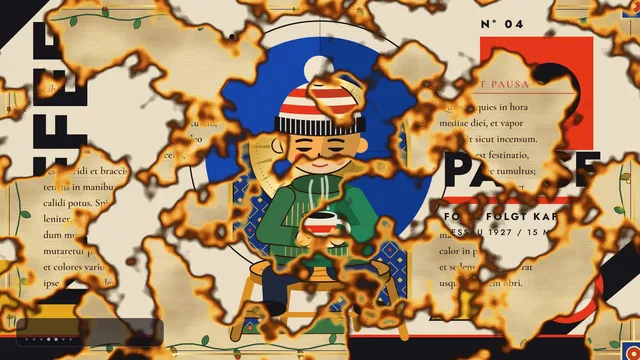
One original character: a small, round-headed person with a calm, slightly sleepy expression, a striped knit beanie with a pom-pom, a green sweater and dark trousers, sitting on a wooden stool and holding a mug of coffee. Across the video they sit, breathe and slowly take a sip; the pose, proportions, outfit and the mug stay the same in every style so the viewer always reads it as the same character.

[Styles, in order, each about 1.8 s]
1. Ukiyo-e woodblock print: a great curling wave, a distant snowy mountain, a red sun disc, flat inks and paper grain.
2. Claymation: soft rounded clay forms, fingerprint texture, slight stop-motion jitter.
3. Stained glass: bold lead lines, jewel-coloured glass panes, light glowing through.
4. Bauhaus poster: primary colours, circles, squares and diagonals, bold geometric type.
5. Illuminated manuscript: parchment, gold leaf, an ornate initial letter and border vines.
6. 1-bit classic Mac paint: black and white pixels, dither patterns, a tiny window frame.
7. Pencil line drawing: graphite sketch lines on white paper, hatching, construction lines.
8. Back to the ukiyo-e scene, so the video loops.

[Rules]
- Every frame is drawn in code (SVG, canvas, CSS or WebGL). No image files, no image generation, no external assets beyond fonts.
- Each change of style is a real transition (a wipe, morph, dissolve, paper tear, pixelation or ink spread), never a hard cut, and the character stays in place through it.
- Show a small, tasteful label naming each style as it appears.
- The last frame matches the first so the video loops seamlessly.

[Harness notes] Render the final video to out.mp4 (1920x1080, 15 s). Write everything into the working directory. Remotion 4.0.527 is already installed for you in the current directory: node_modules is pre-installed and read-only, so do not run npm install or create-video, and a remotion.config.ts here already points rendering at the local Chromium. Render the final video yourself to out.mp4 in the current directory (for example npx remotion render <entry file> <composition id> out.mp4). You may render stills or frames and inspect your own output (headless chromium is available at /usr/bin/chromium) and iterate on your own before finishing.

Create a looping launch-announcement UI animation with HyperFrames, about 12 seconds long at 1920x1080 and 30 fps, that loops seamlessly (the last frame flows back into the first). Style: glassmorphism, with frosted translucent glass panels over blurred backgrounds, soft inner highlights, thin light borders and subtle shadows, floating above a slowly moving gradient of deep blue, violet and teal light. Sequence: a glass app window slides in and settles; the headline "Introducing HyperFrames" fades in from a soft blur; three glass feature cards stagger in, each with a small icon and a short label; a glowing call-to-action button pulses; a cursor glides in, hovers and clicks it, sending a ripple through the glass; then the panels drift apart and dissolve back into the opening layout. Use smooth easing, parallax depth between layers and light reflections sweeping across the glass. Keep the text crisp and readable and all motion deterministic (no random values at render time). HyperFrames 0.8.70 is already installed for you in the current directory: node_modules is pre-installed and read-only, so do not run npm install or npx --yes; use the local hyperframes command (for example hyperframes init <dir> --example blank, then hyperframes render). Render the final video yourself to out.mp4 in the current directory. You may take snapshots and inspect your own output (headless chromium is available at /usr/bin/chromium) and iterate on your own before finishing.
[Task]
Create a 60-second motion-graphic explainer video on the history of the printing press, from its origins to the present day.

[Roles]
- Higgsfield: creates every image in the video (still images only).
- You: create all motion graphics and animation.

[Style]
Newspaper cutouts with mixed-media collage, highly polished: layered paper cutouts, torn edges, halftone textures, soft shadows, and bold editorial typography.

[Rules]
- Keep every fact and date accurate.
- No text inside the Higgsfield images. Add all text yourself as animated typography.
- Keep the look consistent across every scene.
- End on the opening frame so the video loops. Never end on a hard cut.

[Harness notes] Images come from the image-generation tool available to you (still images only). Render the final video to out.mp4 (1920x1080, 60 s). Write everything into the working directory. HyperFrames 0.8.70 is already installed for you in the current directory: node_modules is pre-installed and read-only, so do not run npm install or npx --yes; use the local hyperframes command (for example hyperframes init <dir> --example blank, then hyperframes render). Render the final video yourself to out.mp4 in the current directory. You may take snapshots and inspect your own output (headless chromium is available at /usr/bin/chromium) and iterate on your own before finishing.
[Task]
Create a 15-second looping motion-graphics video of one consistent character who morphs through eight art styles.

[Subject]
One original character: a small, round-headed person with a calm, slightly sleepy expression, a striped knit beanie with a pom-pom, a green sweater and dark trousers, sitting on a wooden stool and holding a mug of coffee. Across the video they sit, breathe and slowly take a sip; the pose, proportions, outfit and the mug stay the same in every style so the viewer always reads it as the same character.

[Styles, in order, each about 1.8 s]
1. Ukiyo-e woodblock print: a great curling wave, a distant snowy mountain, a red sun disc, flat inks and paper grain.
2. Claymation: soft rounded clay forms, fingerprint texture, slight stop-motion jitter.
3. Stained glass: bold lead lines, jewel-coloured glass panes, light glowing through.
4. Bauhaus poster: primary colours, circles, squares and diagonals, bold geometric type.
5. Illuminated manuscript: parchment, gold leaf, an ornate initial letter and border vines.
6. 1-bit classic Mac paint: black and white pixels, dither patterns, a tiny window frame.
7. Pencil line drawing: graphite sketch lines on white paper, hatching, construction lines.
8. Back to the ukiyo-e scene, so the video loops.

[Rules]
- Every frame is drawn in code (SVG, canvas, CSS or WebGL). No image files, no image generation, no external assets beyond fonts.
- Each change of style is a real transition (a wipe, morph, dissolve, paper tear, pixelation or ink spread), never a hard cut, and the character stays in place through it.
- Show a small, tasteful label naming each style as it appears.
- The last frame matches the first so the video loops seamlessly.

[Harness notes] Render the final video to out.mp4 (1920x1080, 15 s). Write everything into the working directory. HyperFrames 0.8.70 is already installed for you in the current directory: node_modules is pre-installed and read-only, so do not run npm install or npx --yes; use the local hyperframes command (for example hyperframes init <dir> --example blank, then hyperframes render). Render the final video yourself to out.mp4 in the current directory. You may take snapshots and inspect your own output (headless chromium is available at /usr/bin/chromium) and iterate on your own before finishing.
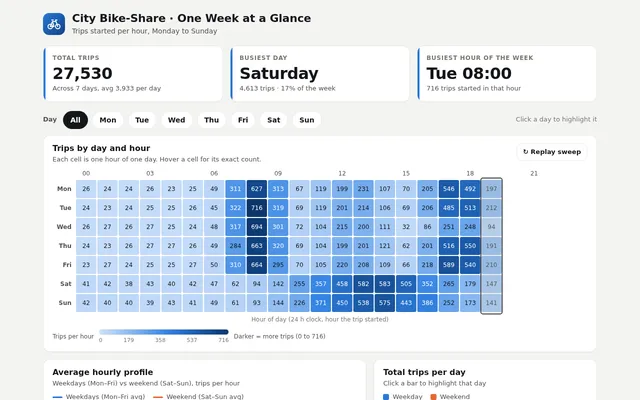
Build an interactive dashboard for one week of a city bike-share scheme from the exact dataset below (CSV: trips started per hour, one row per day, columns h00 to h23). Embed the data in the page verbatim and compute every number from it; do not invent or alter any value.

day,h00,h01,h02,h03,h04,h05,h06,h07,h08,h09,h10,h11,h12,h13,h14,h15,h16,h17,h18,h19,h20,h21,h22,h23
Mon,26,24,24,26,23,25,49,311,627,313,67,119,199,231,107,70,205,546,492,197,45,27,25,24
Tue,24,23,24,25,25,26,45,322,716,319,69,119,201,214,106,69,206,485,513,212,48,25,27,23
Wed,26,27,26,27,25,24,48,317,694,301,72,104,215,200,111,32,86,251,248,94,45,26,26,23
Thu,24,23,26,27,27,26,49,284,663,320,69,104,199,201,121,62,201,516,550,191,46,27,23,24
Fri,23,27,24,25,25,27,50,310,664,295,70,105,220,208,109,66,218,589,540,210,51,27,30,28
Sat,41,42,38,43,40,42,47,62,94,142,255,357,458,582,583,505,352,265,179,147,125,101,64,49
Sun,42,40,40,39,43,41,49,61,93,144,226,371,450,538,575,443,386,252,173,141,111,86,66,47

The dashboard needs: a 7 x 24 heatmap (days by hours) with a clear colour legend; a line chart of the average hourly profile for weekdays versus the weekend; a bar chart of total trips per day; KPI cards for total trips, the busiest day, and the single busiest hour of the week (day and hour); and an automatic callout that spots the anomaly in the data (one weekday evening that is far below the other weekdays at the same hours) and names it. Clicking a day highlights that day's row in the heatmap and draws its hourly line over the profile chart; hovering any heatmap cell shows its exact count. Draw the charts yourself with SVG or Canvas. So the page is alive without input, on load the heatmap fills in hour by hour like a clock sweeping across the week (about 5 seconds), then the anomaly callout appears. Make it look like a polished product, readable on desktop and phone.

Save it as index.html in the current directory: one self-contained file with inline CSS and JavaScript only, no libraries or frameworks, and no external requests of any kind (no CDNs, web fonts, images or audio files). It must work when opened directly from disk, fit any window from a 390 px wide phone to a desktop, and run without console errors. You may serve it locally and open it in headless chromium (/usr/bin/chromium, software WebGL, no GPU) to screenshot and inspect your own output, and iterate on your own before finishing. Close any browser you open as soon as you've taken your screenshot.
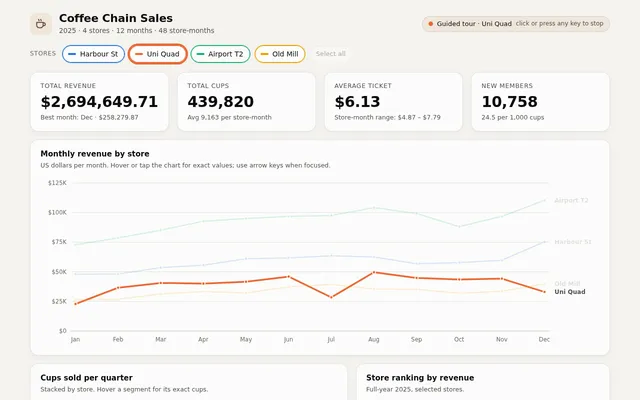
Build an interactive sales dashboard for a small coffee chain from the exact dataset below (CSV, 48 rows: 4 stores x 12 months of 2025). Embed the data in the page verbatim and compute every number from it; do not invent, round away or alter any value.

month,store,cups,revenue_usd,new_members
2025-01,Harbour St,8620,48001.40,219
2025-01,Uni Quad,4670,22784.08,136
2025-01,Airport T2,9980,72817.87,285
2025-01,Old Mill,5140,26339.15,156
2025-02,Harbour St,8660,48132.70,179
2025-02,Uni Quad,7510,36583.14,176
2025-02,Airport T2,10710,78626.32,196
2025-02,Old Mill,5120,26783.20,145
2025-03,Harbour St,9600,53507.52,224
2025-03,Uni Quad,8140,40574.60,197
2025-03,Airport T2,11420,85142.33,222
2025-03,Old Mill,5980,31337.13,191
2025-04,Harbour St,9950,55661.36,280
2025-04,Uni Quad,8080,40043.67,147
2025-04,Airport T2,12350,92727.38,298
2025-04,Old Mill,6240,33325.28,151
2025-05,Harbour St,10520,61004.42,275
2025-05,Uni Quad,8460,41597.39,177
2025-05,Airport T2,12500,94954.01,301
2025-05,Old Mill,6130,32148.65,176
2025-06,Harbour St,10620,61721.59,313
2025-06,Uni Quad,9200,45959.02,213
2025-06,Airport T2,12750,96839.34,255
2025-06,Old Mill,6940,37380.48,168
2025-07,Harbour St,10960,63515.58,232
2025-07,Uni Quad,5610,28440.56,130
2025-07,Airport T2,13010,97534.46,267
2025-07,Old Mill,7310,39219.21,204
2025-08,Harbour St,11000,62556.63,252
2025-08,Uni Quad,9900,49592.99,265
2025-08,Airport T2,13860,104199.02,279
2025-08,Old Mill,6750,35505.26,164
2025-09,Harbour St,9960,56831.50,271
2025-09,Uni Quad,8750,44825.12,174
2025-09,Airport T2,12770,99211.32,301
2025-09,Old Mill,6520,35173.20,204
2025-10,Harbour St,9800,57724.32,231
2025-10,Uni Quad,8510,43550.50,222
2025-10,Airport T2,11410,88144.32,282
2025-10,Old Mill,5920,31946.68,180
2025-11,Harbour St,10260,59774.09,229
2025-11,Uni Quad,8660,44209.58,203
2025-11,Airport T2,12430,96807.87,266
2025-11,Old Mill,6160,33615.60,188
2025-12,Harbour St,12660,75310.44,360
2025-12,Uni Quad,6550,32992.14,188
2025-12,Airport T2,14490,110341.47,368
2025-12,Old Mill,7280,39635.82,218

The dashboard needs: KPI cards for total revenue, total cups, average ticket (revenue / cups) and total new members; a monthly revenue line chart with one line per store; a stacked bar chart of cups per quarter split by store; a ranking of stores by revenue; and a table of the raw rows that can be sorted by clicking any column header. Store filter toggles must update every KPI, chart and the table together. Hovering any chart point or bar shows a tooltip with its exact values. Format money as US dollars with thousands separators. Draw the charts yourself with SVG or Canvas. So the page is alive without input, it plays a short guided tour on load: it highlights each store in turn for about 2 seconds (dimming the others in every chart), then returns to all stores; any click or key press stops the tour. Make it look like a polished product, readable on desktop and phone.

Save it as index.html in the current directory: one self-contained file with inline CSS and JavaScript only, no libraries or frameworks, and no external requests of any kind (no CDNs, web fonts, images or audio files). It must work when opened directly from disk, fit any window from a 390 px wide phone to a desktop, and run without console errors. You may serve it locally and open it in headless chromium (/usr/bin/chromium, software WebGL, no GPU) to screenshot and inspect your own output, and iterate on your own before finishing. Close any browser you open as soon as you've taken your screenshot.
Build a convex hull algorithm race: four panels (a 2 x 2 grid, stacked on narrow screens) each run a different algorithm on its own copy of the same cloud of 120 random points: Graham scan, Jarvis march (gift wrapping), Quickhull and Andrew's monotone chain. Advance every panel one primitive step per tick (one orientation test, one push or one pop) so the speeds are honestly comparable. Draw the candidate hull growing as glowing edges, flash the point being tested, show rejected points dimming, animate stack pops as edges snapping away, and keep a live counter of orientation tests and stack operations per panel. When a panel finishes, fill its hull with a soft gradient, sweep a highlight around the perimeter and stamp its finishing place. Controls: point-set presets (uniform random, circle with noise, clustered blobs, points on a parabola, nearly collinear), a point-count slider (20 to 400), click or tap to add points, speed slider, play, pause, single step and reset. After each race show a small results table (steps, orientation tests, hull size). So the page is alive without input, on load it starts racing the uniform preset automatically, and after each finish it waits 3 seconds and races the next preset in turn, forever, until the user touches a control. Make it precise and beautiful, like a figure from a great algorithms textbook brought to life.

Save it as index.html in the current directory: one self-contained file with inline CSS and JavaScript only, no libraries or frameworks, and no external requests of any kind (no CDNs, web fonts, images or audio files). It must work when opened directly from disk, fit any window from a 390 px wide phone to a desktop, and run without console errors. You may serve it locally and open it in headless chromium (/usr/bin/chromium, software WebGL, no GPU) to screenshot and inspect your own output, and iterate on your own before finishing. Close any browser you open as soon as you've taken your screenshot.
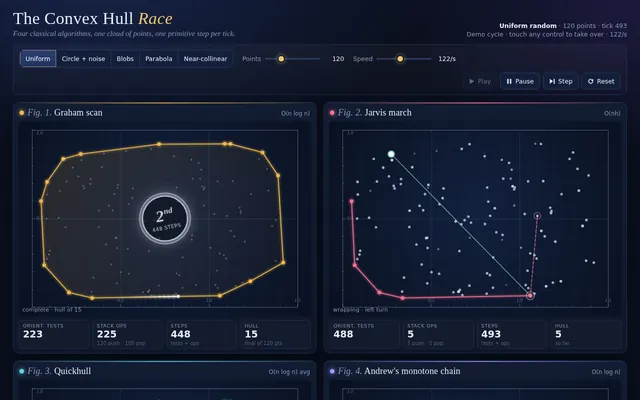
Build a dynamic programming visualizer centred on edit distance (Levenshtein). Show two words and the full DP table between them; fill it one cell per tick, for each cell highlighting the three neighbours it reads (left, up, diagonal), showing the candidate costs for insert, delete and substitute or match, and writing the minimum with a small pop. Colour the table as a heatmap as it fills. When the table is complete, trace back the optimal path from the bottom-right corner with a glowing line, then animate the alignment below: the first word morphing into the second letter by letter, with insertions, deletions and substitutions coloured and labelled, ending on the final distance. Beside it show a second, smaller panel solving the 0/1 knapsack problem (8 items, capacity 15) with the same cell-by-cell filling and a traceback that lights up the chosen items. Controls: two text inputs for the words, word-pair presets (kitten/sitting, intention/execution, sunday/saturday, algorithm/altruistic), speed slider, play, pause, step, reset, and a toggle to show the recurrence formula for the current cell. So the page is alive without input, on load it starts solving the first preset automatically and then cycles through the presets with a 3 second pause between them, forever, until the user touches a control. Make it the clearest explanation of dynamic programming anyone has seen.

Save it as index.html in the current directory: one self-contained file with inline CSS and JavaScript only, no libraries or frameworks, and no external requests of any kind (no CDNs, web fonts, images or audio files). It must work when opened directly from disk, fit any window from a 390 px wide phone to a desktop, and run without console errors. You may serve it locally and open it in headless chromium (/usr/bin/chromium, software WebGL, no GPU) to screenshot and inspect your own output, and iterate on your own before finishing. Close any browser you open as soon as you've taken your screenshot.
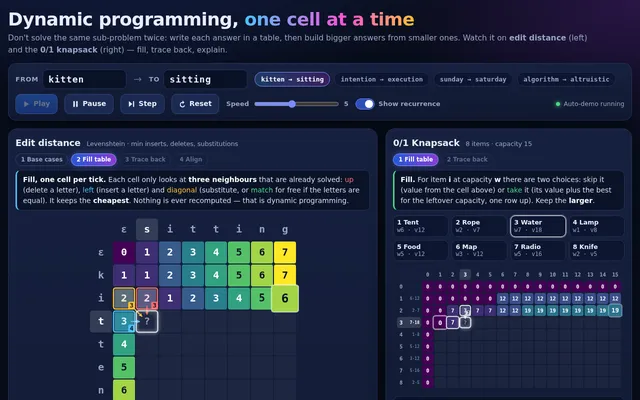
Build a maze generation and solving show: four panels side by side (a grid on narrow screens) each carve the same-size 31 x 21 maze with a different generator at the same time: recursive backtracker (depth-first), randomized Prim's, randomized Kruskal's with union-find, and Wilson's loop-erased random walk. Show each generator's working state honestly: the backtracker's stack as a glowing trail, Prim's frontier cells, Kruskal's sets as distinct colours that merge as walls fall, Wilson's wandering walk with its loops being erased. Count steps per panel. When a maze is complete, solve it in the same panel with A* from the top-left to the bottom-right corner, drawing the open set, the closed set and the final path as a bright line, and show path length and cells explored. Then display a small comparison (generation steps, dead ends, longest corridor, solution length) so viewers see how the generators produce different textures of maze. Controls: maze size presets, speed slider, play, pause, single step, regenerate, and a toggle to solve with breadth-first search instead of A*. So the page is alive without input, on load it generates and solves automatically, then waits 3 seconds and starts a new round with a fresh seed, forever, until the user touches a control. Make it feel like a calm, hypnotic museum installation.

Save it as index.html in the current directory: one self-contained file with inline CSS and JavaScript only, no libraries or frameworks, and no external requests of any kind (no CDNs, web fonts, images or audio files). It must work when opened directly from disk, fit any window from a 390 px wide phone to a desktop, and run without console errors. You may serve it locally and open it in headless chromium (/usr/bin/chromium, software WebGL, no GPU) to screenshot and inspect your own output, and iterate on your own before finishing. Close any browser you open as soon as you've taken your screenshot.
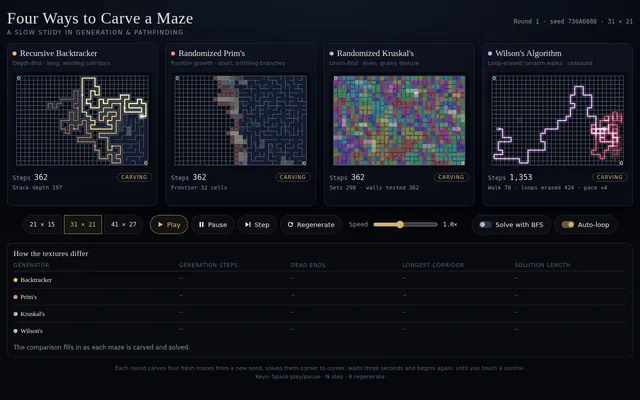
Build a pathfinding race visualizer: four copies of the same grid maze, side by side (stacked on a phone), where A*, Dijkstra, breadth-first search and greedy best-first search solve the same start-to-goal problem at the same time, step by step. Show each algorithm's frontier, visited cells and final path in distinct colours, and live counters for cells visited, path length and steps taken; when all four finish, show a small results table ranking them and say which found the shortest path and which explored the fewest cells. Controls: generate a new random maze (a perfect maze with some extra openings so paths differ), clear the grid, draw or erase walls by dragging on any grid (the edit applies to all four), move the start and goal by dragging them, a speed slider, play, pause and single step. Diagonal moves are off; every move costs 1. So the page is alive without input, on load it generates a maze and starts the race automatically, and when a race finishes it waits 3 seconds and runs a new maze, forever, until the user touches a control. Make it clear and beautiful, the kind of visual a teacher would put on a projector.

Save it as index.html in the current directory: one self-contained file with inline CSS and JavaScript only, no libraries or frameworks, and no external requests of any kind (no CDNs, web fonts, images or audio files). It must work when opened directly from disk, fit any window from a 390 px wide phone to a desktop, and run without console errors. You may serve it locally and open it in headless chromium (/usr/bin/chromium, software WebGL, no GPU) to screenshot and inspect your own output, and iterate on your own before finishing. Close any browser you open as soon as you've taken your screenshot.
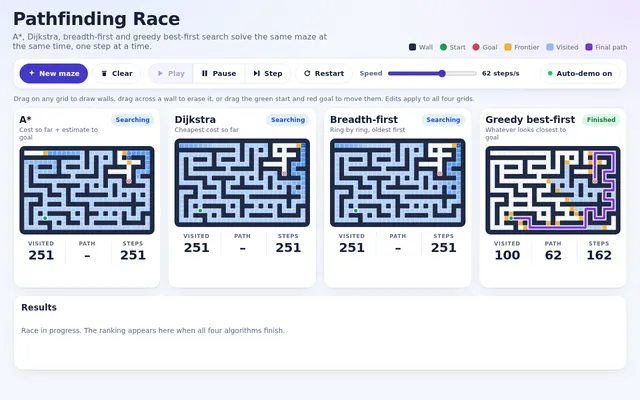
Build a sorting algorithm race: six panels side by side (a grid on narrow screens), each sorting its own copy of the same 60-element array drawn as vertical bars, with bubble sort, insertion sort, selection sort, merge sort, quicksort and heapsort running at the same time, one comparison or write per tick. Highlight the bars being compared and the bars being written in each step, and show live counters for comparisons and array writes in every panel. When a panel finishes, play a quick sweep across its bars and stamp its finishing place (1st to 6th). Controls: input presets (random, nearly sorted, reversed, few unique values), a speed slider, play, pause, single step and reset; an optional soft tone per comparison through WebAudio that is off by default, with a mute toggle. After every race, show a small table of comparisons and writes per algorithm for that input. So the page is alive without input, on load it shuffles and starts a race on the random preset automatically, and after each finish it waits 3 seconds and races the next preset in turn, forever, until the user touches a control. Make it clear and beautiful, the kind of visual a teacher would put on a projector.

Save it as index.html in the current directory: one self-contained file with inline CSS and JavaScript only, no libraries or frameworks, and no external requests of any kind (no CDNs, web fonts, images or audio files). It must work when opened directly from disk, fit any window from a 390 px wide phone to a desktop, and run without console errors. You may serve it locally and open it in headless chromium (/usr/bin/chromium, software WebGL, no GPU) to screenshot and inspect your own output, and iterate on your own before finishing. Close any browser you open as soon as you've taken your screenshot.
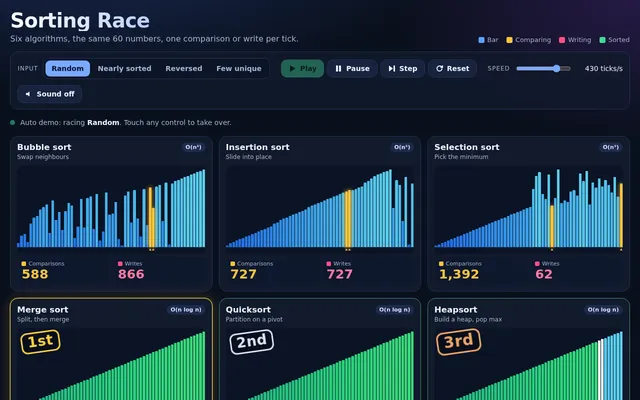
Build a working calendar app in one page in the spirit of Google Calendar. It needs: day, week, month and agenda views with smooth transitions; a mini month picker; events created by dragging across time slots in day and week views, moved by dragging, resized by their bottom edge, and edited in a popover (title, time, colour, location, notes); correct side-by-side layout of overlapping events; all-day events in a top strip; recurring events (daily, weekly on chosen weekdays, monthly) with edit-this-or-all choices; a current-time line that moves; keyboard navigation (t today, d/w/m/a views, arrows for previous and next); multiple calendars with colour toggles in a sidebar; search across events; and persistence to localStorage with a reset-to-sample button. Seed two realistic weeks of events for a busy product manager around today's date. Compute dates correctly across month boundaries and leap years. So the page is alive without input, on load it runs a scripted demo: switches views, drags out a new meeting, resizes it, drags it to another day, creates a weekly recurring event, toggles a calendar off and on and searches for an event, then resets and repeats, until the user touches anything. Make it calm, clean and genuinely usable.

Save it as index.html in the current directory: one self-contained file with inline CSS and JavaScript only, no libraries or frameworks, and no external requests of any kind (no CDNs, web fonts, images or audio files). It must work when opened directly from disk, fit any window from a 390 px wide phone to a desktop, and run without console errors. You may serve it locally and open it in headless chromium (/usr/bin/chromium, software WebGL, no GPU) to screenshot and inspect your own output, and iterate on your own before finishing. Close any browser you open as soon as you've taken your screenshot.
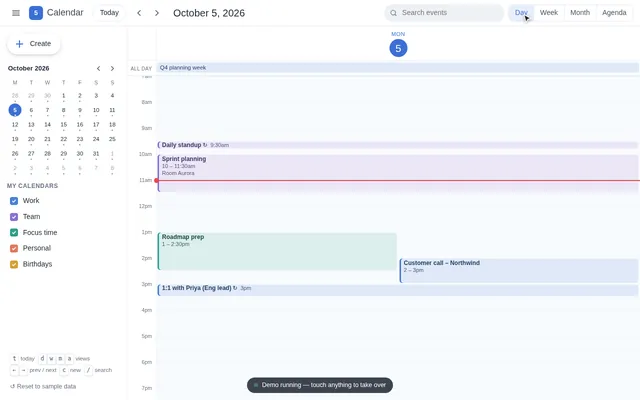
Build a working maps app in one page in the spirit of a navigation app. Generate a fictional city procedurally from a fixed seed: a coastline and river, parks, a road network with highways, main roads and side streets (each with a speed), named streets, and about 60 named places (cafes, museums, stations, parks, hospitals) with category icons drawn in code. Render it as a crisp vector map on canvas with smooth pan and zoom (mouse wheel, drag, pinch), level-of-detail labels that appear as you zoom, and a compass and scale bar. It needs: a search box with fuzzy matching over place names and categories; tapping a place opens a card; directions between any two places computed with A* on the road graph with a choice of fastest versus shortest route, the route drawn as a bold line with estimated time and distance and a step list of turn-by-turn instructions (turn left onto River Road, and so on) derived from the geometry; a simulated drive mode where a car marker follows the route and the map rotates and follows it; and a traffic toggle that slows some roads and recomputes the route. So the page is alive without input, on load it runs a scripted demo: searches for a museum, opens its card, requests directions from the central station, shows the step list, starts drive mode, turns traffic on mid-drive so the route reroutes, then picks a new pair of places and repeats, until the user touches anything. Make it look like a premium, modern map style.

Save it as index.html in the current directory: one self-contained file with inline CSS and JavaScript only, no libraries or frameworks, and no external requests of any kind (no CDNs, web fonts, images or audio files). It must work when opened directly from disk, fit any window from a 390 px wide phone to a desktop, and run without console errors. You may serve it locally and open it in headless chromium (/usr/bin/chromium, software WebGL, no GPU) to screenshot and inspect your own output, and iterate on your own before finishing. Close any browser you open as soon as you've taken your screenshot.
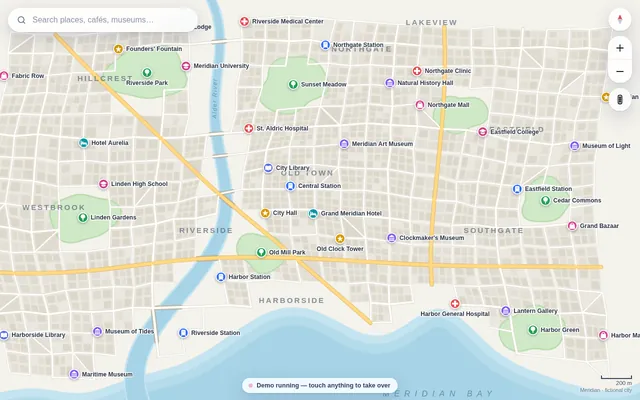
Build a working code editor in one page in the spirit of a lightweight VS Code. It needs: a file explorer sidebar with a small seeded project (index.html, style.css, app.js, utils.js, README.md) where files can be created, renamed and deleted; tabs for open files with unsaved-change dots; an editor component you write yourself (no libraries) with line numbers, syntax highlighting for JavaScript, CSS, HTML and Markdown, auto-indent, bracket matching and auto-closing, multi-line indent and outdent of selected lines from the keyboard, current-line highlight, and a minimap; find and replace with match count and regex toggle; a command palette (Ctrl+Shift+P) with fuzzy search over commands and files; a run button that executes app.js in a sandboxed iframe with the project's HTML and CSS and shows its output plus console logs and errors in a bottom panel; light and dark themes; and persistence of the whole project to localStorage. So the page is alive without input, on load it runs a scripted demo: the cursor opens app.js, types a small function character by character with realistic pauses, autocloses brackets, uses find and replace to rename a variable, opens the command palette, runs the project so a little animation appears in the preview and a log line in the console, then reverts and repeats with a different snippet, until the user touches anything. Make it feel fast and professional.

Save it as index.html in the current directory: one self-contained file with inline CSS and JavaScript only, no libraries or frameworks, and no external requests of any kind (no CDNs, web fonts, images or audio files). It must work when opened directly from disk, fit any window from a 390 px wide phone to a desktop, and run without console errors. You may serve it locally and open it in headless chromium (/usr/bin/chromium, software WebGL, no GPU) to screenshot and inspect your own output, and iterate on your own before finishing. Close any browser you open as soon as you've taken your screenshot.
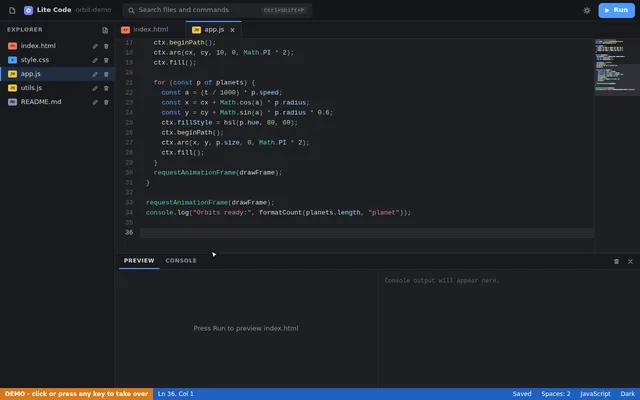
Build a working browser music studio in one page, in the spirit of a classic drum machine plus a tiny DAW. It needs: an 8-track by 16-step sequencer (kick, snare, closed hat, open hat, clap, tom, bass, lead) where every sound is synthesized with the Web Audio API (no samples); per-step velocity (click or tap cycles levels) and per-track mute, solo, volume, pan and a simple filter knob; a piano-roll editor for the bass and lead tracks over two octaves; tempo (60 to 180 BPM) and swing controls; four pattern slots A to D with a song arranger row to chain them; a master section with a compressor and a visual spectrum analyser and waveform scope driven by an AnalyserNode; transport with play, stop and a playhead that lights each step in time; and export of the current pattern as JSON plus import from JSON. Audio must start only after a user gesture (show a clear Start audio button), but the visuals must not wait for it. Seed it with four good-sounding patterns that make a short song. So the page is alive without input, on load it runs the sequencer silently in demo mode with the playhead moving, steps lighting, the scope and spectrum animating from the synthesized signal (route audio to the analyser but keep the output muted until the user presses Start audio), cycling through the four patterns and occasionally toggling steps as if someone were jamming, until the user touches anything. Make it look like premium music hardware: knobs, LEDs, tactile buttons.

Save it as index.html in the current directory: one self-contained file with inline CSS and JavaScript only, no libraries or frameworks, and no external requests of any kind (no CDNs, web fonts, images or audio files). It must work when opened directly from disk, fit any window from a 390 px wide phone to a desktop, and run without console errors. You may serve it locally and open it in headless chromium (/usr/bin/chromium, software WebGL, no GPU) to screenshot and inspect your own output, and iterate on your own before finishing. Close any browser you open as soon as you've taken your screenshot.
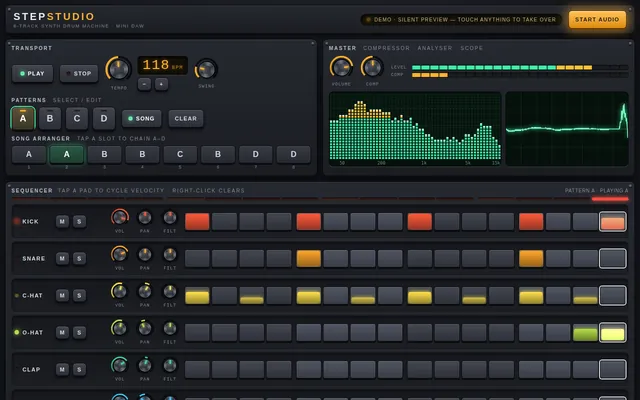
Build a working clone of a Trello-style kanban board app in one page. It needs: a board with lists (Backlog, To do, Doing, Review, Done) that can be added, renamed, reordered and deleted; cards that can be created, edited in a detail modal (title, description with simple markdown rendering, checklist with progress bar, coloured labels, due date with overdue styling, assignee avatars drawn as initials), and dragged between and within lists with smooth placeholder animation using pointer events so it works with mouse and touch; a search box and label filter that dim non-matching cards; undo and redo for every change (Ctrl+Z / Ctrl+Shift+Z plus buttons); keyboard shortcuts (n new card, / search, arrow keys to move focus); an activity sidebar logging each change; and persistence to localStorage with a reset-to-sample button. Seed the board with about 18 realistic cards for a small team shipping a mobile app. So the page is alive without input, on load it runs a scripted demo tour: it creates a card, types its title, adds a checklist, drags cards across lists, ticks checklist items, filters by a label, undoes a move, and then repeats with variations every 30 seconds, until the user touches anything, at which point the demo stops and the app is fully theirs. Make it look and feel like a polished commercial product, not a demo.

Save it as index.html in the current directory: one self-contained file with inline CSS and JavaScript only, no libraries or frameworks, and no external requests of any kind (no CDNs, web fonts, images or audio files). It must work when opened directly from disk, fit any window from a 390 px wide phone to a desktop, and run without console errors. You may serve it locally and open it in headless chromium (/usr/bin/chromium, software WebGL, no GPU) to screenshot and inspect your own output, and iterate on your own before finishing. Close any browser you open as soon as you've taken your screenshot.
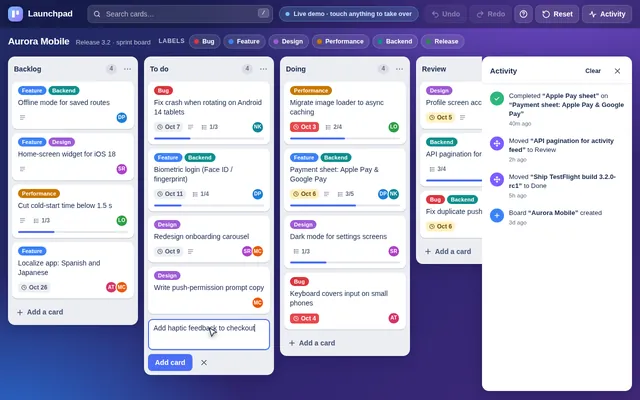
Build a working photo editor in one page in the spirit of Lightroom. Since no image files can be loaded from the network, first render a detailed photo-like scene procedurally onto a canvas (a mountain lake at golden hour with sky gradient, clouds, layered mountains, reflections, trees and noise grain), and also let the user open their own image file from disk. It needs non-destructive editing with a full adjustment panel: exposure, contrast, highlights, shadows, whites, blacks, temperature, tint, vibrance, saturation, clarity, a tone curve editor with draggable points per channel, HSL sliders per colour band, vignette and grain; crop and straighten with rule-of-thirds overlay and aspect presets; a live RGB histogram; a before and after split view with a draggable divider; preset looks (cinematic teal-orange, faded film, black and white high contrast, moody) that can be applied and then tweaked; full undo and redo history listing each step; and export to PNG. Processing must stay responsive: work on a preview-size buffer while dragging and render full resolution on release. So the page is alive without input, on load it runs a scripted demo: slides exposure and temperature, bends the tone curve, applies two presets, drags the before and after divider back and forth, crops, then resets and repeats with different settings, until the user touches anything. Make it look like a pro tool: dark UI, precise controls.

Save it as index.html in the current directory: one self-contained file with inline CSS and JavaScript only, no libraries or frameworks, and no external requests of any kind (no CDNs, web fonts, images or audio files). It must work when opened directly from disk, fit any window from a 390 px wide phone to a desktop, and run without console errors. You may serve it locally and open it in headless chromium (/usr/bin/chromium, software WebGL, no GPU) to screenshot and inspect your own output, and iterate on your own before finishing. Close any browser you open as soon as you've taken your screenshot.
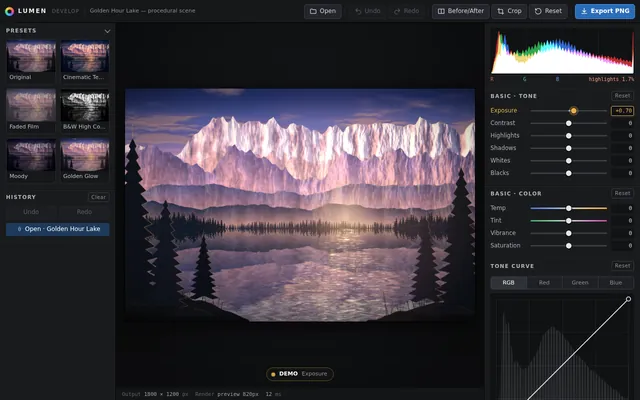
Build a working 1990s-style desktop operating system inside one web page. It needs a desktop with a wallpaper and icons, a taskbar with a start button, a start menu and a live clock, and real windows: each window can be dragged by its title bar, resized from its corner, minimised to the taskbar, maximised, restored and closed, and clicking a window brings it to the front. Include three working apps that open in those windows: a Notepad that edits text and saves to and reopens from localStorage under a file name; a Paint app with a pencil, brush sizes, a 16-colour palette, a flood fill and an eraser on a canvas; and a Calculator with the four operations, decimals, clear and a keyboard input path. Double-clicking a desktop icon or choosing an app from the start menu opens it. Several windows of the same app can be open at once. Everything is drawn with HTML and CSS (no images): bevelled grey buttons, a classic title-bar gradient and pixel-crisp borders. So the first view is not an empty desktop, on load the system shows a short boot screen (about 2 seconds) and then opens Notepad with a welcome note and the Calculator, cascaded. On a phone, windows open maximised and the taskbar stays usable.

Save it as index.html in the current directory: one self-contained file with inline CSS and JavaScript only, no libraries or frameworks, and no external requests of any kind (no CDNs, web fonts, images or audio files). It must work when opened directly from disk, fit any window from a 390 px wide phone to a desktop, and run without console errors. You may serve it locally and open it in headless chromium (/usr/bin/chromium, software WebGL, no GPU) to screenshot and inspect your own output, and iterate on your own before finishing. Close any browser you open as soon as you've taken your screenshot.
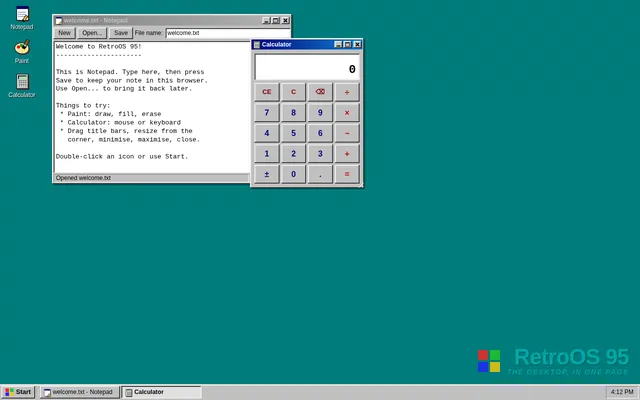
Build a working mini spreadsheet app in one web page. It needs a grid with column letters A to Z and row numbers 1 to 50, a formula bar that shows the raw content of the selected cell, and editing by typing or double-clicking (Enter commits and moves down, Tab moves right, Escape cancels, arrow keys move the selection). Cells hold numbers, text or formulas starting with =. Formulas support + - * / and parentheses, cell references (A1), ranges (A1:B5) and the functions SUM, AVERAGE, MIN, MAX and COUNT; every dependent cell recalculates instantly when a referenced cell changes. Show #REF! for a bad reference, #DIV/0! for division by zero and #CIRC! for a circular reference instead of hanging. Support selecting a rectangular range by dragging or shift-clicking, with a status bar showing that range's sum, average and count; copy and paste within the grid (references in pasted formulas shift relative to the move); bold and number-format buttons (plain, 2 decimals, currency, percent); and a save to and load from localStorage. So the first view is meaningful, on load the sheet opens with a household budget already filled in: twelve expense rows with monthly amounts, a total row and an average row built with formulas, and a percent-of-total column built with formulas, all computed live. Make it look like a clean modern spreadsheet that is usable on desktop and phone.

Save it as index.html in the current directory: one self-contained file with inline CSS and JavaScript only, no libraries or frameworks, and no external requests of any kind (no CDNs, web fonts, images or audio files). It must work when opened directly from disk, fit any window from a 390 px wide phone to a desktop, and run without console errors. You may serve it locally and open it in headless chromium (/usr/bin/chromium, software WebGL, no GPU) to screenshot and inspect your own output, and iterate on your own before finishing. Close any browser you open as soon as you've taken your screenshot.
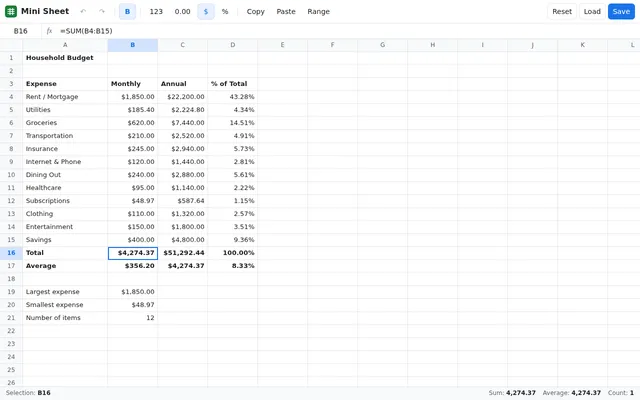
Build a working team chat app in one page in the spirit of Slack. It needs: a workspace sidebar with channels and direct messages, unread counts and bold unread channels; a message view with grouped messages by author and time, day dividers, avatars drawn as coloured initials, markdown-lite formatting (bold, italic, inline code, code blocks, links rendered as text), emoji reactions with counts that toggle on click or tap, threaded replies in a side panel, message editing and deletion, @mentions with an autocomplete popup, and a composer with Enter to send and Shift+Enter for a new line; a search box that finds messages across channels and jumps to them; typing indicators; and persistence to localStorage. Simulate four teammates as small scripted bots who reply in character after a delay when mentioned, react to messages, and occasionally start threads, so the workspace feels alive. Seed the workspace with realistic history for a small startup team (general, design, engineering, random channels). So the page is alive without input, on load it runs a scripted demo: switches channels, types and sends a message with a mention, a bot shows a typing indicator and replies, reactions appear, a thread opens and gets a reply, a search finds an older message, and the loop continues with new conversation every 30 seconds, until the user touches anything. Make it polished, friendly and fast.

Save it as index.html in the current directory: one self-contained file with inline CSS and JavaScript only, no libraries or frameworks, and no external requests of any kind (no CDNs, web fonts, images or audio files). It must work when opened directly from disk, fit any window from a 390 px wide phone to a desktop, and run without console errors. You may serve it locally and open it in headless chromium (/usr/bin/chromium, software WebGL, no GPU) to screenshot and inspect your own output, and iterate on your own before finishing. Close any browser you open as soon as you've taken your screenshot.