GPT-6 Sol · HTML Files
- 68 finished runs
- 65 prompts
- 1 model
- every prompt published
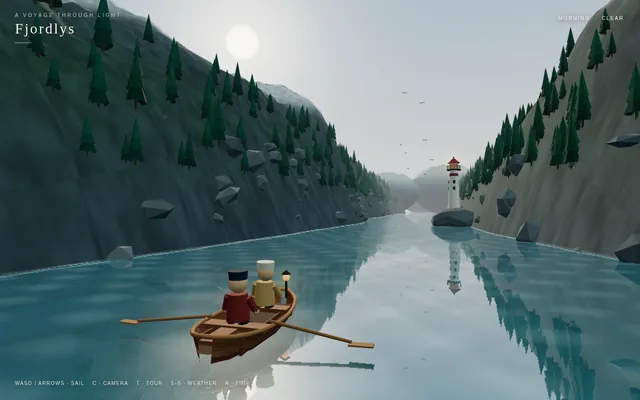
Cinematic fjord boat scene (Three.js)
harness_selfreview
Build a playable, cinematic single-page Three.js experience: a small boat drifting through a Norwegian-style fjord / coastal mountain landscape.

Requirements:
- ONE self-contained index.html file (HTML + CSS + JS inline). No external assets of any kind (no textures, models, fonts, audio files) EXCEPT Three.js itself, loaded via an import map from this exact pinned CDN:
  "three": "https://cdn.jsdelivr.net/npm/three@0.160.0/build/three.module.js",
  "three/addons/": "https://cdn.jsdelivr.net/npm/three@0.160.0/examples/jsm/"
  All textures (water normals, rock, snow, bark, clouds, etc.) must be generated procedurally in code (canvas / DataTexture / shaders).
- Scene content: steep procedural fjord walls and mountains with snow caps, rock and grass coloring by height/slope; procedural conifer forests (instanced); a water surface with animated waves and sky/landscape reflections; a lighthouse on a rocky point with a rotating beam that matters at night; a small wooden boat with 2 simple stylized 3D characters on it (one rowing/steering, one looking around, with small idle animations); distant islands; birds or other small life if cheap.
- Dynamic weather cycling clear -> fog -> rain -> storm -> clearing, with smooth transitions: fog density, cloud cover, rain particles, lightning flashes + wind and bigger waves in the storm.
- A full day/night cycle: sunrise, day, golden hour, sunset, night with stars and moon, lit lighthouse and boat lantern. Sky color, sun/moon lights, and fog color must track time of day.
- Controls: keyboard (WASD/arrows to steer and throttle the boat, C to switch camera, T toggles auto-tour, 1-5 to force weather, N to jump time) and touch (on-screen joystick/buttons on phones). Camera follows the boat in play mode.
- An "auto-tour" cinematic camera mode: slow, smooth, film-like camera moves (orbits, low water-level glides, high establishing shots, close-ups of the characters) while the boat drifts along a path through the fjord and the weather and time of day progress.
- Minimal, elegant UI: small title "Fjordlys" (or a better name of your choice), a tiny hint line for controls, fading out in tour mode.
- Must run smoothly on desktop and phone browsers: keep geometry/particle counts moderate, cap devicePixelRatio at 2, handle resize/orientation.
- IMPORTANT for automated video capture, support these URL parameters:
  ?tour=1        start directly in auto-tour mode
  ?capture=1     hide ALL UI overlays (title, hints, touch controls)
  ?cycle=40      when present, compress one complete showcase into that many seconds: the time of day goes from morning through golden hour, sunset and night, and the weather passes clear -> fog -> rain -> storm -> clearing within that span (so a 40-second recording shows everything). Without it, use a relaxed pace suited to live play.
  Drive all animation from the requestAnimationFrame timestamp / performance.now() (not from wall-clock-independent accumulators that ignore time), so that overriding those functions steps the scene deterministically. Set window.__sceneReady = true once the first frame has rendered.
- No console errors or warnings in a current Chrome. Use modern Three.js r160 APIs only (no deprecated/removed ones).

Output ONLY the complete index.html, starting with <!DOCTYPE html> and ending with </html>, with no explanation and no markdown fences. Build it as index.html (plus any local asset files you create) in the current directory. Three.js may load from a pinned CDN. You may serve it locally and open it in headless chromium (/usr/bin/chromium, software WebGL, no GPU) to screenshot and inspect your own output, and iterate on your own until it looks genuinely cinematic before finishing. Close any browser you open as soon as you've taken your screenshot.
raw
Build a playable, cinematic single-page Three.js experience: a small boat drifting through a Norwegian-style fjord / coastal mountain landscape.

Requirements:
- ONE self-contained index.html file (HTML + CSS + JS inline). No external assets of any kind (no textures, models, fonts, audio files) EXCEPT Three.js itself, loaded via an import map from this exact pinned CDN:
  "three": "https://cdn.jsdelivr.net/npm/three@0.160.0/build/three.module.js",
  "three/addons/": "https://cdn.jsdelivr.net/npm/three@0.160.0/examples/jsm/"
  All textures (water normals, rock, snow, bark, clouds, etc.) must be generated procedurally in code (canvas / DataTexture / shaders).
- Scene content: steep procedural fjord walls and mountains with snow caps, rock and grass coloring by height/slope; procedural conifer forests (instanced); a water surface with animated waves and sky/landscape reflections; a lighthouse on a rocky point with a rotating beam that matters at night; a small wooden boat with 2 simple stylized 3D characters on it (one rowing/steering, one looking around, with small idle animations); distant islands; birds or other small life if cheap.
- Dynamic weather cycling clear -> fog -> rain -> storm -> clearing, with smooth transitions: fog density, cloud cover, rain particles, lightning flashes + wind and bigger waves in the storm.
- A full day/night cycle: sunrise, day, golden hour, sunset, night with stars and moon, lit lighthouse and boat lantern. Sky color, sun/moon lights, and fog color must track time of day.
- Controls: keyboard (WASD/arrows to steer and throttle the boat, C to switch camera, T toggles auto-tour, 1-5 to force weather, N to jump time) and touch (on-screen joystick/buttons on phones). Camera follows the boat in play mode.
- An "auto-tour" cinematic camera mode: slow, smooth, film-like camera moves (orbits, low water-level glides, high establishing shots, close-ups of the characters) while the boat drifts along a path through the fjord and the weather and time of day progress.
- Minimal, elegant UI: small title "Fjordlys" (or a better name of your choice), a tiny hint line for controls, fading out in tour mode.
- Must run smoothly on desktop and phone browsers: keep geometry/particle counts moderate, cap devicePixelRatio at 2, handle resize/orientation.
- IMPORTANT for automated video capture, support these URL parameters:
  ?tour=1        start directly in auto-tour mode
  ?capture=1     hide ALL UI overlays (title, hints, touch controls)
  ?cycle=40      when present, compress one complete showcase into that many seconds: the time of day goes from morning through golden hour, sunset and night, and the weather passes clear -> fog -> rain -> storm -> clearing within that span (so a 40-second recording shows everything). Without it, use a relaxed pace suited to live play.
  Drive all animation from the requestAnimationFrame timestamp / performance.now() (not from wall-clock-independent accumulators that ignore time), so that overriding those functions steps the scene deterministically. Set window.__sceneReady = true once the first frame has rendered.
- No console errors or warnings in a current Chrome. Use modern Three.js r160 APIs only (no deprecated/removed ones).

Output ONLY the complete index.html, starting with <!DOCTYPE html> and ending with </html>, with no explanation and no markdown fences.
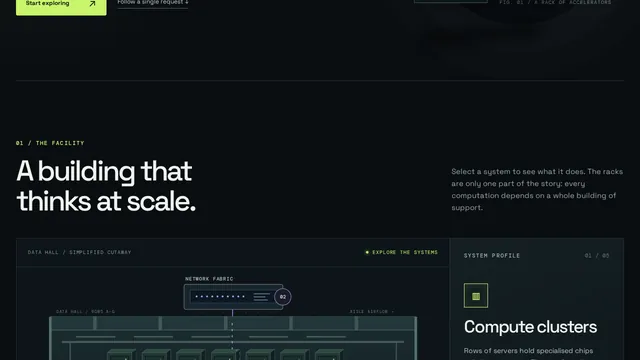
AI data centre, inside view (Opus 5.5 demo prompt)
Show me what goes on inside an AI data centre.

---
Deliverable: build this in the current folder as a self-contained web page that opens in a browser with index.html as the entry point (no build step; CDN imports are fine). Work autonomously and do not ask questions.
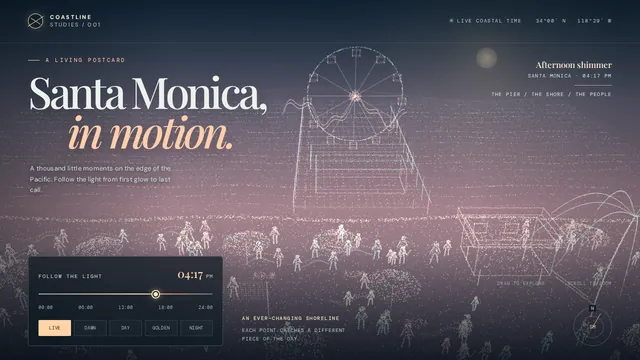
Santa Monica particle beach (Opus 5.5 demo prompt)
Create a stylistic 3D environment of a busy Santa Monica beach that adapts to the time of day. The art style must be a particle illustration, which uses thousands of tiny glowing specks rather than solid fills with flowing ribbon strokes behind figures to suggest motion.

---
Deliverable: build this in the current folder as a self-contained web page that opens in a browser with index.html as the entry point (no build step; CDN imports are fine). Work autonomously and do not ask questions.
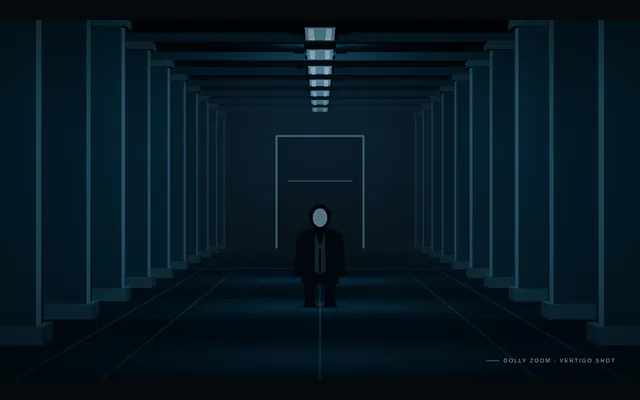
Cine dolly zoom
Build a short cinematic camera study in Three.js that demonstrates a dolly zoom, the 'vertigo' shot. A lone figure stands at the end of a long corridor lined with repeating columns, doors and ceiling lights. Over the shot the camera physically travels backward along the corridor while its field of view narrows at the matching rate, so the figure stays exactly the same size and position on screen while the corridor behind it visibly stretches away and then snaps back. Light it with cold overhead fluorescents and a faint fog. Ease the move in and out, then reverse it so the loop closes. The animation plays automatically, fills the window at 16:9, loops seamlessly every 8 seconds with no visible jump at the loop point, and shows a small unobtrusive caption in one corner naming the technique. Everything is built in code from Three.js geometry, shaders and materials; no external models or textures. Build it as a single self-contained index.html (inline CSS and JS) in the current directory. Three.js may load from a pinned CDN. You may serve it locally and open it in headless chromium (/usr/bin/chromium, software WebGL, no GPU) to screenshot and inspect your own output, and iterate on your own before finishing. Close any browser you open as soon as you've taken your screenshot.
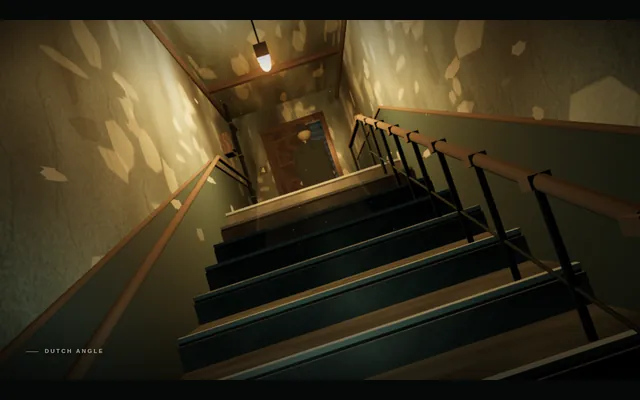
Cine dutch angle
Build a short cinematic camera study in Three.js that demonstrates a Dutch angle for tension. A narrow stairwell in an old apartment block: peeling walls, a flickering bulb, a banister and a figure waiting on the landing. The shot starts level, then the camera rolls around its lens axis to a strong cant of about 15-20 degrees so the horizon and verticals tilt, and holds there uneasily with the flicker before levelling to close the loop. The animation plays automatically, fills the window at 16:9, loops seamlessly every 8 seconds with no visible jump at the loop point, and shows a small unobtrusive caption in one corner naming the technique. Everything is built in code from Three.js geometry, shaders and materials; no external models or textures. Build it as a single self-contained index.html (inline CSS and JS) in the current directory. Three.js may load from a pinned CDN. You may serve it locally and open it in headless chromium (/usr/bin/chromium, software WebGL, no GPU) to screenshot and inspect your own output, and iterate on your own before finishing. Close any browser you open as soon as you've taken your screenshot.
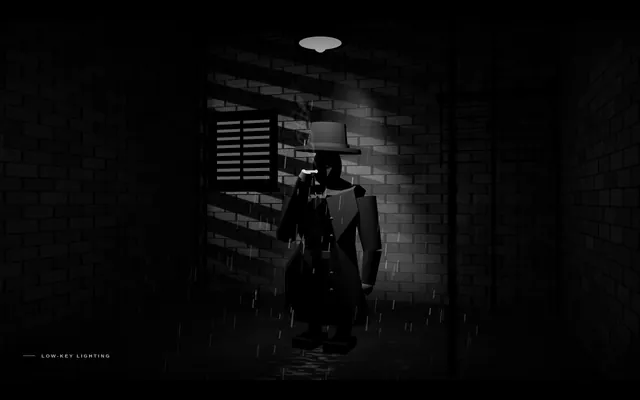
Cine noir low key
Build a short cinematic camera study in Three.js in the style of classic film noir, rendered in black and white. A detective in a hat and trench coat stands in a rain-slick alley at night under a single streetlamp; venetian-blind shadows from a window fall across a brick wall, cigarette smoke curls, and the rain glints in the lamp's cone. Use one hard key light, deep black shadows covering most of the frame and high contrast. The camera drifts in very slowly. The animation plays automatically, fills the window at 16:9, loops seamlessly every 8 seconds with no visible jump at the loop point, and shows a small unobtrusive caption in one corner naming the technique. Everything is built in code from Three.js geometry, shaders and materials; no external models or textures. Build it as a single self-contained index.html (inline CSS and JS) in the current directory. Three.js may load from a pinned CDN. You may serve it locally and open it in headless chromium (/usr/bin/chromium, software WebGL, no GPU) to screenshot and inspect your own output, and iterate on your own before finishing. Close any browser you open as soon as you've taken your screenshot.
Cine orbit 360
Build a short cinematic camera study in Three.js that demonstrates a 360-degree orbit shot. A glossy sculpted trophy stands on a pedestal in the middle of a dim gallery hall with pillars, framed paintings and spotlights. The camera circles the trophy once through a full turn at a constant radius and height, always aimed at it, so the room sweeps behind it like a ribbon while the trophy stays centred. The trophy itself does not rotate. Warm key spotlights and cool rim lights make reflections slide across its surface. The animation plays automatically, fills the window at 16:9, loops seamlessly every 8 seconds with no visible jump at the loop point, and shows a small unobtrusive caption in one corner naming the technique. Everything is built in code from Three.js geometry, shaders and materials; no external models or textures. Build it as a single self-contained index.html (inline CSS and JS) in the current directory. Three.js may load from a pinned CDN. You may serve it locally and open it in headless chromium (/usr/bin/chromium, software WebGL, no GPU) to screenshot and inspect your own output, and iterate on your own before finishing. Close any browser you open as soon as you've taken your screenshot.
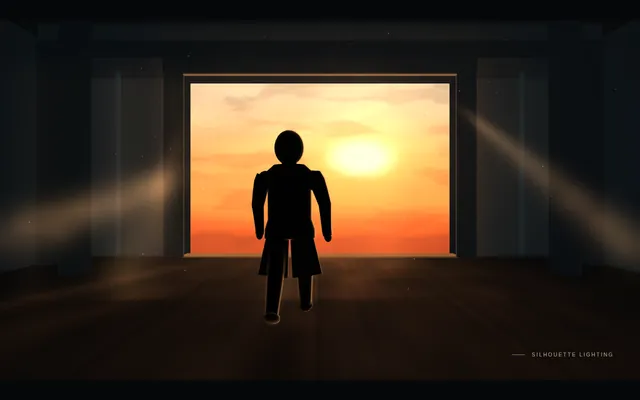
Cine silhouette backlight
Build a short cinematic camera study in Three.js that demonstrates silhouette lighting. A figure walks slowly toward a huge bright doorway (or a window onto a blazing sunset) in a dark warehouse, with haze in the air so the light pours in as visible beams. The only strong light is behind the figure, so the figure reads as a solid near-black shape with a thin bright rim, with no detail visible on the side facing the camera. The animation plays automatically, fills the window at 16:9, loops seamlessly every 8 seconds with no visible jump at the loop point, and shows a small unobtrusive caption in one corner naming the technique. Everything is built in code from Three.js geometry, shaders and materials; no external models or textures. Build it as a single self-contained index.html (inline CSS and JS) in the current directory. Three.js may load from a pinned CDN. You may serve it locally and open it in headless chromium (/usr/bin/chromium, software WebGL, no GPU) to screenshot and inspect your own output, and iterate on your own before finishing. Close any browser you open as soon as you've taken your screenshot.
Cine tracking shot
Build a short cinematic camera study in Three.js that demonstrates a side-on tracking shot. A runner (a stylised low-poly figure with an animated running cycle) jogs along a riverside path at dawn past lamp posts, benches, trees and a railing, with a city skyline far behind. The camera travels parallel to the runner at the same speed, keeping them at the same size and in the same third of the frame, while foreground objects whip past quickly, midground objects slower, and the skyline barely moves. The animation plays automatically, fills the window at 16:9, loops seamlessly every 8 seconds with no visible jump at the loop point, and shows a small unobtrusive caption in one corner naming the technique. Everything is built in code from Three.js geometry, shaders and materials; no external models or textures. Build it as a single self-contained index.html (inline CSS and JS) in the current directory. Three.js may load from a pinned CDN. You may serve it locally and open it in headless chromium (/usr/bin/chromium, software WebGL, no GPU) to screenshot and inspect your own output, and iterate on your own before finishing. Close any browser you open as soon as you've taken your screenshot.
Html fox forest run
Create a seamless looping side-view animation of a red fox running through a forest at dusk. Deliver ONE self-contained index.html (inline CSS and JavaScript only, SVG and/or canvas; no external assets, libraries, fonts or network requests of any kind). The fox runs left to right, seen in profile, with an animated running gait: legs, body, head and tail all move in a believable run cycle. The scene moves past it: a dusk sky, several layers of trees scrolling at different speeds for parallax depth, and a ground strip. One loop lasts about 8 seconds and repeats forever with no visible seam or jump. Frame the scene at 16:9, scaled to fit any window, and make it look good on desktop and phone. Write everything into the working directory and finish with a short README.md.
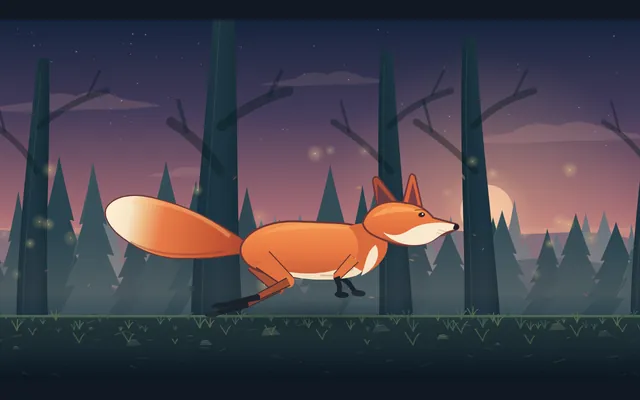
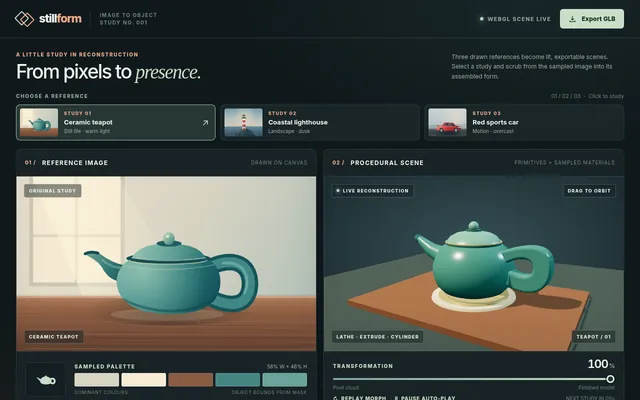
Image to procedural threejs scene
Build a single-file web app (index.html, Three.js from a CDN, no build step) that turns a reference image into a procedural Three.js scene. Include 3 built-in reference images drawn procedurally on a canvas (a teapot on a table, a lighthouse on rocks, a red sports car) so no external files are needed. For the selected reference, analyse the image's dominant colours and silhouette, then assemble the object from primitives (boxes, cylinders, lathe and extrude geometry) with matching materials, lighting and a ground plane. Show the reference image and the 3D result side by side, with a slider that morphs from a flat "pixel cloud" of the image into the finished 3D model. Add an "Export GLB" button using GLTFExporter. IDLE AUTO-PLAY: with no input, cycle through the 3 references every 8 seconds, animating the pixel-cloud-to-model morph and slowly orbiting the camera. Must render with WebGLRenderer (no WebGPU required). Save the main page as index.html in the current directory (plus any local asset files you create), with no build step. You may serve it locally and open it in headless chromium (/usr/bin/chromium, software WebGL, no GPU, no WebGPU) to screenshot and inspect your own output, and iterate on your own before finishing. Close any browser you open as soon as you've taken your screenshot. Finish with a short README.md describing the controls.
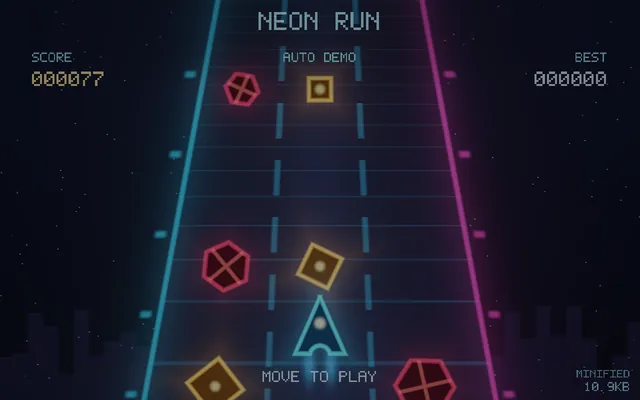
Js13k style shader game
Make a complete playable game in ONE html file under 13 KB (minified size reported in a corner): the visuals are rendered entirely by one fragment shader (raymarched or 2D SDF). Arcade loop: dodge/collect, score, increasing speed, game over + restart. Keyboard and touch controls. No libraries, no assets. IDLE AUTO-PLAY: with no input, the page starts animating immediately and runs an automatic demo (camera motion, preset or seed cycling, or an AI player) so a headless capture shows constant motion. Must render on WebGL/WebGL2 with no WebGPU required. Save the main page as index.html in the current directory (plus any local asset files you create), with no build step. You may serve it locally and open it in headless chromium (/usr/bin/chromium, software WebGL, no GPU, no WebGPU) to screenshot and inspect your own output, and iterate on your own before finishing. Close any browser you open as soon as you've taken your screenshot. Finish with a short README.md describing the controls.
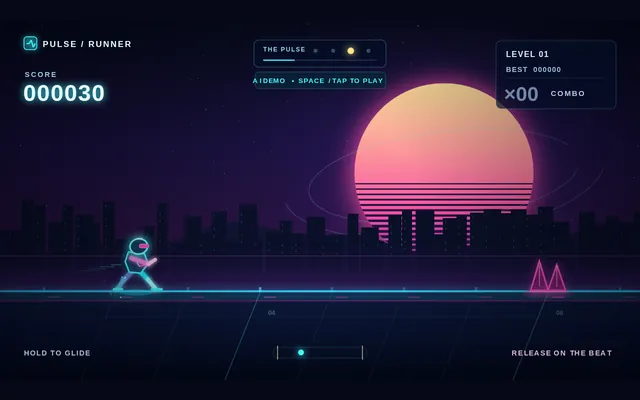
One key rhythm runner
Build a complete single-file browser game (index.html, plain JavaScript and Canvas or Three.js from a CDN, no build step) controlled by ONE key only (Space, or tap on touch). One mechanic, deep execution: a neon runner on a looping track where pressing jumps, holding glides, and releasing on the beat gives a perfect-timing bonus. Procedurally generated levels that ramp difficulty, a synthesized WebAudio soundtrack whose beat the obstacles follow, particle effects on perfect hits, combo counter, score, best score in localStorage, and a game-over screen with instant restart. IDLE AUTO-PLAY: if no key is pressed for 3 seconds on the title screen, an AI demo player plays the game with near-perfect timing (and an occasional miss) so a headless capture shows real gameplay. Must render with Canvas 2D or WebGL (no WebGPU). Save the main page as index.html in the current directory (plus any local asset files you create), with no build step. You may serve it locally and open it in headless chromium (/usr/bin/chromium, software WebGL, no GPU, no WebGPU) to screenshot and inspect your own output, and iterate on your own before finishing. Close any browser you open as soon as you've taken your screenshot. Finish with a short README.md describing the controls.
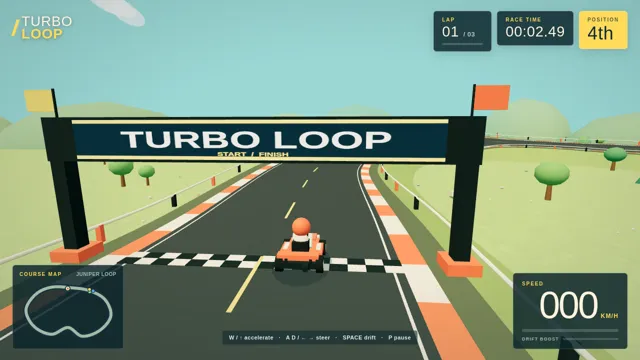
One prompt 3d kart racer
In one prompt, build a playable 3D kart racer in the browser with Three.js: one closed track with banked turns, 3 AI opponents, lap counter, 3 laps, finish screen with time. Keyboard controls. All assets procedural (no external files). Single index.html plus JS. Save the main page as index.html in the current directory (plus any local asset files you create), with no build step. You may serve it locally and open it in headless chromium (/usr/bin/chromium, software WebGL, no GPU, no WebGPU) to screenshot and inspect your own output, and iterate on your own before finishing. Close any browser you open as soon as you've taken your screenshot. Finish with a short README.md describing the controls.
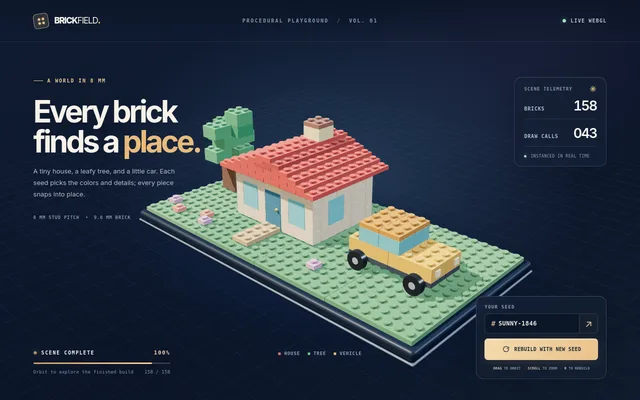
Procedural lego builder
Build a browser 3D 'procedural LEGO' generator in Three.js: given a seed, it assembles a small LEGO scene (a house, tree and vehicle) from correctly proportioned studded bricks (real 8mm pitch, 9.6mm height ratio) with instancing for performance. Animate the bricks snapping into place one by one, allow orbit, and add a 'rebuild' button with a new seed. Plastic material should look right (subsurface-ish sheen, bevelled edges). Show brick count and draw calls. IDLE AUTO-PLAY: with no input, the page starts animating immediately and runs an automatic demo (camera motion, preset or seed cycling, or an AI player) so a headless capture shows constant motion. Must render on WebGL/WebGL2 with no WebGPU required. Save the main page as index.html in the current directory (plus any local asset files you create), with no build step. You may serve it locally and open it in headless chromium (/usr/bin/chromium, software WebGL, no GPU, no WebGPU) to screenshot and inspect your own output, and iterate on your own before finishing. Close any browser you open as soon as you've taken your screenshot. Finish with a short README.md describing the controls.
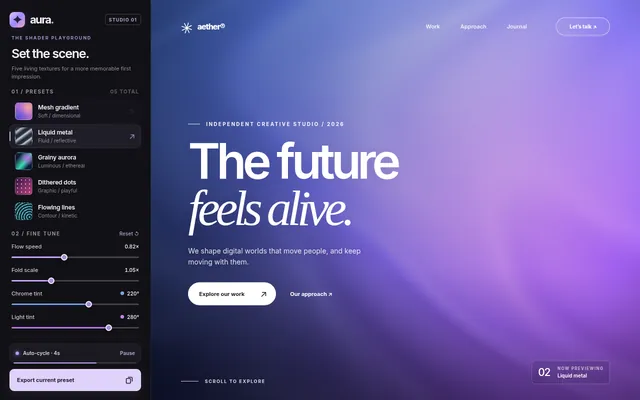
Shader hero background studio
Build a single-file web page (index.html, no frameworks, plain WebGL2 or WebGPU) that serves as a landing-page hero background studio. It shows 5 animated full-screen shader backgrounds: mesh gradient, liquid metal, grainy aurora, dithered dots, and flowing noise lines. A left sidebar switches presets and exposes 4-6 live sliders per preset (speed, scale, colours, grain). Over the background sits a sample hero headline and CTA button so the result looks like a real product site. Include an 'Export' button that copies a self-contained HTML/GLSL snippet of the current preset with its settings. It must run smoothly at 60 fps and auto-cycle through the presets every 4 seconds when idle, so a screen recording shows all five. Save the main page as index.html in the current directory (plus any local asset files you create), with no build step. You may serve it locally and open it in headless chromium (/usr/bin/chromium, software WebGL, no GPU, no WebGPU) to screenshot and inspect your own output, and iterate on your own before finishing. Close any browser you open as soon as you've taken your screenshot. Finish with a short README.md describing the controls.
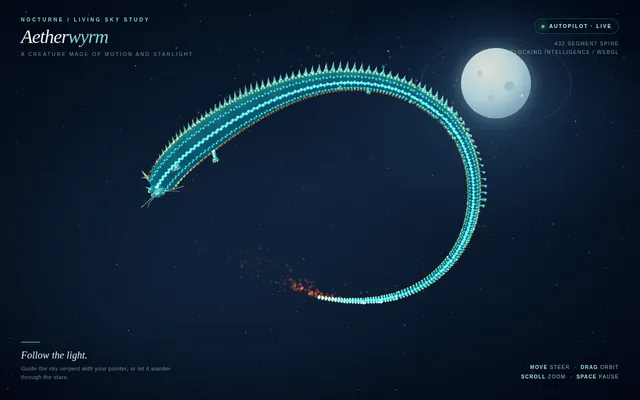
Threejs boids dragon
In Three.js with WebGLRenderer (no WebGPU required), create a serpentine dragon made of 400+ segments whose body follows a boids-style flock leader through a night sky. Segments use flocking (separation, alignment, cohesion) plus a spine constraint so the body reads as one creature. Add glowing scales, a particle ember trail, mouse-attractor steering and an orbit camera. Single index.html, 60 fps target. IDLE AUTO-PLAY: with no input, the page starts animating immediately and runs an automatic demo (camera motion, preset or seed cycling, or an AI player) so a headless capture shows constant motion. Must render on WebGL/WebGL2 with no WebGPU required. Save the main page as index.html in the current directory (plus any local asset files you create), with no build step. You may serve it locally and open it in headless chromium (/usr/bin/chromium, software WebGL, no GPU, no WebGPU) to screenshot and inspect your own output, and iterate on your own before finishing. Close any browser you open as soon as you've taken your screenshot. Finish with a short README.md describing the controls.
Threejs domino chain physics
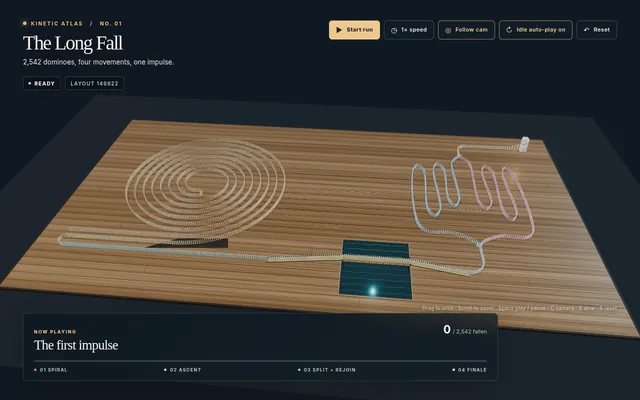
Build a single-file Three.js scene with real rigid-body physics (write your own or use a CDN physics lib) of a large domino run: at least 2,000 dominoes in spirals, a staircase, a bridge, splits that branch and rejoin, and a final tower that topples. Include a cinematic follow camera that tracks the leading edge of the wave, a free orbit camera, slow-motion toggle, a reset button, and an IDLE AUTO-PLAY mode that resets and replays the run with a new random layout every time it finishes. Soft shadows, a polished wooden floor, 60 fps target. Output one index.html. Save the main page as index.html in the current directory (plus any local asset files you create), with no build step. You may serve it locally and open it in headless chromium (/usr/bin/chromium, software WebGL, no GPU, no WebGPU) to screenshot and inspect your own output, and iterate on your own before finishing. Close any browser you open as soon as you've taken your screenshot. Finish with a short README.md describing the controls.
Threejs evolving art garden
Build a single-file Three.js generative-art garden where procedural plant-sculptures evolve: each sculpture has a genome (branching L-system params, colour palette, shader noise), the user clicks favourites to breed them (crossover + mutation) and the next generation grows in with an animation. Show a family-tree panel for the selected sculpture and an export-PNG button. Include an IDLE AUTO-PLAY mode that auto-selects and breeds every 8 seconds. Output one index.html, no external assets. Save the main page as index.html in the current directory (plus any local asset files you create), with no build step. You may serve it locally and open it in headless chromium (/usr/bin/chromium, software WebGL, no GPU, no WebGPU) to screenshot and inspect your own output, and iterate on your own before finishing. Close any browser you open as soon as you've taken your screenshot. Finish with a short README.md describing the controls.

Threejs marble run machine
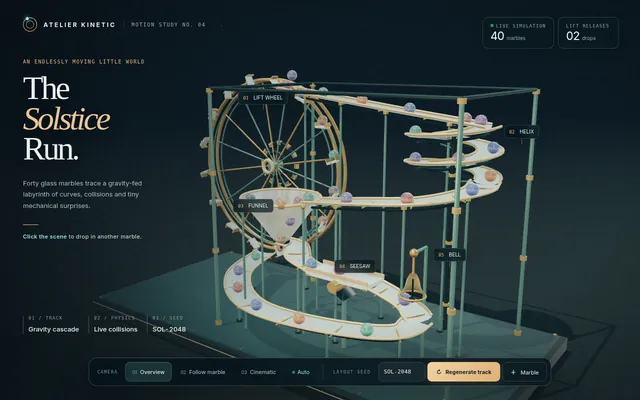
Build a Three.js marble-run machine in one index.html: a procedurally generated multi-level track (ramps, spirals, funnels, a lift wheel, a seesaw and a bell) with physics (cannon-es or rapier via CDN) for 40 glass marbles with refraction-like materials and soft shadows. Camera modes: overview, follow-a-marble, and cinematic. Clicking adds marbles; a 'regenerate track' button rebuilds the layout from a seed. IDLE AUTO-PLAY: marbles spawn continuously, the lift wheel recirculates them, and the camera auto-switches modes every 8 s so a headless capture shows motion. WebGL only, no build step. Save the main page as index.html in the current directory (plus any local asset files you create), with no build step. You may serve it locally and open it in headless chromium (/usr/bin/chromium, software WebGL, no GPU, no WebGPU) to screenshot and inspect your own output, and iterate on your own before finishing. Close any browser you open as soon as you've taken your screenshot. Finish with a short README.md describing the controls.
Night Train
Build a Three.js scene: A night train crossing a landscape. A passenger train of a locomotive and at least four carriages with warm, glowing lit windows travels along a track that winds through rolling hills, over a bridge across a river and past a small village with a few lit houses. A full moon lights the scene with cool blue light and casts soft shadows; stars fill the sky, the river reflects the moon, and the locomotive's headlight throws a beam ahead of the train. The train moves continuously and loops forever along the track, its wheels turning and a faint trail of steam or exhaust drifting behind it. The camera slowly follows the train by default; OrbitControls let the viewer take over, and a button switches between the follow camera and a free camera. Everything is built in code from Three.js geometry, materials and shaders; no external models, textures or fonts. The scene must visibly animate from the moment it loads and run in a browser with software WebGL (no GPU). Deliver ONE self-contained HTML file; load Three.js only through an import map from https://cdn.jsdelivr.net/npm/three@0.170.0/build/three.module.js (addons from https://cdn.jsdelivr.net/npm/three@0.170.0/examples/jsm/), with no other external requests (no image, texture, model, font or audio files): build every shape and texture in code. It must work when opened directly from disk in a current desktop or mobile browser, fit the window responsively, and run without console errors. Output ONLY the complete HTML file, starting with <!DOCTYPE html> and ending with </html>, with no explanation or markdown fences.
Paris Tower
Build a Three.js scene: The Eiffel Tower and its surroundings in Paris, as an interactive 3D scene. The tower is recognisable, with its four curved lattice legs, the arches between them, the platforms at its levels and the tapering lattice up to the antenna, in its bronze-brown colour. Around it: the Champ de Mars lawns with rows of trees, the river Seine with a bridge and gently moving water, a few blocks of cream-coloured Haussmann-style buildings with grey mansard roofs, streets with a few lamp posts, and a sky with soft clouds. Lighting is a warm late-afternoon sun with long shadows; a toggle switches to night, when the tower lights up with warm golden lights and occasionally sparkles. OrbitControls to look around, limited so the camera stays above the ground. Everything is built in code from Three.js geometry, materials and shaders; no external models, textures or fonts. The scene must visibly animate from the moment it loads and run in a browser with software WebGL (no GPU). Deliver ONE self-contained HTML file; load Three.js only through an import map from https://cdn.jsdelivr.net/npm/three@0.170.0/build/three.module.js (addons from https://cdn.jsdelivr.net/npm/three@0.170.0/examples/jsm/), with no other external requests (no image, texture, model, font or audio files): build every shape and texture in code. It must work when opened directly from disk in a current desktop or mobile browser, fit the window responsively, and run without console errors. Output ONLY the complete HTML file, starting with <!DOCTYPE html> and ending with </html>, with no explanation or markdown fences.
Threejs pathtraced product shot
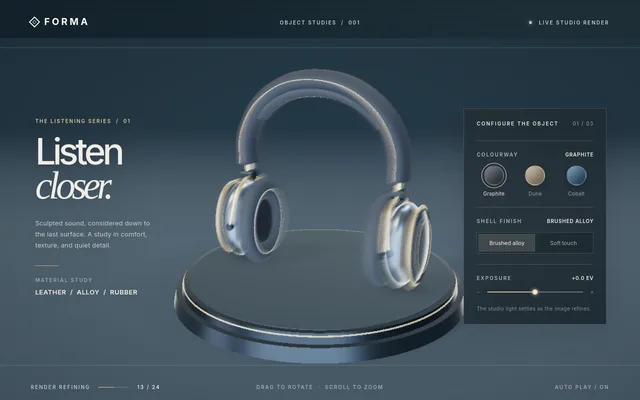
Build a Three.js "studio product shot" page: a sneaker-like or headphone-like product modelled procedurally (no downloaded models), on a turntable in a soft-box studio with an HDR-style gradient environment, contact shadows, and physically based materials (leather, rubber, brushed metal). Progressive quality: a fast rasterised preview that refines over time (accumulated soft shadows / AO, or a path-tracing-style accumulation fallback that works on WebGL2). UI: three colourways, a material toggle, and an exposure slider. IDLE AUTO-PLAY: the turntable rotates slowly and the colourway changes every 6 seconds with no input. Must render on WebGLRenderer (no WebGPU-only features). Save the main page as index.html in the current directory (plus any local asset files you create), with no build step. You may serve it locally and open it in headless chromium (/usr/bin/chromium, software WebGL, no GPU, no WebGPU) to screenshot and inspect your own output, and iterate on your own before finishing. Close any browser you open as soon as you've taken your screenshot. Finish with a short README.md describing the controls.
Threejs ps1 horror kitchen
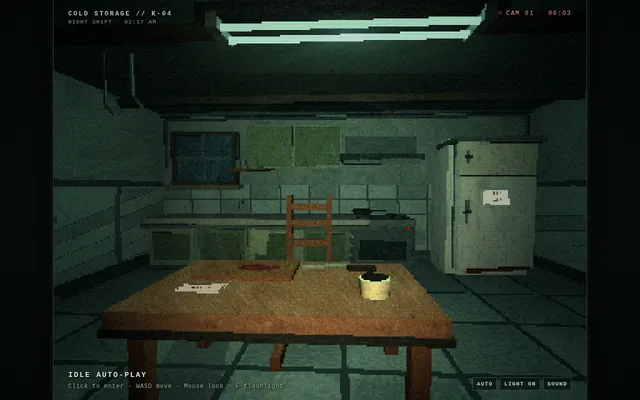
Build a single-file Three.js scene of a low-poly PS1-era survival-horror kitchen at night: vertex-snapping jitter, affine texture warping, 320x240 render target upscaled with dithering, fog, a flickering fluorescent tube, a humming fridge whose door creaks open, and a flashlight cone. First-person WASD + mouse look with a slight head bob. Include an IDLE AUTO-PLAY mode where the camera walks a slow scripted path through the room and something shifts when it looks away. All geometry and textures procedural; output one index.html, no external assets. Save the main page as index.html in the current directory (plus any local asset files you create), with no build step. You may serve it locally and open it in headless chromium (/usr/bin/chromium, software WebGL, no GPU, no WebGPU) to screenshot and inspect your own output, and iterate on your own before finishing. Close any browser you open as soon as you've taken your screenshot. Finish with a short README.md describing the controls.
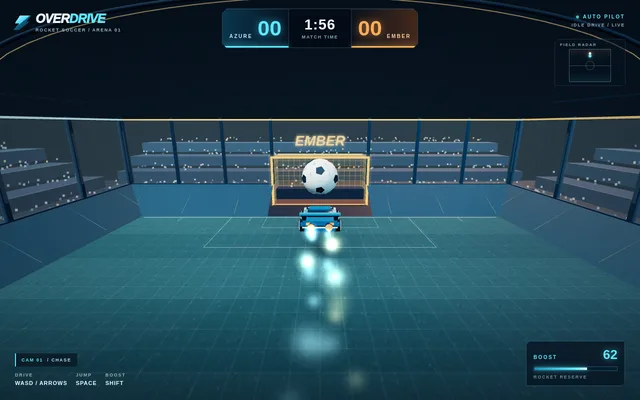
Threejs rocket car arena
Build a small Three.js "rocket car soccer" arena game in the browser: an enclosed stadium with ramped walls, a big physics ball, two goals, and a player car that can drive, jump and boost (boost leaves a particle trail). Simple arcade physics written by hand (no external physics engine download needed, but a CDN physics lib is allowed). Score UI, a 2-minute match timer, a goal replay flash. Controls: WASD/arrows, Space jump, Shift boost, with touch buttons on mobile. IDLE AUTO-PLAY: with no input, an AI drives the car toward the ball, scores, and the chase camera follows, so a headless capture shows gameplay. Must render on WebGLRenderer. Save the main page as index.html in the current directory (plus any local asset files you create), with no build step. You may serve it locally and open it in headless chromium (/usr/bin/chromium, software WebGL, no GPU, no WebGPU) to screenshot and inspect your own output, and iterate on your own before finishing. Close any browser you open as soon as you've taken your screenshot. Finish with a short README.md describing the controls.
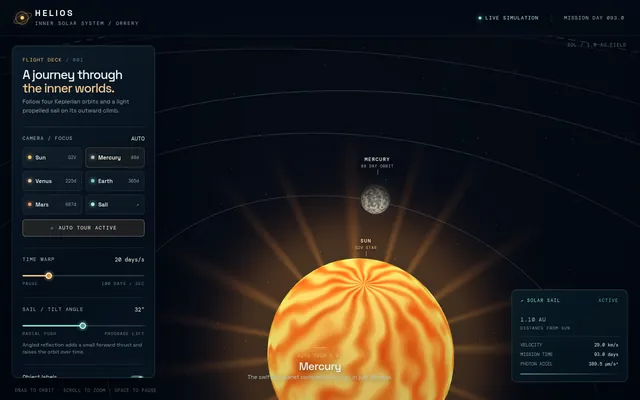
Threejs solar sail orrery
Build a Three.js interactive orrery of the inner solar system in one index.html: Sun with animated corona shader, Mercury-Mars on scaled Keplerian orbits with correct relative periods, Moon, orbit trails, and a solar-sail spacecraft that spirals outward using a simple radiation-pressure model with a visible sail mesh tilting toward the Sun. UI: time-warp slider, planet focus buttons, toggle labels/trails, sail tilt angle control. IDLE AUTO-PLAY: time warp runs at 20 days/s and the camera tours each planet then follows the sail, so a headless capture shows motion. WebGL only, CDN imports, no build step. Save the main page as index.html in the current directory (plus any local asset files you create), with no build step. You may serve it locally and open it in headless chromium (/usr/bin/chromium, software WebGL, no GPU, no WebGPU) to screenshot and inspect your own output, and iterate on your own before finishing. Close any browser you open as soon as you've taken your screenshot. Finish with a short README.md describing the controls.
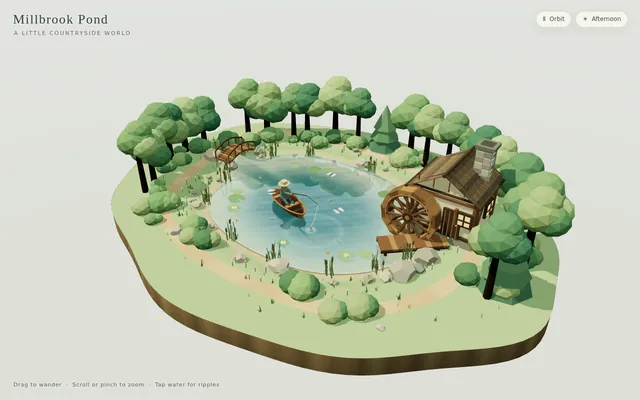
Threejs stillwater pond
Build "Millbrook Pond", a calm countryside pond diorama in Three.js, seen from above at a three-quarter angle. An irregular pond with soft grassy banks, rocks and reeds sits in a clearing ringed by trees and bushes, with a dirt path running around it. On one shore stands a small timber watermill cabin with a shingled roof and a stone chimney, and on its side a large wooden waterwheel turns continuously, its paddles dipping into the water and churning it. A plank dock juts out from the mill, a small arched wooden footbridge crosses an inlet, and a rowboat floats on the pond with a seated figure fishing, rod and line out; the boat bobs and drifts gently and the line's float makes small rings. The water is the star: a real-time reflective and refractive surface (a planar or render-target reflection of the mill, trees and sky; refraction of the shallow pond bed near the banks; depth-based tint from clear shallows to a dark centre) blended with a Fresnel term, soft normal-mapped wind ripples, and dynamic ripple rings from the waterwheel, the boat, the fishing float and the occasional rising fish, which spread and fade. Add gentle ambient life: swaying foliage, a few lily pads or drifting leaves, dragonflies or birds, and soft afternoon sun with shadows. The camera slowly orbits the pond on its own; the user can drag to orbit, pinch or scroll to zoom, and tap the water to make ripples, and a small unobtrusive control pauses the orbit and switches the time of day (for example afternoon and golden hour). The look is stylized and cohesive (low-poly or soft-shaded), and everything is built in code; no external models, textures or HDRIs. Also add a capture mode: opening index.html?capture=1 hides all UI and plays a scripted 12-second camera move around the pond that ends where it started, so it can be recorded as a seamless clip. Build it as index.html (plus any local asset files you create) in the current directory, with no build step; three.js and any addons may load from a pinned CDN. Aim for 60 fps on a laptop and at least 30 fps on a mid-range phone, with touch working. You may serve it locally and open it in headless chromium (/usr/bin/chromium, software WebGL, no GPU) to screenshot and inspect your own output, and iterate on your own before finishing. Close any browser you open as soon as you've taken your screenshot. Finish with a short README.md describing the controls and the capture mode.
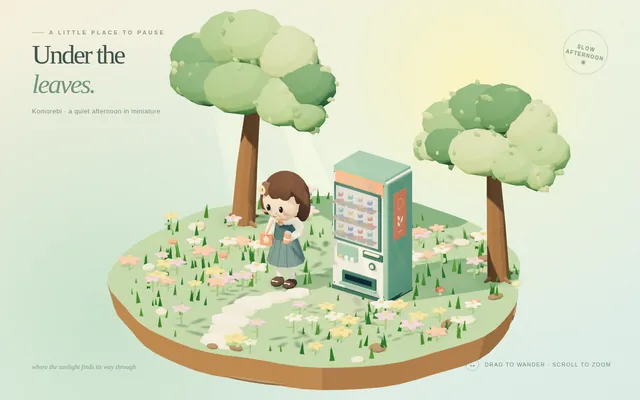
Threejs tiny anime world
Build a single-page Three.js scene: a tiny, cozy anime-style diorama under dappled sunlight filtering through tree leaves (komorebi). In it: a girl character standing next to a glowing vending machine, surrounded by flowers, on a quiet afternoon. Stylized toon/cel shading, soft warm lighting with light shafts, gentle idle animation (breeze in leaves and flowers, subtle character idle, vending-machine light flicker), slow orbiting camera with mouse orbit controls. No external model files: build everything procedurally from primitives. One index.html, runs offline, 60 fps on a laptop. Save the main page as index.html in the current directory (plus any local asset files you create), with no build step. You may serve it locally and open it in headless chromium (/usr/bin/chromium, software WebGL, no GPU, no WebGPU) to screenshot and inspect your own output, and iterate on your own before finishing. Close any browser you open as soon as you've taken your screenshot. Finish with a short README.md describing the controls.
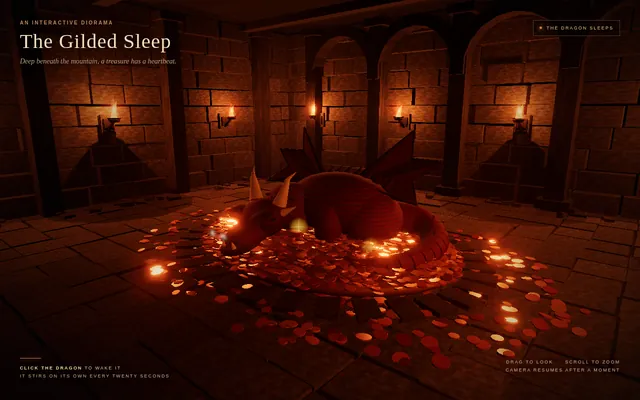
Threejs torchlit dungeon dragon
Build a single-file Three.js scene (index.html, Three.js from a CDN, no build step): a stone dungeon chamber lit only by flickering wall torches, with a sleeping dragon curled on a pile of gold coins. Requirements: procedural stone walls and floor (no external textures), at least 6 torches using point lights with flickering intensity and a particle flame/ember system, a dragon built from primitives with a slow breathing animation (chest rising, nostril smoke puffs), instanced gold coins that glint, soft shadows, fog and a subtle bloom. Click the dragon to wake it: it lifts its head, eyes glow and it exhales a fire stream that lights the room. IDLE AUTO-PLAY: with no input, run a slow cinematic camera path through the chamber, and every 20 seconds the dragon wakes on its own, breathes fire, and settles back to sleep. Must render with WebGLRenderer (no WebGPU required). Save the main page as index.html in the current directory (plus any local asset files you create), with no build step. You may serve it locally and open it in headless chromium (/usr/bin/chromium, software WebGL, no GPU, no WebGPU) to screenshot and inspect your own output, and iterate on your own before finishing. Close any browser you open as soon as you've taken your screenshot. Finish with a short README.md describing the controls.
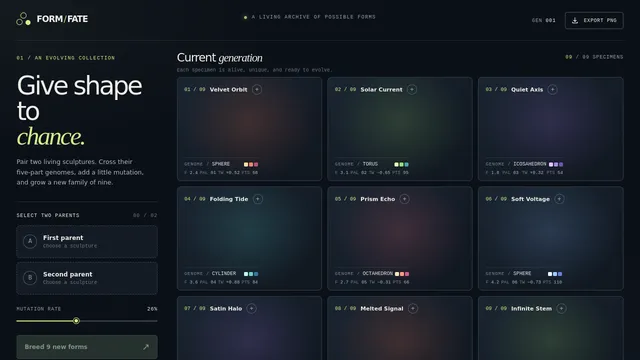
Threelab breed generative art
Build a single standalone index.html using Three.js: a generative-art 'breeding' gallery. Show a 3x3 grid of live 3D sculptures, each defined by a small parameter genome (shape primitive, noise frequency, colour palette, twist, particle count). The user clicks two parents; the app breeds 9 children by crossover + mutation and animates the new generation in. Include a 'genome' readout per tile and an export-PNG button. Smooth 60fps, no external assets. Save the main page as index.html in the current directory (plus any local asset files you create), with no build step. You may serve it locally and open it in headless chromium (/usr/bin/chromium, software WebGL, no GPU, no WebGPU) to screenshot and inspect your own output, and iterate on your own before finishing. Close any browser you open as soon as you've taken your screenshot. Finish with a short README.md describing the controls.
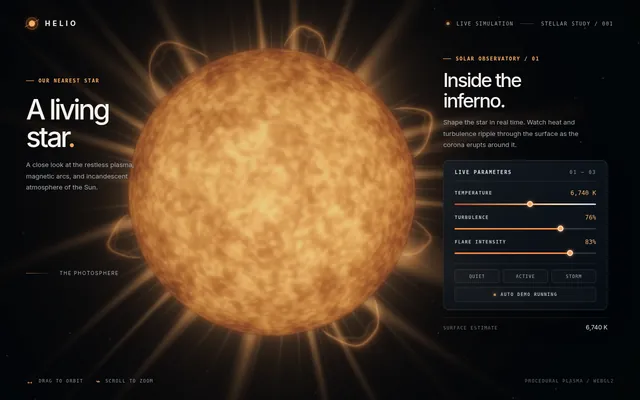
Volumetric raymarched sun
Build a single index.html real-time procedural sun using volumetric raymarching in a fragment shader (Three.js or raw WebGL2). Include animated plasma granulation from 3D noise, limb darkening, a glowing corona with flares and prominences, and bloom. Add a UI for temperature (colour shift), turbulence and flare intensity. Orbit camera. No external assets. IDLE AUTO-PLAY: with no input, the page starts animating immediately and runs an automatic demo (camera motion, preset or seed cycling, or an AI player) so a headless capture shows constant motion. Must render on WebGL/WebGL2 with no WebGPU required. Save the main page as index.html in the current directory (plus any local asset files you create), with no build step. You may serve it locally and open it in headless chromium (/usr/bin/chromium, software WebGL, no GPU, no WebGPU) to screenshot and inspect your own output, and iterate on your own before finishing. Close any browser you open as soon as you've taken your screenshot. Finish with a short README.md describing the controls.
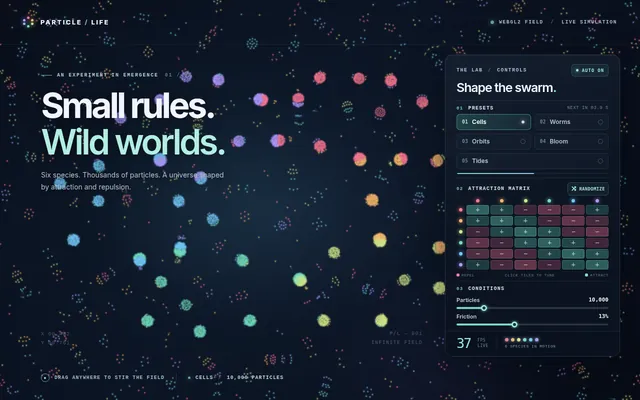
Webgl particle life sim
Build a single-page "particle life" simulation that runs in the browser on WebGL2 (WebGPU optional with an automatic WebGL2 fallback). 6 colour species, 8,000+ particles, an attraction/repulsion matrix between species that produces emergent cells, worms and orbits. UI: a small panel to randomise the matrix, pick from 5 named presets, change particle count and friction, and a live FPS readout. IDLE AUTO-PLAY: with no input, the sim starts immediately and cycles to a new preset every 8 seconds with a smooth crossfade, so a headless capture shows constant motion. Must render on plain WebGL2 with no GPU-only features required. No external accounts or API keys. Save the main page as index.html in the current directory (plus any local asset files you create), with no build step. You may serve it locally and open it in headless chromium (/usr/bin/chromium, software WebGL, no GPU, no WebGPU) to screenshot and inspect your own output, and iterate on your own before finishing. Close any browser you open as soon as you've taken your screenshot. Finish with a short README.md describing the controls.
Webgl reaction diffusion coral
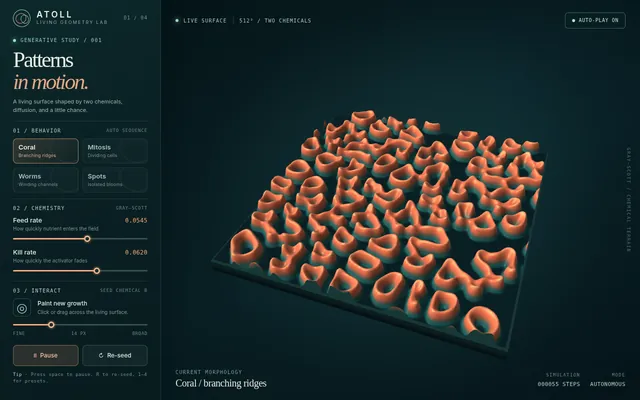
Build a single-page WebGL2 (no WebGPU) reaction-diffusion simulator (Gray-Scott) that grows coral/brain-like patterns on a 512x512 ping-pong framebuffer, rendered with a lit, height-shaded material and a slow orbiting camera over a 3D displaced plane (Three.js allowed). Include presets (coral, mitosis, worms, spots), a brush to seed chemicals, feed/kill sliders, and pause/reset. IDLE AUTO-PLAY: with no input it starts from a random seed, cycles presets every 12 s, and keeps the camera orbiting so a headless capture shows continuous growth. Single index.html, no build step, CDN imports only, 60 fps target. Save the main page as index.html in the current directory (plus any local asset files you create), with no build step. You may serve it locally and open it in headless chromium (/usr/bin/chromium, software WebGL, no GPU, no WebGPU) to screenshot and inspect your own output, and iterate on your own before finishing. Close any browser you open as soon as you've taken your screenshot. Finish with a short README.md describing the controls.
Webgpu ascii shader scene
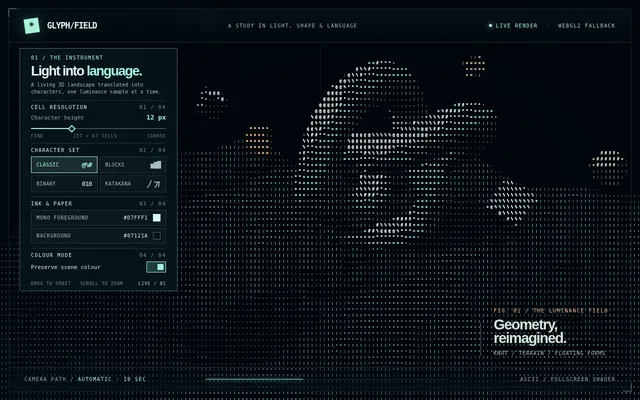
Build a single-file web page (index.html, no build step, Three.js r17x+ via CDN with WebGPURenderer and a WebGL2 fallback) that renders a slowly rotating 3D scene (a torus knot, a low-poly terrain and a few floating cubes, lit with a moving point light) through a full-screen ASCII post-process shader. The shader samples scene luminance per cell and maps it to a configurable character ramp. Add an on-screen panel to change cell size, character set (classic, blocks, binary, katakana), foreground and background colour, and a toggle for colour-preserving mode. It must hold 60 fps at 1080p on a laptop GPU. Include a 10-second auto camera move so a screen recording shows off the effect without input. Save the main page as index.html in the current directory (plus any local asset files you create), with no build step. You may serve it locally and open it in headless chromium (/usr/bin/chromium, software WebGL, no GPU, no WebGPU) to screenshot and inspect your own output, and iterate on your own before finishing. Close any browser you open as soon as you've taken your screenshot. Finish with a short README.md describing the controls.
Webgpu deferred sponza playground
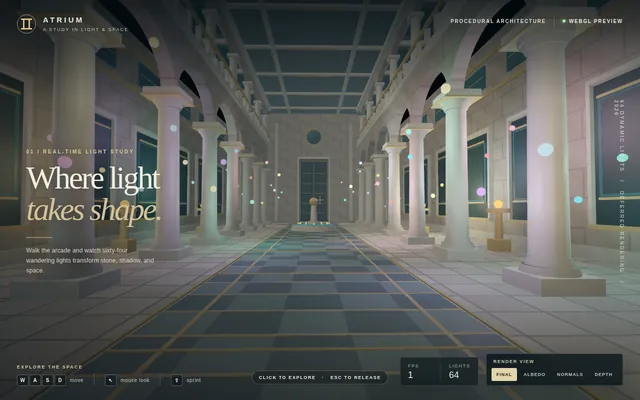
Build a single standalone index.html (CDN imports only) that renders a procedural classical atrium (columns, arches, floor tiles; no external models) with a deferred-shading pipeline in WebGPU: G-buffer pass, 64 moving coloured point lights, SSAO and bloom. Add a debug toggle to view albedo / normals / depth / final. First-person WASD + mouse-look camera. Show an FPS counter. Save the main page as index.html in the current directory (plus any local asset files you create), with no build step. You may serve it locally and open it in headless chromium (/usr/bin/chromium, software WebGL, no GPU, no WebGPU) to screenshot and inspect your own output, and iterate on your own before finishing. Close any browser you open as soon as you've taken your screenshot. Finish with a short README.md describing the controls.
Webgpu fishing game
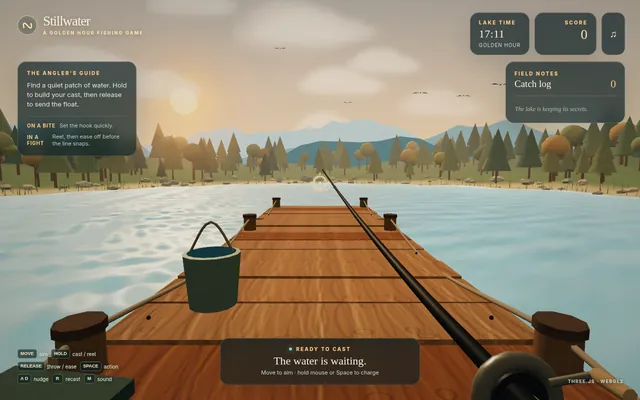
Build a complete, playable 3D fishing game in ONE standalone index.html using Three.js with the WebGPU renderer (WebGL2 fallback). A small lake at golden hour with an animated water surface (normal-mapped waves, fresnel reflections, shoreline foam), a wooden dock and a first-person rod. Mechanics: hold to charge a cast, a visible line with sag physics and a bobber that bobs on the waves, random bites with a timing minigame (tension bar; the line snaps if tension stays too high), at least 5 fish species with different rarity, size and fight behaviour, a catch log UI and a score. Ambient birds or insects, a day-progress sky. No external assets except the Three.js CDN; everything is procedural. Must run at 60 fps on a laptop and be fully playable with mouse and keyboard; show controls on screen. Save the main page as index.html in the current directory (plus any local asset files you create), with no build step. You may serve it locally and open it in headless chromium (/usr/bin/chromium, software WebGL, no GPU, no WebGPU) to screenshot and inspect your own output, and iterate on your own before finishing. Close any browser you open as soon as you've taken your screenshot. Finish with a short README.md describing the controls.
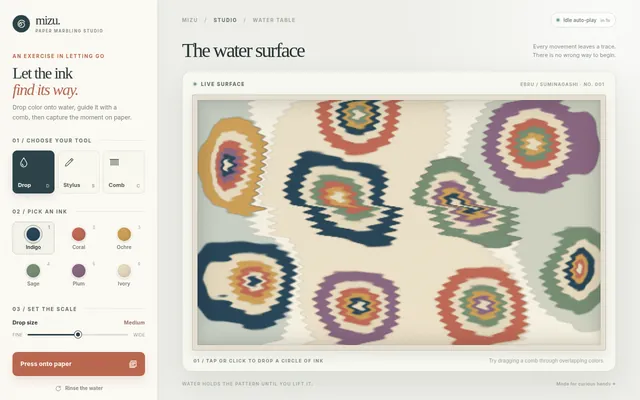
Webgpu ink marbling
Build a single-file WebGPU (with WebGL2 fallback) paper-marbling simulator (ebru / suminagashi). Users drop ink colors onto a water surface, then drag combs and styluses to rake the ink into feathered and peacock patterns, using a real-time 2D fluid solver (advection + pressure projection) on the GPU. Include 6 ink colors, comb/stylus/drop tools, a 'press paper' button that freezes the pattern into a printed sheet with paper texture, and an IDLE AUTO-PLAY mode that drops ink and rakes classic patterns on its own when untouched for 5 seconds. Target 60 fps at 1080p. Output one index.html, no external assets. Save the main page as index.html in the current directory (plus any local asset files you create), with no build step. You may serve it locally and open it in headless chromium (/usr/bin/chromium, software WebGL, no GPU, no WebGPU) to screenshot and inspect your own output, and iterate on your own before finishing. Close any browser you open as soon as you've taken your screenshot. Finish with a short README.md describing the controls.
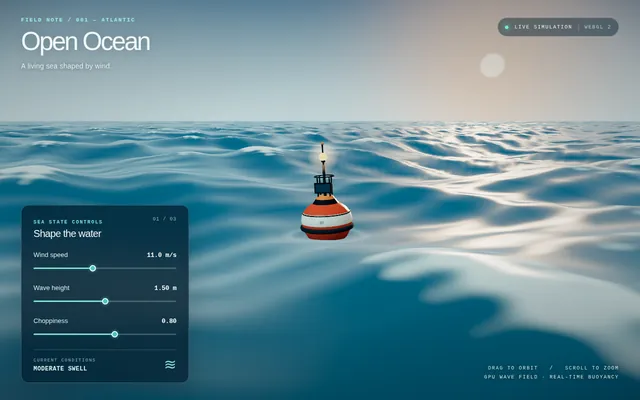
Webgpu ocean wave physics
Build a single standalone index.html (no build step, CDN imports only) with Three.js WebGPURenderer and TSL: an open-ocean scene with Gerstner/FFT-style wave displacement computed on the GPU, foam on crests, sky reflection and a floating buoy that bobs physically on the surface. Add an on-screen slider panel for wind speed, wave height and choppiness that updates live. Camera slowly orbits; mouse drag overrides. Fall back to WebGL if WebGPU is unavailable. Must run at 60fps on a laptop. Save the main page as index.html in the current directory (plus any local asset files you create), with no build step. You may serve it locally and open it in headless chromium (/usr/bin/chromium, software WebGL, no GPU, no WebGPU) to screenshot and inspect your own output, and iterate on your own before finishing. Close any browser you open as soon as you've taken your screenshot. Finish with a short README.md describing the controls.
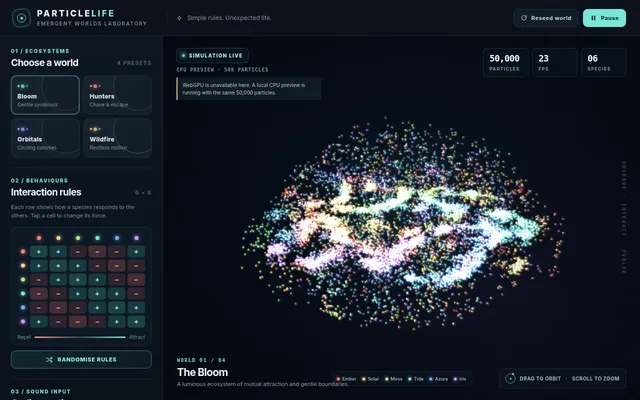
Webgpu particle life audio
Build a 3D 'particle life' simulation in the browser using WebGPU compute shaders: at least 50,000 particles in 6 colour species, each pair with an attraction/repulsion rule, forming emergent creatures. Orbit camera, bloom-style glow, a panel with presets and a randomise-rules button. Add an optional microphone mode where audio loudness and bass energy modulate the force strengths in real time (works without the mic too). Show particle count and fps. One index.html plus local JS/WGSL only, no external assets or CDNs. Save the main page as index.html in the current directory (plus any local asset files you create), with no build step. You may serve it locally and open it in headless chromium (/usr/bin/chromium, software WebGL, no GPU, no WebGPU) to screenshot and inspect your own output, and iterate on your own before finishing. Close any browser you open as soon as you've taken your screenshot. Finish with a short README.md describing the controls.
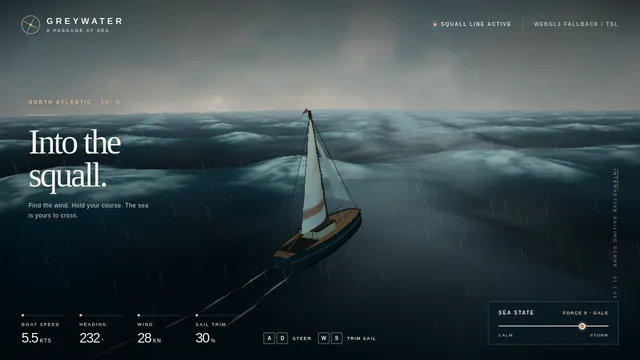
Webgpu sailing storm
Build a single-page browser sailing scene in Three.js (WebGPU renderer, TSL node materials, WebGL2 fallback). A small sailboat rides a stormy ocean: animated Gerstner-wave water with foam on crests, heavy rain, lightning flashes that light the clouds, wind that heels the boat and fills the sail. Keyboard steers (A/D) and trims the sail (W/S); the boat's speed responds to wind angle. Add a calm/storm slider. Steady 60 fps on a laptop. One index.html plus local JS files only, no external assets or CDNs. Save the main page as index.html in the current directory (plus any local asset files you create), with no build step. You may serve it locally and open it in headless chromium (/usr/bin/chromium, software WebGL, no GPU, no WebGPU) to screenshot and inspect your own output, and iterate on your own before finishing. Close any browser you open as soon as you've taken your screenshot. Finish with a short README.md describing the controls.
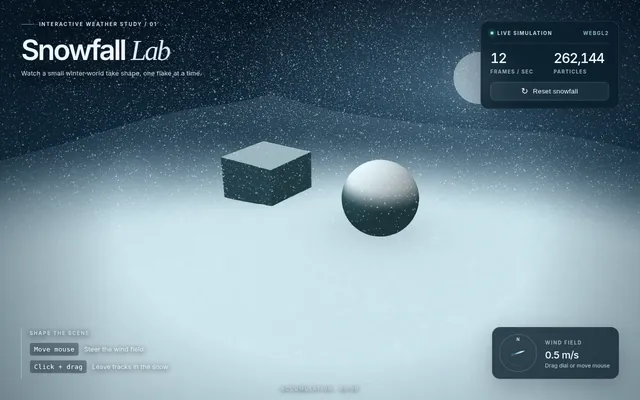
Webgpu snow physics
Build a single self-contained HTML file that renders a real-time snow simulation in the browser with WebGPU compute (fall back to WebGL2 if WebGPU is missing). Requirements: at least 200k particles simulated on the GPU; wind field the user can change with the mouse; snow accumulates on a simple terrain heightmap and on two primitive objects (a box and a sphere) so drifts visibly build up over time; a footprint/trail when the user drags across the ground; on-screen FPS and particle count; a reset button. No external assets; CDN imports allowed. Aim for 60 FPS on a laptop GPU. Save the main page as index.html in the current directory (plus any local asset files you create), with no build step. You may serve it locally and open it in headless chromium (/usr/bin/chromium, software WebGL, no GPU, no WebGPU) to screenshot and inspect your own output, and iterate on your own before finishing. Close any browser you open as soon as you've taken your screenshot. Finish with a short README.md describing the controls.
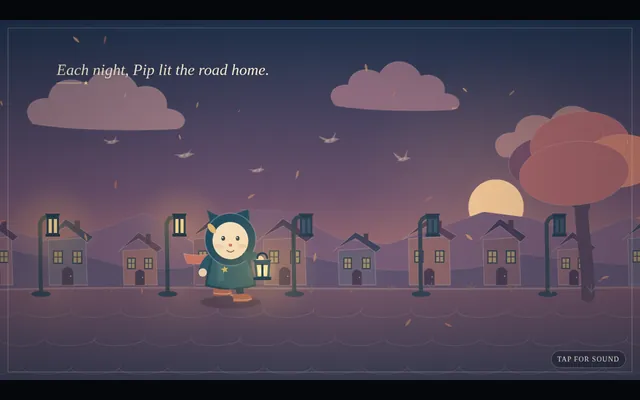
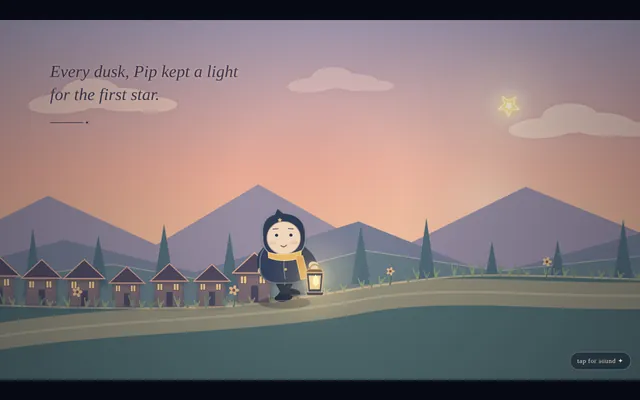
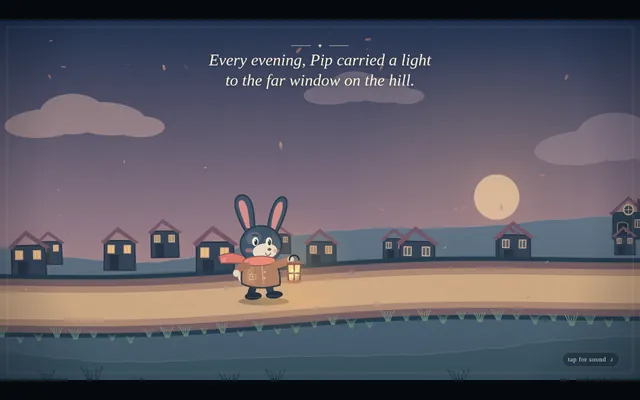
Animated short film drawn in code (HTML/JS)
extended
Write a single self-contained HTML file that plays an original animated short film, about 50 seconds long, drawn entirely in code.

Hard technical rules:
- One file: HTML + inline <script> (+ optional inline <style>). No external images, fonts, libraries, audio files or network requests of any kind. Every frame is drawn procedurally with Canvas 2D (or WebGL if you prefer).
- The canvas renders at a fixed internal resolution of 1920x1080 and is scaled with CSS to fit the window (letterboxed, black background).
- The animation starts automatically on page load and is driven ONLY by requestAnimationFrame and the timestamp from performance.now() (measure elapsed time from the first frame). Everything on screen must be a pure function of elapsed time t, so the film is deterministic and can be captured frame by frame. No Math.random() at draw time — use a seeded PRNG / hash noise so frames are identical run to run. No setTimeout/setInterval for animation.
- Define window.FILM_DURATION (seconds). After the film ends, hold the final frame.
- Soundtrack: write an original WebAudio score (melody, chords, a little percussion or ambience, and sound cues that match story moments) synced to the same timeline. Put ALL audio scheduling in a function window.buildSoundtrack(ctx, startTime) that schedules every note/effect on any BaseAudioContext (so it also works on an OfflineAudioContext). Also expose window.renderSoundtrack = () => an OfflineAudioContext(2, 44100*FILM_DURATION, 44100) render of it returning a Promise<AudioBuffer>. For live viewing, start the soundtrack on the first click/tap/keypress (browsers block autoplay) aligned to the current film time; show a small unobtrusive "tap for sound" hint until then. Use only oscillators, noise buffers you generate, filters, gain envelopes — no samples.
- No console errors.

The film (this is a showcase of what you can animate — make it genuinely beautiful and moving):
- An ORIGINAL story with a small emotional arc (setup, a problem or longing, a turn, a warm resolution). A single consistent main character — any character you like — who appears in every scene and is recognisably the same design throughout.
- At least 4 distinct scenes, with real transitions between them (e.g. wipes, iris, match cuts, cross-dissolves, camera moves through space).
- Expressive character animation: a proper walk cycle (legs, arms, body bob), blinking, and facial emotion changes (e.g. curious, sad, surprised, joyful) that follow the story.
- A virtual camera that pans, zooms and tracks, with parallax layers for depth.
- Lighting and time-of-day changes across the film (e.g. dawn → day → dusk → night, or a storm clearing), with colour grading, glows, and shadows.
- Particles and weather (rain, snow, fireflies, leaves, dust, stars — your choice, at least two kinds).
- On-screen story text / subtitles in a tasteful storybook style that tell the story in a few short lines.
- A cohesive art direction: a warm, hand-made "paper cut-out / storybook" look is welcome (textured paper, soft edges, slight wobble), but choose what serves your story.
- End with a title of your film and a gentle closing frame.

Output ONLY the complete HTML file, starting with <!DOCTYPE html> and ending with </html>. No explanation, no markdown fences. Save it as index.html in the current directory. You may open it in headless chromium to check it and iterate.

===== mr_engine: next user turn, sent after the previous turn has finished =====

the design looks great but i feel like we can be more creative - add animations, cool graphics that you create with svgs or whatever (they could even move etc), etc, be creative!
harness
Write a single self-contained HTML file that plays an original animated short film, about 50 seconds long, drawn entirely in code.

Hard technical rules:
- One file: HTML + inline <script> (+ optional inline <style>). No external images, fonts, libraries, audio files or network requests of any kind. Every frame is drawn procedurally with Canvas 2D (or WebGL if you prefer).
- The canvas renders at a fixed internal resolution of 1920x1080 and is scaled with CSS to fit the window (letterboxed, black background).
- The animation starts automatically on page load and is driven ONLY by requestAnimationFrame and the timestamp from performance.now() (measure elapsed time from the first frame). Everything on screen must be a pure function of elapsed time t, so the film is deterministic and can be captured frame by frame. No Math.random() at draw time — use a seeded PRNG / hash noise so frames are identical run to run. No setTimeout/setInterval for animation.
- Define window.FILM_DURATION (seconds). After the film ends, hold the final frame.
- Soundtrack: write an original WebAudio score (melody, chords, a little percussion or ambience, and sound cues that match story moments) synced to the same timeline. Put ALL audio scheduling in a function window.buildSoundtrack(ctx, startTime) that schedules every note/effect on any BaseAudioContext (so it also works on an OfflineAudioContext). Also expose window.renderSoundtrack = () => an OfflineAudioContext(2, 44100*FILM_DURATION, 44100) render of it returning a Promise<AudioBuffer>. For live viewing, start the soundtrack on the first click/tap/keypress (browsers block autoplay) aligned to the current film time; show a small unobtrusive "tap for sound" hint until then. Use only oscillators, noise buffers you generate, filters, gain envelopes — no samples.
- No console errors.

The film (this is a showcase of what you can animate — make it genuinely beautiful and moving):
- An ORIGINAL story with a small emotional arc (setup, a problem or longing, a turn, a warm resolution). A single consistent main character — any character you like — who appears in every scene and is recognisably the same design throughout.
- At least 4 distinct scenes, with real transitions between them (e.g. wipes, iris, match cuts, cross-dissolves, camera moves through space).
- Expressive character animation: a proper walk cycle (legs, arms, body bob), blinking, and facial emotion changes (e.g. curious, sad, surprised, joyful) that follow the story.
- A virtual camera that pans, zooms and tracks, with parallax layers for depth.
- Lighting and time-of-day changes across the film (e.g. dawn → day → dusk → night, or a storm clearing), with colour grading, glows, and shadows.
- Particles and weather (rain, snow, fireflies, leaves, dust, stars — your choice, at least two kinds).
- On-screen story text / subtitles in a tasteful storybook style that tell the story in a few short lines.
- A cohesive art direction: a warm, hand-made "paper cut-out / storybook" look is welcome (textured paper, soft edges, slight wobble), but choose what serves your story.
- End with a title of your film and a gentle closing frame.

Output ONLY the complete HTML file, starting with <!DOCTYPE html> and ending with </html>. No explanation, no markdown fences. Save it as index.html in the current directory. You may open it in headless chromium to check it and iterate.
raw
Write a single self-contained HTML file that plays an original animated short film, about 50 seconds long, drawn entirely in code.

Hard technical rules:
- One file: HTML + inline <script> (+ optional inline <style>). No external images, fonts, libraries, audio files or network requests of any kind. Every frame is drawn procedurally with Canvas 2D (or WebGL if you prefer).
- The canvas renders at a fixed internal resolution of 1920x1080 and is scaled with CSS to fit the window (letterboxed, black background).
- The animation starts automatically on page load and is driven ONLY by requestAnimationFrame and the timestamp from performance.now() (measure elapsed time from the first frame). Everything on screen must be a pure function of elapsed time t, so the film is deterministic and can be captured frame by frame. No Math.random() at draw time — use a seeded PRNG / hash noise so frames are identical run to run. No setTimeout/setInterval for animation.
- Define window.FILM_DURATION (seconds). After the film ends, hold the final frame.
- Soundtrack: write an original WebAudio score (melody, chords, a little percussion or ambience, and sound cues that match story moments) synced to the same timeline. Put ALL audio scheduling in a function window.buildSoundtrack(ctx, startTime) that schedules every note/effect on any BaseAudioContext (so it also works on an OfflineAudioContext). Also expose window.renderSoundtrack = () => an OfflineAudioContext(2, 44100*FILM_DURATION, 44100) render of it returning a Promise<AudioBuffer>. For live viewing, start the soundtrack on the first click/tap/keypress (browsers block autoplay) aligned to the current film time; show a small unobtrusive "tap for sound" hint until then. Use only oscillators, noise buffers you generate, filters, gain envelopes — no samples.
- No console errors.

The film (this is a showcase of what you can animate — make it genuinely beautiful and moving):
- An ORIGINAL story with a small emotional arc (setup, a problem or longing, a turn, a warm resolution). A single consistent main character — any character you like — who appears in every scene and is recognisably the same design throughout.
- At least 4 distinct scenes, with real transitions between them (e.g. wipes, iris, match cuts, cross-dissolves, camera moves through space).
- Expressive character animation: a proper walk cycle (legs, arms, body bob), blinking, and facial emotion changes (e.g. curious, sad, surprised, joyful) that follow the story.
- A virtual camera that pans, zooms and tracks, with parallax layers for depth.
- Lighting and time-of-day changes across the film (e.g. dawn → day → dusk → night, or a storm clearing), with colour grading, glows, and shadows.
- Particles and weather (rain, snow, fireflies, leaves, dust, stars — your choice, at least two kinds).
- On-screen story text / subtitles in a tasteful storybook style that tell the story in a few short lines.
- A cohesive art direction: a warm, hand-made "paper cut-out / storybook" look is welcome (textured paper, soft edges, slight wobble), but choose what serves your story.
- End with a title of your film and a gentle closing frame.

Output ONLY the complete HTML file, starting with <!DOCTYPE html> and ending with </html>. No explanation, no markdown fences.
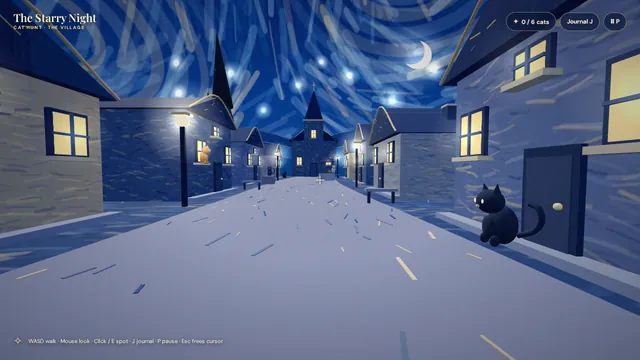
Van Gogh cat-spotting game (Opus 5.5 demo prompt)
can you make a 3d game where you walk around and spot cats inside of a van gogh painting? we can start with stary night and its town

---
Deliverable: build this in the current folder as a self-contained web page that opens in a browser with index.html as the entry point (no build step; CDN imports are fine). Work autonomously and do not ask questions.
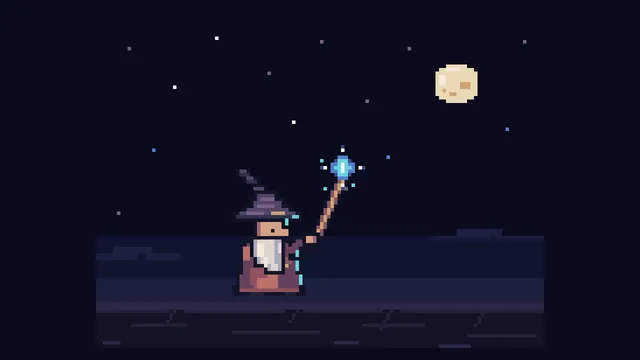
16-bit pixel wizard sprite loop (Opus 5.5 demo prompt)
Create a single self-contained HTML file that renders an animated pixel art wizard casting a spell, using vanilla JavaScript and Canvas 2D. No external assets, libraries, or network requests.

RENDERING
- Draw everything to an offscreen canvas at a fixed logical resolution of 128x96, then blit to a fullscreen display canvas scaled by the largest integer factor that fits the window, centered, with imageSmoothingEnabled = false and CSS image-rendering: pixelated.
- All drawing snaps to integer coordinates on the logical canvas. No sub-pixel positions, anti-aliasing, gradients, or shadowBlur.
- Fixed palette of ~24 hex colors: deep blues/purples for night sky, warm robe tones, 3-4 bright magic colors. Every pixel comes from this palette.

CHARACTER
- Build the wizard procedurally from filled rects and pixel runs, ~24x32 logical pixels: pointed hat with a bend, long beard, two-shade robe with darker outline, staff with a gem at the tip.
- Parameterize the pose (staff angle, arm raise, head tilt, robe sway). Animate parameters smoothly, then quantize to the pixel grid each frame so motion reads at an 8-12 fps pixel animation feel even though the loop runs at 60fps.

ANIMATION
- Looping state machine: IDLE (2-frame bob, beard sway) -> CHARGE (staff raises, gem flickers, sparks spiral inward) -> CAST (bright burst, projectile fires across the scene, 1-2 pixel screen shake) -> RECOVER (settle back). Ease pose parameters between keyframes.
- Pooled allocation-free particle system: preallocate and reuse. Sparks orbit the gem during CHARGE, explode outward on CAST, each particle stepping its palette index from white to magic color to dark before despawn. Snap particle positions to the grid when drawing.
- Fixed 60hz timestep update with rAF rendering. Zero object allocation inside the loop.

SCENE
- Minimal background: dark sky, a few twinkling 1px stars, moon, stone floor line. Character silhouette must read clearly.
- Subtle 1px rim light on the wizard from the gem, brightening during CHARGE and CAST.

QUALITY BAR
- Crisp pixels at any window size, seamless loop, stable 60fps, readable silhouette. Should look like a polished 16-bit sprite animation, not vector shapes scaled down.

---
Deliverable: build this in the current folder as a self-contained web page that opens in a browser with index.html as the entry point (no build step; CDN imports are fine). Work autonomously and do not ask questions.
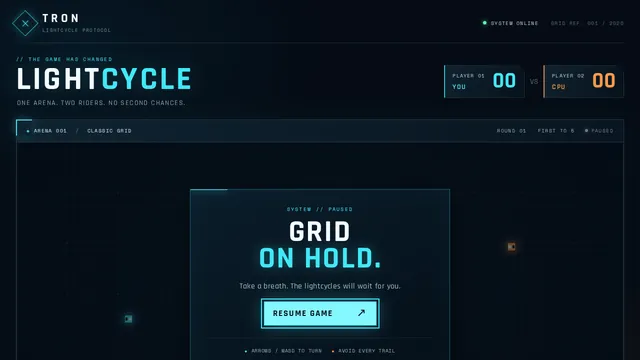
"Make a Tron game" (Opus 5.5 demo prompt)
make a Tron game.

---
Deliverable: build this in the current folder as a self-contained web page that opens in a browser with index.html as the entry point (no build step; CDN imports are fine). Work autonomously and do not ask questions.
001 Ink Bloom Garden
Ink Bloom Garden: A dark canvas where every click plants an ink-drop flower that grows outward in branching, feathered petals over three seconds using layered translucent strokes. Petal colour drifts with the mouse's horizontal position. Space clears the canvas with a slow fade; S saves the current canvas as a PNG.

Build it as ONE self-contained HTML file: inline CSS and JavaScript only, no libraries or frameworks, and no external requests of any kind (no CDNs, web fonts, images or audio files); anything visual or audible is made in code (HTML/CSS, SVG, Canvas, WebGL or WebAudio). It must work when opened directly from disk, fit the browser window responsively, and run without console errors. Output ONLY the complete HTML file, starting with <!DOCTYPE html> and ending with </html>, with no explanation or markdown fences.
002 Pendulum Wave
Pendulum Wave: Fifteen pendulums hung side by side, each with a slightly different period so that together they form travelling waves, snakes and brief alignments that repeat every 60 seconds. Show a slider for playback speed, a reset button, and draw a faint trail behind each bob.

Build it as ONE self-contained HTML file: inline CSS and JavaScript only, no libraries or frameworks, and no external requests of any kind (no CDNs, web fonts, images or audio files); anything visual or audible is made in code (HTML/CSS, SVG, Canvas, WebGL or WebAudio). It must work when opened directly from disk, fit the browser window responsively, and run without console errors. Output ONLY the complete HTML file, starting with <!DOCTYPE html> and ending with </html>, with no explanation or markdown fences.
003 Orbital Coffee Landing
Orbital Coffee Landing: A landing page for an invented specialty coffee roaster: a full-height hero with a CSS-drawn steaming cup, three origin cards that tilt in 3D toward the cursor, a scroll-triggered brew timeline, and a sticky header that shrinks after 80px of scrolling. Fully responsive down to 360px.

Build it as ONE self-contained HTML file: inline CSS and JavaScript only, no libraries or frameworks, and no external requests of any kind (no CDNs, web fonts, images or audio files); anything visual or audible is made in code (HTML/CSS, SVG, Canvas, WebGL or WebAudio). It must work when opened directly from disk, fit the browser window responsively, and run without console errors. Output ONLY the complete HTML file, starting with <!DOCTYPE html> and ending with </html>, with no explanation or markdown fences.
004 Brick Breaker Neon
Brick Breaker Neon: A neon brick-breaker: a paddle follows the mouse or arrow keys, the ball bounces off six rows of glowing bricks, and destroyed bricks burst into particles. Include three lives, a score, a level-two layout after clearing, a pause on P, and a game-over screen with restart.

Build it as ONE self-contained HTML file: inline CSS and JavaScript only, no libraries or frameworks, and no external requests of any kind (no CDNs, web fonts, images or audio files); anything visual or audible is made in code (HTML/CSS, SVG, Canvas, WebGL or WebAudio). It must work when opened directly from disk, fit the browser window responsively, and run without console errors. Output ONLY the complete HTML file, starting with <!DOCTYPE html> and ending with </html>, with no explanation or markdown fences.
005 Focus Timer Orbit
Focus Timer Orbit: A focus-session timer drawn as a planet orbiting a sun: a full orbit equals the session length. It supports 25/5 work/break cycles with editable durations, start/pause/reset, a counter of completed sessions, and a soft synthesised chime at each transition generated with WebAudio.

Build it as ONE self-contained HTML file: inline CSS and JavaScript only, no libraries or frameworks, and no external requests of any kind (no CDNs, web fonts, images or audio files); anything visual or audible is made in code (HTML/CSS, SVG, Canvas, WebGL or WebAudio). It must work when opened directly from disk, fit the browser window responsively, and run without console errors. Output ONLY the complete HTML file, starting with <!DOCTYPE html> and ending with </html>, with no explanation or markdown fences.
006 Rainfall Bars
Rainfall Bars: An animated bar chart of monthly rainfall for an invented city (Jan 78mm, Feb 64, Mar 55, Apr 40, May 22, Jun 10, Jul 8, Aug 12, Sep 30, Oct 52, Nov 70, Dec 85). Bars fill like rain gauges, hovering shows a tooltip, and a toggle switches between millimetres and inches.

Build it as ONE self-contained HTML file: inline CSS and JavaScript only, no libraries or frameworks, and no external requests of any kind (no CDNs, web fonts, images or audio files); anything visual or audible is made in code (HTML/CSS, SVG, Canvas, WebGL or WebAudio). It must work when opened directly from disk, fit the browser window responsively, and run without console errors. Output ONLY the complete HTML file, starting with <!DOCTYPE html> and ending with </html>, with no explanation or markdown fences.
007 Kinetic Headline
Kinetic Headline: The phrase MAKE SOMETHING WEIRD in huge letters, where each letter is an independent element that scatters away from the cursor on a spring and eases back home. Clicking cycles through three typefaces from generic font families; letters wobble slightly while idle.

Build it as ONE self-contained HTML file: inline CSS and JavaScript only, no libraries or frameworks, and no external requests of any kind (no CDNs, web fonts, images or audio files); anything visual or audible is made in code (HTML/CSS, SVG, Canvas, WebGL or WebAudio). It must work when opened directly from disk, fit the browser window responsively, and run without console errors. Output ONLY the complete HTML file, starting with <!DOCTYPE html> and ending with </html>, with no explanation or markdown fences.
008 Pocket Theremin
Pocket Theremin: A full-screen theremin: horizontal mouse position sets pitch across two octaves on a pentatonic scale, vertical position sets volume and vibrato depth. Holding the mouse down plays a WebAudio oscillator; a glowing trail and a live waveform display follow the pointer. Keys 1-4 switch waveform.

Build it as ONE self-contained HTML file: inline CSS and JavaScript only, no libraries or frameworks, and no external requests of any kind (no CDNs, web fonts, images or audio files); anything visual or audible is made in code (HTML/CSS, SVG, Canvas, WebGL or WebAudio). It must work when opened directly from disk, fit the browser window responsively, and run without console errors. Output ONLY the complete HTML file, starting with <!DOCTYPE html> and ending with </html>, with no explanation or markdown fences.
009 Forest Fire Automaton
Forest Fire Automaton: A cellular-automaton forest on a 150x100 grid: trees regrow with probability p, lightning strikes with probability f, and fire spreads to neighbours. Sliders adjust p and f live, a counter shows live trees, burning cells glow orange to red, and a click drops a spark.

Build it as ONE self-contained HTML file: inline CSS and JavaScript only, no libraries or frameworks, and no external requests of any kind (no CDNs, web fonts, images or audio files); anything visual or audible is made in code (HTML/CSS, SVG, Canvas, WebGL or WebAudio). It must work when opened directly from disk, fit the browser window responsively, and run without console errors. Output ONLY the complete HTML file, starting with <!DOCTYPE html> and ending with </html>, with no explanation or markdown fences.
010 Toggle Switch Gallery
Toggle Switch Gallery: A gallery of eight distinct toggle switch designs on a neutral grid: day/night, liquid blob, rocker, pill with icon, 3D push, checkbox morph, skeuomorphic lever and minimalist line. Each animates smoothly between states, is keyboard accessible, and shows its current state label underneath.

Build it as ONE self-contained HTML file: inline CSS and JavaScript only, no libraries or frameworks, and no external requests of any kind (no CDNs, web fonts, images or audio files); anything visual or audible is made in code (HTML/CSS, SVG, Canvas, WebGL or WebAudio). It must work when opened directly from disk, fit the browser window responsively, and run without console errors. Output ONLY the complete HTML file, starting with <!DOCTYPE html> and ending with </html>, with no explanation or markdown fences.
011 Pure CSS Sunset
Pure CSS Sunset: A layered sunset over rolling hills built entirely with CSS gradients, shapes and keyframe animation, with no canvas or script: the sun sinks over 20 seconds, the sky shifts from gold to violet, stars fade in, and a small silhouetted windmill turns on a hill.

Build it as ONE self-contained HTML file: inline CSS and JavaScript only, no libraries or frameworks, and no external requests of any kind (no CDNs, web fonts, images or audio files); anything visual or audible is made in code (HTML/CSS, SVG, Canvas, WebGL or WebAudio). It must work when opened directly from disk, fit the browser window responsively, and run without console errors. Output ONLY the complete HTML file, starting with <!DOCTYPE html> and ending with </html>, with no explanation or markdown fences.
012 Magnetic Filings
Magnetic Filings: Thousands of short iron-filing strokes on a pale background align to the field of two draggable magnets, one red north and one blue south. Strokes recompute live as magnets are dragged; a double click adds a third magnet and a button flips each polarity.

Build it as ONE self-contained HTML file: inline CSS and JavaScript only, no libraries or frameworks, and no external requests of any kind (no CDNs, web fonts, images or audio files); anything visual or audible is made in code (HTML/CSS, SVG, Canvas, WebGL or WebAudio). It must work when opened directly from disk, fit the browser window responsively, and run without console errors. Output ONLY the complete HTML file, starting with <!DOCTYPE html> and ending with </html>, with no explanation or markdown fences.
013 Soft Body Blobs
Soft Body Blobs: Five jelly-like blobs made of spring-connected points fall into a box, squish on impact and jostle each other. The user can grab and fling any blob with the mouse. A gravity slider and a button that tilts the box left or right are included.

Build it as ONE self-contained HTML file: inline CSS and JavaScript only, no libraries or frameworks, and no external requests of any kind (no CDNs, web fonts, images or audio files); anything visual or audible is made in code (HTML/CSS, SVG, Canvas, WebGL or WebAudio). It must work when opened directly from disk, fit the browser window responsively, and run without console errors. Output ONLY the complete HTML file, starting with <!DOCTYPE html> and ending with </html>, with no explanation or markdown fences.
014 Snake Reimagined
Snake Reimagined: A modern snake game on a 24x24 grid with smooth interpolated movement, a gradient body that tapers to the tail, food that pulses, and walls that wrap. Speed increases every five apples. Show score and best score (saved in localStorage) and support arrows, WASD and swipe.

Build it as ONE self-contained HTML file: inline CSS and JavaScript only, no libraries or frameworks, and no external requests of any kind (no CDNs, web fonts, images or audio files); anything visual or audible is made in code (HTML/CSS, SVG, Canvas, WebGL or WebAudio). It must work when opened directly from disk, fit the browser window responsively, and run without console errors. Output ONLY the complete HTML file, starting with <!DOCTYPE html> and ending with </html>, with no explanation or markdown fences.
015 Color Palette Studio
Color Palette Studio: A palette generator: press space to generate five harmonious colours (choose analogous, complementary, triadic or monochrome), click a swatch to lock it, and show each colour's HEX, RGB and a WCAG contrast rating against white and black. Clicking a code copies it with a toast.

Build it as ONE self-contained HTML file: inline CSS and JavaScript only, no libraries or frameworks, and no external requests of any kind (no CDNs, web fonts, images or audio files); anything visual or audible is made in code (HTML/CSS, SVG, Canvas, WebGL or WebAudio). It must work when opened directly from disk, fit the browser window responsively, and run without console errors. Output ONLY the complete HTML file, starting with <!DOCTYPE html> and ending with </html>, with no explanation or markdown fences.
016 Heartbeat Line
Heartbeat Line: A live ECG-style monitor that scrolls a heartbeat trace across a dark grid, with a BPM readout, a slider from 40 to 180 BPM that changes the rhythm in real time, a red flash on each beat, and an optional synthesised beep per beat.

Build it as ONE self-contained HTML file: inline CSS and JavaScript only, no libraries or frameworks, and no external requests of any kind (no CDNs, web fonts, images or audio files); anything visual or audible is made in code (HTML/CSS, SVG, Canvas, WebGL or WebAudio). It must work when opened directly from disk, fit the browser window responsively, and run without console errors. Output ONLY the complete HTML file, starting with <!DOCTYPE html> and ending with </html>, with no explanation or markdown fences.
017 Typewriter Poem
Typewriter Poem: A vintage typewriter page that types out a short original eight-line poem character by character with slight timing randomness, ink density variation and occasional struck-through corrections. Each keystroke plays a synthesised click, a bell rings at each line end, and a replay button restarts it.

Build it as ONE self-contained HTML file: inline CSS and JavaScript only, no libraries or frameworks, and no external requests of any kind (no CDNs, web fonts, images or audio files); anything visual or audible is made in code (HTML/CSS, SVG, Canvas, WebGL or WebAudio). It must work when opened directly from disk, fit the browser window responsively, and run without console errors. Output ONLY the complete HTML file, starting with <!DOCTYPE html> and ending with </html>, with no explanation or markdown fences.
018 Step Sequencer Grid
Step Sequencer Grid: A 16-step, 8-row drum and synth sequencer with a lit grid. Kick, snare, hat and clap are synthesised with WebAudio, plus four pentatonic notes. Includes a tempo slider (60-180 BPM), a moving playhead, clear and randomise buttons, and swing control.

Build it as ONE self-contained HTML file: inline CSS and JavaScript only, no libraries or frameworks, and no external requests of any kind (no CDNs, web fonts, images or audio files); anything visual or audible is made in code (HTML/CSS, SVG, Canvas, WebGL or WebAudio). It must work when opened directly from disk, fit the browser window responsively, and run without console errors. Output ONLY the complete HTML file, starting with <!DOCTYPE html> and ending with </html>, with no explanation or markdown fences.
Zoom to the Atom
Zoom to the Atom: A cinematic 3D motion graphic that plays one continuous camera zoom lasting about 40 to 60 seconds, from the scale of a building down to a single atom, with no cuts. The journey, in order: a long aisle in a datacenter lined with glowing server racks; the camera approaches one rack; a server slides out and its lid opens; inside, a generic graphics card (no real brand names or logos) comes apart in an exploded view; the camera dives into the chip package, then the bare silicon die with its grid of functional blocks; into one circuit block with layered metal interconnects; down to a single transistor (gate, source, drain, channel); into the silicon crystal lattice; and it ends on one glowing silicon atom with its nucleus and electron shells. Each stage is modelled in 3D with its own lighting and colour mood, transitions are smooth and continuous (scale changes blended so the viewer never sees a jump), and a clean on-screen label with the approximate scale (for example "Datacenter, ~100 m" down to "Silicon atom, ~0.2 nm") fades in at each stage. Show a thin progress bar, and a Replay button when the sequence ends; clicking or tapping pauses and resumes.

Build it as ONE self-contained HTML file with inline CSS and JavaScript. You may load three.js (and its addons) from a public CDN via an import map or script tag; no other external requests (no image, texture, model, font or audio files): make every shape and texture in code. It must work when opened directly from disk in a current desktop or mobile browser, fit the window responsively, keep a smooth frame rate, and run without console errors. Output ONLY the complete HTML file, starting with <!DOCTYPE html> and ending with </html>, with no explanation or markdown fences.
Koi Pond Garden
Koi Pond Garden: A calm, interactive Japanese garden seen from above at a gentle three-quarter angle, centred on a koi pond. The water must read as clear and refractive: you can see the pebbled pond floor and the koi through it, distorted by soft ripples, with caustic light patterns moving across the bottom and a subtle surface reflection and sheen. At least seven koi with detailed, varied patterned skin (kohaku, showa, ogon, tancho and similar), flowing fins and tails, swim naturally in smooth, unhurried curves, avoid each other and the pond edge, and occasionally rise near the surface. Surround the pond with natural stones and mossy rocks of varied shapes and textures, grasses, a few plants and flowers, floating lily pads (some with blossoms), and at least one small stone lantern or similar garden detail. Lighting should be warm and soft, with believable shadows.

Interaction: clicking or tapping the water drops a few food pellets that splash, float and slowly sink; nearby koi notice them, swarm toward them and visibly eat them (each pellet disappears when a fish reaches it), then disperse. At least two frogs sit on lily pads; clicking or tapping a frog makes it leap in an arc to another pad or into the water with a splash and rings of ripples. Clicking the water anywhere also sends out ripples. The camera can be orbited gently with a drag and zoomed within limits, but must not flip under the ground.

Build it as ONE self-contained HTML file with inline CSS and JavaScript. You may load three.js (and its addons) from a public CDN via an import map or script tag; no other external requests (no image, texture, model or audio files): make every texture and shape in code (procedural canvas textures, shaders or geometry). It must work when opened directly from disk in a current desktop or mobile browser, support both mouse and touch, fit the window responsively, keep a smooth frame rate, and run without console errors. Output ONLY the complete HTML file, starting with <!DOCTYPE html> and ending with </html>, with no explanation or markdown fences.